
Monday morning: a customer's text is on one phone, a quote is buried in email, the job card is on the dashboard, and the invoice is waiting for a photo that's still on someone's mobile. The work may be getting done, but the hand-offs are already costing attention.
That's the problem tradie job management software should solve. Don't buy it for a long feature list. Buy it to make the path from enquiry to payment visible, usable on site and reliable enough that the team keeps using it.
Table of Contents
- Why Tradies Buy Software They Stop Using
- Must-Have Features and the Data Behind Them
- How Jobs Flow from Enquiry to Invoice
- Cash Flow Is the Real Reason to Buy a System
- Selection Criteria and Integration With Existing Tools
- Implementation Steps That Actually Stick
- Where Managed AI Operations Fit Around Existing Software
- A Short Decision Checklist Before You Sign
Why Tradies Buy Software They Stop Using
The usual purchase starts with admin that's become hard to manage. A builder wants to stop losing track of variations. An HVAC owner wants the office and technicians looking at the same schedule. A sole trader wants to know which quotes need a follow-up. They choose a platform, load some customer records, then discover that the actual work still happens across texts, inboxes, spreadsheets and memory.
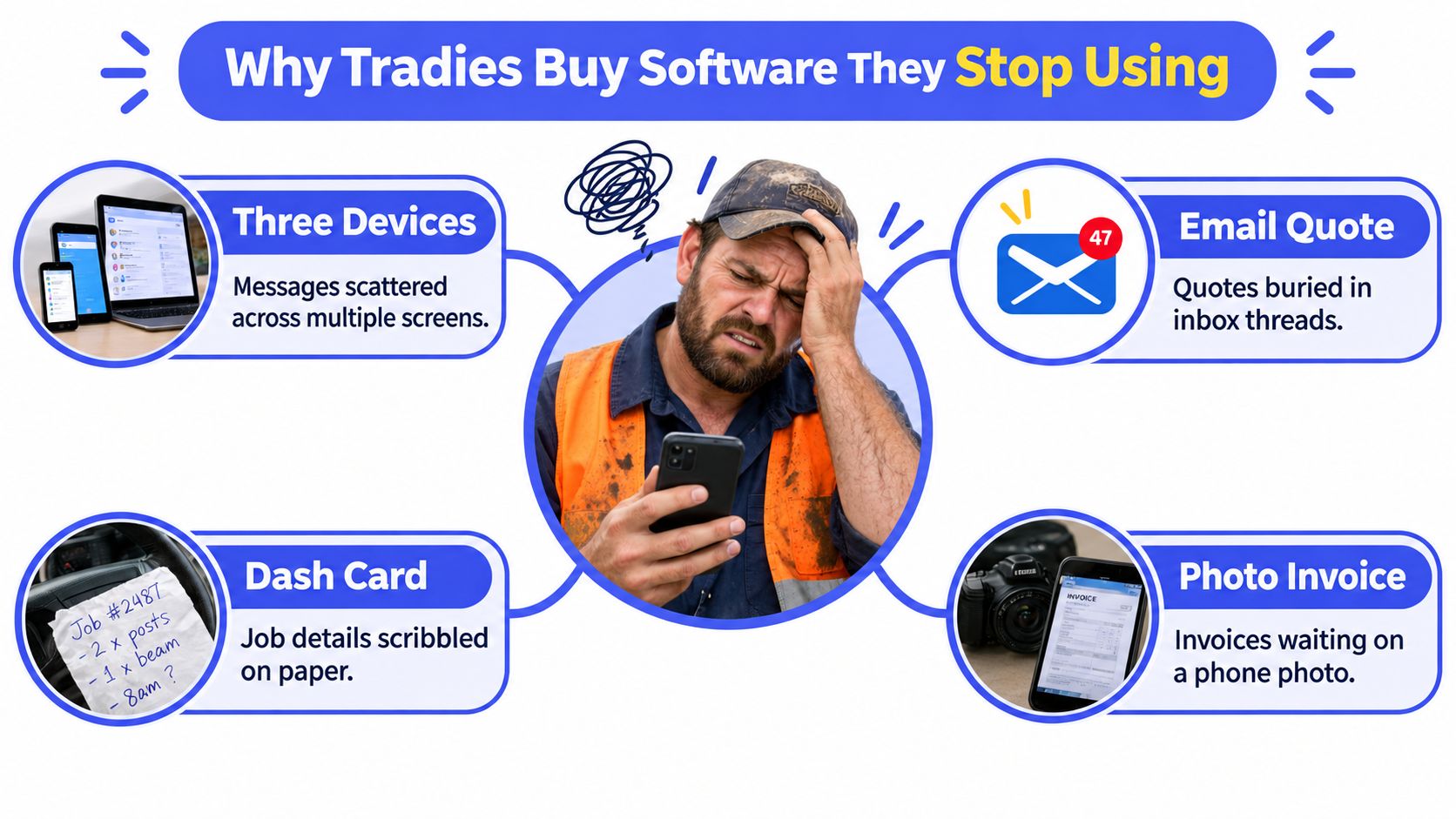
That mismatch is common, not a sign that every tradie needs an elaborate platform. An Australian survey of 1,025 tradies and business owners found 43% still ran core business activities using basic software or pen and paper. The median business used six separate, disconnected software systems, down from eleven the previous year, according to the Australian tradie software adoption survey.
The category is easiest to understand by what it owns. Tradie job management software should give the business a connected operational path for enquiry intake, quoting, scheduling, field updates, customer records, job costing, invoicing and follow-up. A standalone CRM may track contacts and sales conversations. Accounting software handles financial records. A field-service app may support dispatch and on-site tasks. Those tools can remain part of the stack, but the job record needs to carry context between them.
The Hand-Off Matters More Than the Feature List
A platform can offer a calendar, forms and automated messages yet still fail if the office enters a job twice or a technician can't update it from site. When the quote, job notes and invoice live in separate places, someone has to bridge the gaps. That's where duplicate work, slow responses and missed follow-up creep in.
Set a clear boundary before comparing products. Decide which system owns the live job status, customer details and next action. If two platforms both claim to own the same information, the team needs a rule for which one is authoritative.
Practical rule: Choose the system your team will update while the work is happening, not the one that looks most complete in a sales demo.
Small Australian trade businesses don't need a complicated digital overhaul to get control. They need a workable operating routine: each enquiry or job has an owner, a stage, a next action and a clear outcome. A system that supports that routine is more useful than a bigger platform that creates more administration.
Must-Have Features and the Data Behind Them
Don't score features by how impressive they sound. Score them by whether they help someone make the next operational decision without hunting through messages or re-entering information.
Capture Enough to Act
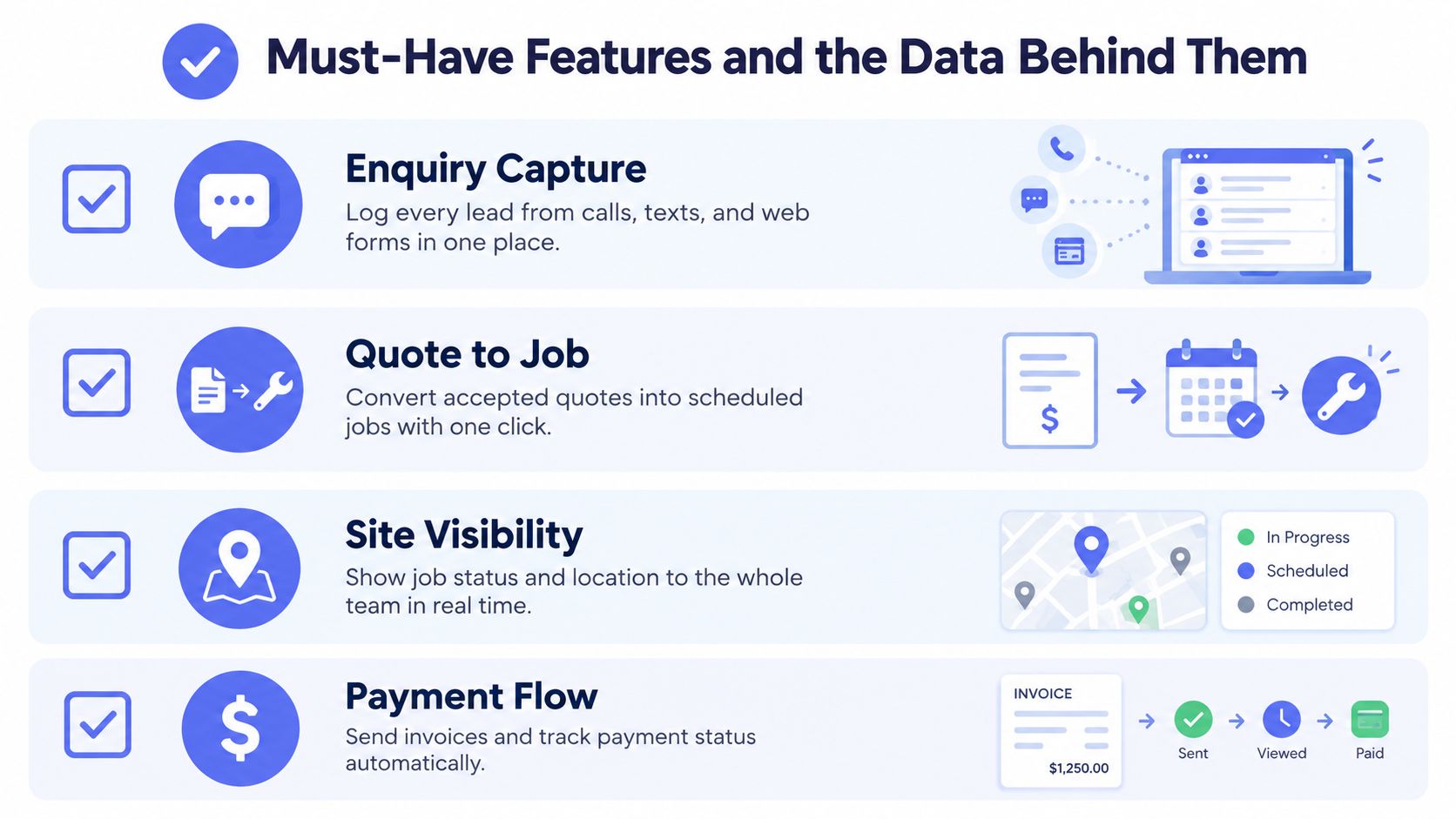
An enquiry record needs the customer's contact details, site address, work requested, source, owner and next action. Add photos or documents when they help clarify the job. A system that stores a name but not what the customer needs is a digital filing cabinet, not a useful intake process.
When a quote is accepted, the job record should retain its scope, price, relevant terms and any changes. Make variations visible and record approval rather than relying on a verbal recollection after the work is finished.
Make Site Updates Part of the Job
A technician should be able to see the schedule, read the job brief, add notes, attach completion photos and update the status from a phone. Test those actions in the mobile app, not just on a desktop. If the system struggles in the conditions your team works in, adoption will suffer.
Payment information needs equal attention. The job should connect to an invoice with an issue date, due date, approval status and payment state. Don't treat invoicing as a separate clerical task that starts only when someone remembers to close the job.
Australian businesses can keep electronic records if they remain accurate, secure, identifiable and retrievable. The ATO's record-keeping rules say most records must be retained for five years. Ask a vendor how your team can find, export and preserve the records behind a quote, variation, invoice and payment.
Use the demo to test a real workflow. Ask the vendor to take an enquiry through to a completed, invoiced job, then show what happens when a variation is unapproved or a completion photo is missing.
How Jobs Flow from Enquiry to Invoice
A job should move through a connected chain, not a series of screens that lose information at every hand-off. Start with a first response, capture the request in structured intake, prepare a quote, record any variation, schedule the work, capture completion evidence, then issue and follow up the invoice.
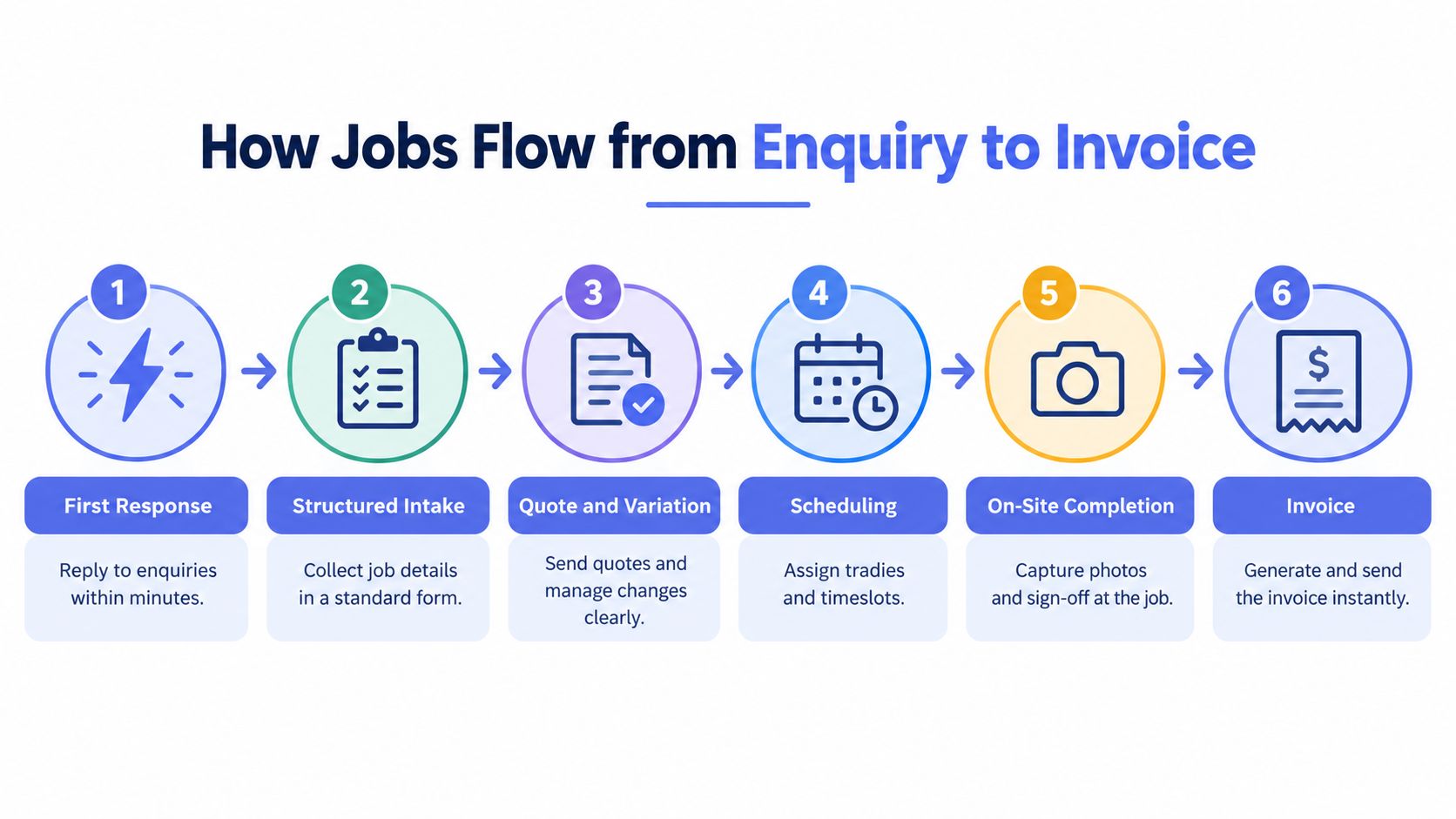
Give each job a unique ID and one canonical record that follows it through each stage. The record should show who owns the next action, when the status changed, what documents or photos are attached, and what must be true before the next hand-off. For example, a job shouldn't become ready to invoice if the required completion evidence or customer approval is missing.
That structure also makes exceptions easier to spot. If a quote hasn't been answered, a variation is waiting for approval or a completed job hasn't been billed, the owner can see the blockage and route it to a person. Automation can prompt, validate or escalate, but it shouldn't decide how to resolve a disputed scope or promise a date the team can't meet.
The practical challenge isn't only choosing software. Research by Deloitte Access Economics and Autodesk identified data interoperability and workforce capability as barriers to embedding digital tools in Australian construction businesses. That makes integration design and technician usability part of the buying decision, not optional polish. Their construction technology adoption findings are a reason to test how information moves between tools and users, rather than judging each module in isolation.
For a useful look at how structured requests support quoting, Uptool's resource on the RFQ quoting process offers a related perspective on gathering the details needed to prepare a quote. If you use ServiceM8, this guide to automating enquiry replies in ServiceM8 gives a practical example of supporting an early hand-off without replacing the job platform.
Cash Flow Is the Real Reason to Buy a System
A system that creates invoices but doesn't help the team get them out, resolve blockers and follow up is only recording the cash-flow problem. The useful measure is not whether an invoice feature exists. It's whether the business can see what's ready to bill, what's overdue, what's disputed and who needs to act.
The timing matters in Australian construction. Payment analysis reports a median 30-day payment period for construction suppliers, compared with 25 days across all industries. At the median entity, 24.4% of small-business construction invoices are paid late, according to construction payment data.
A late invoice can have an operational cause, not just a slow-paying customer. The completion photo may be missing. A variation may not have been approved. The invoice may have gone to the wrong contact or lacked a purchase-order reference. If the job system doesn't reveal those exceptions, an accounting integration won't fix them.
Buy Visibility and Follow-Through
Ask a vendor to show how the software identifies jobs ready to bill and distinguishes a genuine dispute from an untouched invoice. Look for an action queue that shows invoice age, the last follow-up, the next step and the person responsible. A manager who's on site should be able to see where intervention is needed without searching through email.
The control should also account for time. Issue the invoice once verified work is complete, send a suitable reminder before it falls out of view, and pause automated follow-up when a dispute is logged. Keep a human responsible for sensitive or unusual customer conversations.
The useful question is: Can this workflow help move money, or does it only show that money is owed?
For businesses that already have invoicing in their job platform, the gap may be consistent follow-up rather than another finance tool. Invoice reminder automation can support a managed reminder process around existing systems, with people retaining control of exceptions and customer relationships.
Selection Criteria and Integration with Existing Tools
Compare systems against the workflow you run. A builder handling project stages and variations may need different controls from an HVAC operator managing reactive call-outs, but both need clear ownership, useful mobile access and a reliable route from completed work to payment.
Start with the stack you have. List your accounting platform, CRM, email, phone channels and any field tools the team relies on. Mark each connection must integrate or nice to connect. If accounting is where financial records are managed, confirm how job data reaches it and what the team still has to enter by hand. If your CRM owns sales follow-up, decide how accepted work becomes an active job without losing the enquiry history.
Score the Shortlist Consistently
Use the same questions in each vendor demo. Score each criterion from 1 to 5, where a low score means the system doesn't meet the need and a high score means it handles the workflow clearly in a realistic test. The weights below are starting points, not a universal formula. Adjust them to suit your business, then keep the same weights across the shortlist.
| Criterion | Why it matters | Weight | Score 1-5 |
|---|---|---|---|
| Lifecycle coverage | Keeps enquiry, quote, job, completion and invoice context connected | High | |
| Mobile usability | Lets the field team update work where it happens | High | |
| Integration depth | Reduces re-keying and clarifies which system owns each record | High | |
| Governance and audit trail | Makes approvals, changes and exceptions visible | High | |
| Total cost | Captures subscriptions, add-ons, setup and internal administration | Medium | |
| Vendor support | Helps the team resolve setup and workflow issues | Medium |
Job costing deserves attention if your business needs to understand labour, materials and margin by job. For a plain-language overview of the topic, see this construction job costing guide from Bookkeeping and Accounting of Florida Inc.. Treat it as background, then verify that your shortlisted platform captures the fields and approvals your own costing process requires.
Don't award a high score because a feature exists. Ask to see the hand-off, the failed case and the export.
Implementation Steps That Actually Stick
A rollout works when people use the new process during real jobs. Treat implementation as an operating change with an owner, a clear scope and a way to spot failure, not as a software setup task that ends when the accounts are created.

Map the current hand-offs. Write down how an enquiry becomes a quote, how accepted work gets scheduled, and what must be supplied before an invoice goes out. Note where information is re-entered or lost. Don't redesign the whole business before you know where the routine breaks.
Set a baseline and choose a pilot. Track the admin work you want to improve using your own records, then test one job type in the new system. Choose work with a clear start and finish so the team can assess whether the workflow is easier to follow.
Assign owners and define the rules. Decide who checks incoming enquiries, who updates job status and who handles exceptions. Make the required fields and completion evidence clear. A tool can't create accountability if nobody owns the next action.
Train against real tasks. Have staff and subcontractors create or update a job, attach a photo, record a variation and close out work. Attendance isn't proof of adoption. Look for complete job records and timely status updates.
At the first review, compare the pilot with your baseline. Ask staff where they left the app, what they still recorded elsewhere and which hand-offs remain unclear. Expand only when the process is working for the people who use it on site and in the office.
Where Managed AI Operations Fit Around Existing Software
Buying a platform and operating a process are different decisions. Your job-management system can store a job and show its status; it won't automatically decide whether an enquiry needs a human response, chase a quote appropriately or notice that customer records have drifted.
That gap matters as AI tools become more common. Australian small-business AI adoption reached 43% in the December 2025 to February 2026 quarter, with 44% reporting adoption in February. Among adopters, data analytics and content generation each represented 54% of use, while cybersecurity and threat detection represented 48%, according to the Australian Government's AI adoption insights. Adoption alone doesn't establish that an automation is safe, accurate or appropriate for a customer conversation.
A managed operations layer can sit around existing tools to support first response, structured intake, quote follow-up, CRM hygiene and invoice reminders. For example, how voice AI answers customer calls is one capability to assess as part of a broader call-handling workflow, not a reason to hand every customer decision to automation.
Set Approval and Failure Rules Before Launch
Ask who approves outgoing messages, where prompts and exceptions are logged, how access to sensitive data is restricted, and what happens when an integration fails. Check that a person can pause or override a process and see why a task was routed. Messages that could commit the business to a crew, price or start date should have clear approval rules.
Truespeak provides managed AI operations around existing business tools, including monitoring, tuning, approval gates, reporting and exception handling. A useful managed layer should make the process more visible and consistent while leaving judgement, consequential decisions and customer relationships with people. Learn more about managed AI operations.
A Short Decision Checklist Before You Sign
Take these questions into the next vendor conversation. Ask for a live demonstration using one of your real workflows, and insist on seeing the awkward hand-off, not just the clean path.
- Lifecycle: Can the system carry an enquiry through quoting, scheduling, completion and invoice follow-up without losing its history?
- Mobile use: Can a technician find the job, update its status, add notes and attach completion evidence on a phone?
- Integration: Which existing tools must connect, what data moves between them, and which system owns each record?
- Governance: Can you see approvals, changes, user access and exceptions, and can the team export the records it needs?
- Follow-through: Who monitors stalled enquiries, incomplete jobs and overdue invoices after launch, and how are exceptions assigned to a person?
The ATO says digital systems can automatically total amounts, produce GST and income-tax reports, support online reporting and provide backups against events such as fire, flood or theft. The business remains responsible for ensuring its records meet the rules, as explained in the ATO's small-business record-keeping guidance.
Don't let a demo turn the decision into a contest over the number of features. The system should make the work traceable, keep the team aligned and expose what needs attention. Follow-through is the operating result you're buying.
Truespeak designs and manages automation around existing tools for enquiry response, intake, CRM upkeep and invoice follow-up. If you want a practical assessment of where hand-offs are breaking down before choosing your next platform, visit Truespeak.