
Most advice about hiring a virtual assistant for small business starts with a timesheet. Add up the admin hours, multiply by an hourly rate, and see whether the number is lower than your own charge-out rate. That maths is fine as far as it goes, and it reliably produces the wrong decision.
The hours you hand over don't vanish from your week. They come back as a different kind of work: writing the rules in the first place, checking the output, answering the questions a helper isn't authorised to answer, and carrying the consequences when something lands badly with a client. A cheap assistant who needs daily direction can consume more of your week than a managed system with clear approval gates. A powerful automation nobody checks can cost more again, because the mistakes arrive faster and at volume.
The useful sequence is rules first, then the choice of who executes them. Get that order right and the hourly rate stops being the deciding factor.
Table of Contents
- What a Virtual Assistant for Small Business Does
- Tasks to Delegate and Who Should Handle Them
- Where Human Judgement Must Stay in Control
- Human and AI-Supported Options Side by Side
- Hidden Oversight Work to Budget For
- How to Pilot One Workflow and Measure It
- Choose Your Option and Pick the First Workflow
What a Virtual Assistant for Small Business Does
Walk into a well-run clinic and watch the front desk for five minutes. Someone greets arrivals, checks the booking, hands over the intake form, answers the phone, and knows exactly which questions belong with the practice manager. A virtual assistant for small business runs that desk from another room. They see the shared inbox, the calendar and the client records, they work from a written checklist, and they know which decisions they can make alone.
A virtual assistant for small business is a remote worker, human, AI-supported or a blend of both, who handles defined administrative, communication and coordination work so the owner and the team can stay on billable work. The label matters less than the delegation: what's in scope, what's out, and who decides when a case sits between the two.
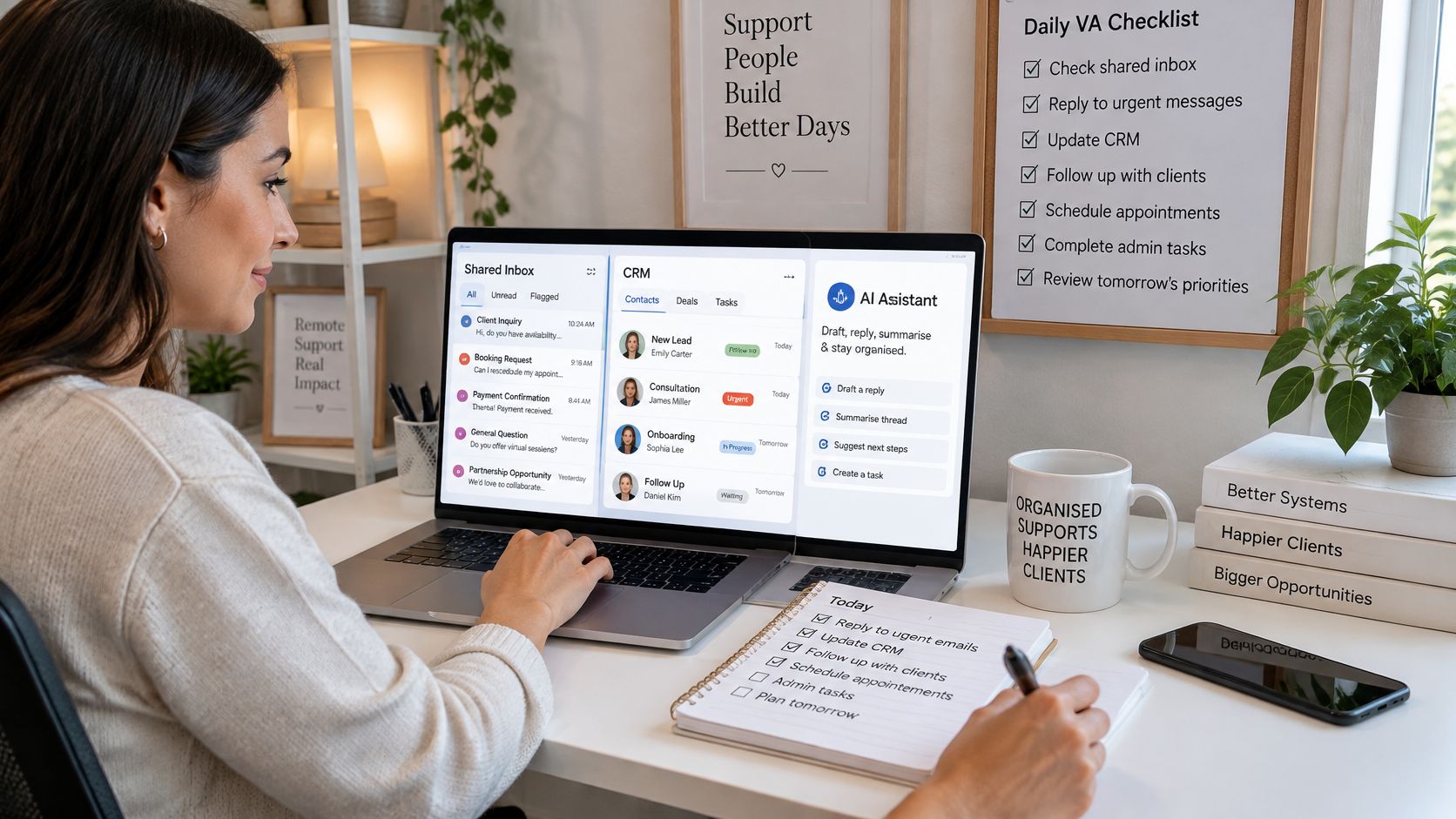
The work falls into three layers, and each one needs its own rules.
- Administration: diary changes, data entry, document filing and contact record updates.
- Communication: enquiry acknowledgements, appointment reminders, follow-ups on quotes, and payment reminders.
- Operations: CRM hygiene, intake forms and documents, and the weekly report on what moved and what stalled.
Software does part of this. An assistant does something different. Software waits to be opened. An assistant works to a schedule, notices when a task hasn't happened, escalates the odd case and reports back at the end of the week. That's why the setup cost sits with you: an assistant can only follow rules somebody wrote down.
The economics point the same way. 91.5% of Australian businesses reported annual turnover below $2 million in 2024-25, according to Australian Bureau of Statistics business counts, and most of that base runs without a dedicated operations team. Sole traders and small employers absorb the back office themselves, which is the capacity a VA or a managed AI layer buys back. If you want a plain description of the day-to-day scope before writing your own checklist, the Virtustant Jobs guide to VA work covers the ground without the sales gloss.
The rule that settles every later argument: the assistant carries out work within rules you set; the owner keeps the decisions.
Tasks to Delegate and Who Should Handle Them
Before sorting tasks into human and machine columns, score each one on four things: how often it happens in a week, how many minutes it takes each time, what a mistake would cost in money or in the relationship, and how much judgement it needs. High frequency, low error cost and low judgement is where delegation pays first. High error cost with high judgement is the work you keep, however much it irritates you, because fixing it afterwards will cost more than doing it.
| Task | Best handled by | Human check needed | Notes |
|---|---|---|---|
| Diary and calendar changes | Human assistant | Light weekly check | Confirm changes that affect clients with the owner |
| Data entry and document filing | Human assistant or AI-supported | Spot check each week | Use least-privilege access |
| Enquiry capture into CRM | AI-supported | Weekly duplicate review | Mandatory fields and a recorded source |
| First acknowledgement to enquiries | AI-supported draft | Approval before sending | Routine wording only |
| Qualifying calls and booking | Human assistant | Yes | Tone and judgement matter |
| Quote follow-up | AI-supported draft | Approval before sending | Check pricing before any message goes out |
| Invoice reminders before due date | AI-supported | Escalations go to a person | Follow the agreed payment terms |
| Disputes, hardship or complaints | Owner or senior staff | Yes | Sensitive circumstances need judgement |
| Social media scheduling | Human assistant | Yes | Brand voice and timing |
Start at the top. Diary changes, data entry and filing suit a human assistant with access to the calendar and the shared drive, not to the bank account or the full customer database. Give them what the task needs and nothing else, because access you hand over casually is access nobody remembers to remove.
Enquiry capture is the strongest AI case in the table. Speed matters, the wording is predictable, and the main gain isn't the reply itself: it's that every enquiry becomes a record with an owner instead of a message in somebody's inbox. Qualifying calls, complaints, pricing and payment disputes stay with a person. Always.
Take a five-person design studio. An enquiry lands, the intake form captures it automatically, a human assistant triages it the same morning and books the call, and the owner runs the quote conversation. The assistant never quotes and the automation never decides whether a job is worth taking.
Invoice reminders follow the same shape. The sequence should record the invoice number, issue date, due date, amount, contact, account owner and status, pause automatically when a payment lands or a dispute is raised, and route disputed or high-value accounts to a person. OAIC guidance on use and disclosure of personal information treats billing as a normal internal practice, but the information still has to be handled consistently with the purpose it was collected for, which is the argument for showing the reminder system the minimum it needs. If you're still deciding how much admin can leave your desk at all, this guide to outsourced admin support sets out the usual boundaries.
Delegating a task does not delegate the decision behind it.
Where Human Judgement Must Stay in Control
A virtual assistant can save an owner hours each week, but the true test is how much oversight it puts back on the owner's desk. A cheap arrangement that leaves you checking every reply, chasing context and fixing client-facing mistakes costs more than it appears. Judge the assistant by the decisions it removes cleanly, the work it prepares well and the risks it stops before they reach a client.
The highest-risk work should stay with a person: complaints, legal or financial matters, pricing calls, payment disputes, unusual requests and anything that could change how a client sees the business. An AI-supported service can prepare the file, summarise the history, draft a response and route the matter quickly. It should not send the final answer when the decision needs relationship judgement, policy judgement or commercial judgement.
Privacy obligations also shape the boundary. Australian Privacy Principles guidance on use and disclosure of personal information treats billing as a normal internal practice, but the information still has to be handled consistently with the purpose it was collected for. Use a plain-English notice explaining why the information is needed, what will happen to it and what happens if the person declines. Record consent status, who can view the record and how long it is kept before data moves between a form, an inbox and a CRM. Keep access limited to what the workflow needs.
Three Tiers, Written Down Before Go-Live
- Low risk: triage, scheduled reminders, filing, internal drafting, CRM updates and reporting. Automate these, then sample the output weekly.
- Medium risk: client-facing messages sent under the business name. Draft these only, with approval before sending.
- High risk: commitments, money, sensitive information, complaints and unusual exceptions. A person handles these from start to finish.
Say a client rings to change a payment plan after a dispute. The system logs the request, summarises the account history and routes it to the owner the same day. The owner makes the call and sends the reply. The system has done the preparation, which carries much of the time cost, and the judgement stays with the person accountable for the relationship.
That division is how Truespeak configures managed AI operations. Scheduled tasks and continuous checks handle enquiries, CRM updates, invoice chasing, drafting and preparing work, problem monitoring and reporting. Anything risky or client-sensitive waits for human approval, including policy decisions, relationship judgement, pricing, complaints, unusual exceptions and final approval on risky actions. The structure is described in more detail in this guide to human-in-the-loop automation.
If a reply could change a client's decision or their view of you, a named person decides it.
The practical trade-off is speed versus control. Let the assistant prepare context and move routine work overnight and on weekends. Keep people on the actions that carry consequence. That is the line between support that reduces owner workload and support that creates a new supervision job.
Human and AI-Supported Options Side by Side
Comparing a human assistant with an AI-supported service on cost alone produces a decision you'll revisit within a quarter. Score both on the same nine criteria instead, and write the answers down before anyone gets shortlisted.
A human assistant is strongest where judgement, tone and the relationship carry the work. An AI-supported managed service is strongest where the work is repetitive, the rules are clear and speed matters, including after hours, provided it has approval gates, logs and a named owner.
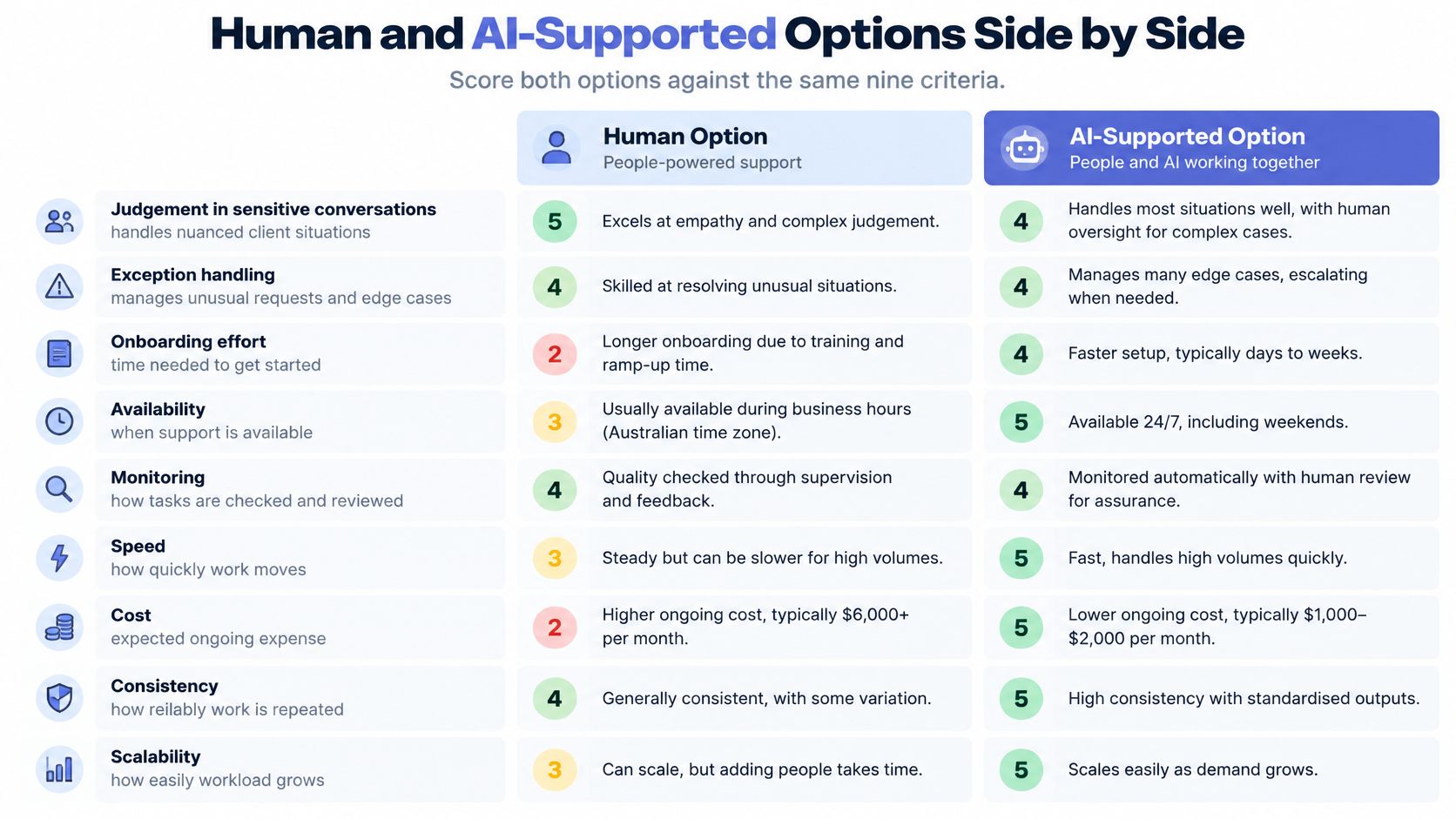
| Criterion | Human virtual assistant | AI-supported managed service | What to check |
|---|---|---|---|
| Judgement in sensitive conversations | Strong, built through training | Prepares and drafts only | Who sends the final reply? |
| Exception handling | Adapts on the spot | Routes to a named person | What is the turnaround target for exceptions? |
| Onboarding effort | Weeks of training and feedback | Process mapping, rules and a test period | How long before the first workflow runs unsupervised? |
| Availability | Set by contract hours | Runs 24/7 within agreed rules | Is after-hours cover needed? |
| Monitoring | Owner reviews the work | Logs, alerts and scheduled reviews | Who reads the logs each week? |
| Accountability | Named in the engagement | Owner stays accountable for decisions | Who signs off consequential decisions? |
| Data access | Granted per person | Scoped to the workflow's fields | Who removes access when someone leaves? |
| Change management | Re-briefing when processes change | Rules and prompts updated | Who updates the runbook? |
| Scaling | Adds hours or people | Adds workflows after evidence | Which workflow is next once the pilot holds? |
Adoption context matters here. 12% of Australian businesses used artificial intelligence in 2024-25, up from 1% in 2022-23, and use is concentrated among businesses already changing how they work: 19% of innovation-active small businesses used AI against 4% of small businesses that hadn't undertaken innovation activity, according to the ABS media release on AI adoption. Small firms need implementation help, not a large replacement program.
How to Read the Check Column
Each question has a factual answer, and you're entitled to it in writing before you sign. Who sends the final reply. Where exceptions go and how fast. Who signs off a decision that costs money. Who updates the rules when your prices, policies or process change. A provider that can answer all four has thought about operations. One that answers in adjectives hasn't.
If a managed AI operations service is on your shortlist, score it against these same nine criteria rather than its own marketing; our managed AI operations page describes the operating model we run. The same discipline applies to a human hire: ask how the provider screens, trains and replaces before comparing rates, which is the ground covered in this guide to hire latin american virtual assistants.
The table, not a vendor pitch, should decide your shortlist.
Hidden Oversight Work to Budget For
Oversight is the line item missing from most comparisons, and it decides whether delegation pays. Whatever option you choose, somebody has to write the rules, watch the output and own the exceptions. Pretending otherwise doesn't remove the work, it just means it lands on you unplanned.
Some of this is shared, some belongs to one model only.
- Both options: documenting each task's trigger, owner, steps and exception path, and agreeing what finished looks like.
- Both options: managing access, with least-privilege permissions, read and write separated, and removal on the day someone leaves.
- Both options: reviewing output, sampling messages and records each week for wrong routing, duplicates and inaccurate content.
- Human-only: onboarding, delegation and regular feedback, which never quite stops.
- AI-only: monitoring, alerts, and rule updates whenever prices, policies or processes change.
The technical constraint is real. CRM adoption was reported at 17% in the ABS 2021-22 ICT data on characteristics of Australian business, so an assistant has to work around the systems you already have rather than assume a unified platform. That means least-privilege credentials, encrypted secret storage and explicit approval gates before external messages, record changes or payment actions run.
What a Basic Audit Trail Should Record
The source record, the context retrieved, the action generated, who approved it, the timestamp and the final outcome. That's enough to investigate an error and roll it back. Keep the retained data to the fields the workflow needs, quarantine uncertain outputs for review, and test the failure cases on purpose: broken permissions, duplicate actions, incorrect routing, accidental disclosure.
Our client systems process business records such as CRM entries, invoices, emails, forms, reports or workflow logs, with scope agreed per client and access limited to what the system needs. That's the same principle stated plainly.
SME leaders already know why this matters. The University of Technology Sydney's Human Technology Institute report on AI adoption in SMEs found leaders identified AI accuracy as a major concern and wanted oversight and review practices, along with data-protection worries when customer information is shared with AI platforms. Those concerns are the checklist above.
Budget formula: weekly oversight hours = sampling and review + exception handling + access changes + runbook or rule updates + onboarding or monitoring time. Estimate it for each option, then add it to the cost of the work itself.
How to Pilot One Workflow and Measure It
Start with the leak, not the labour cost. Find where enquiries, quotes, intake or invoices stalled last month, count the cases, and pilot the one workflow that lost the most.
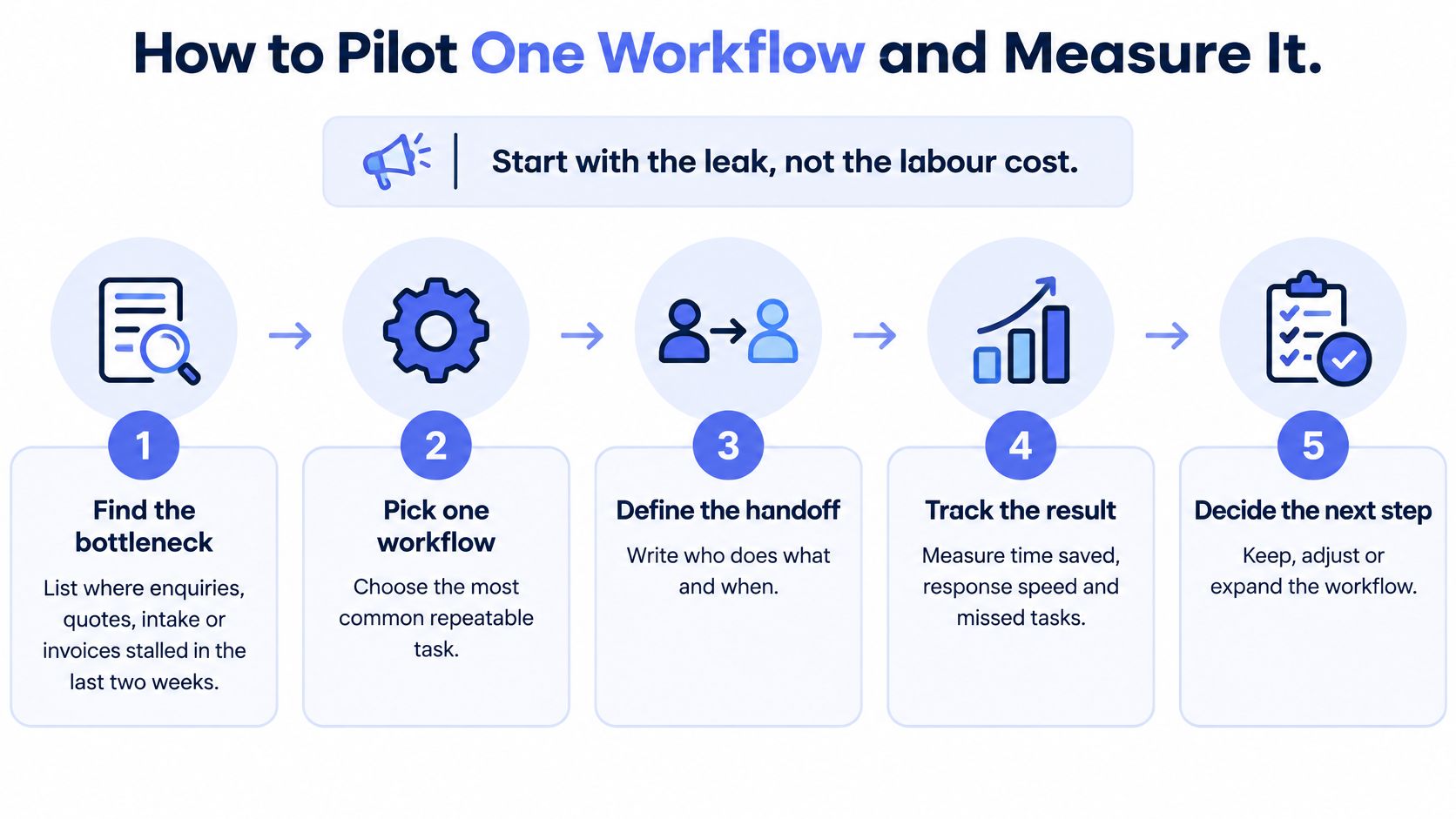
- Find the bottleneck. List where work stalled in the past month and count the cases. A leak you can count is a leak you can prove you fixed.
- Map the workflow. Write the trigger, the context needed, the decision rule, the action, the verification and the exception path. If you can't write the decision rule, you've found work that stays with a person.
- Build one record structure. Every lead gets an owner, a stage and a next action, with duplicate detection and mandatory fields, plus a path for enquiries that can't be confidently categorised.
- Set the approval gates. Client-facing messages and anything touching money need a named approver before they go out.
- Run a two-week pilot. Sample records daily for the first three days, then every second day, and log every correction.
- Measure before and after. Use the metrics below and count review, corrections and maintenance in the time cost.
- Expand only once exceptions fall. The signal to add a second workflow is a falling exception rate and a stable metric, not enthusiasm.
For a five-person service business, the first pilot is usually enquiry to CRM: one record per lead, with an owner, a stage, a next action date and a reminder when that date passes. It replaces the scattered inbox, the memory and the spreadsheet, and it surfaces the duplicate chase where two people ring the same prospect. Collect the details directly from the person where that's practicable and tell them how and why it's collected, consistent with the Australian Privacy Principles, and get approval before any sensitive or client-impacting message is sent.
| Metric | How to measure | Why it matters |
|---|---|---|
| Median first-response time | Time from enquiry to first reply, median across the pilot | Shows speed while buyer intent is fresh |
| Enquiries with complete intake | Share of records with every mandatory field filled | Reduces rework and handoff errors |
| Quote follow-up completion | Share of open quotes with a logged follow-up inside the agreed window | Tests whether deals keep moving |
| Qualified appointments booked | Count of enquiries meeting the qualification criteria | Links activity to outcomes |
| Overdue invoice days | Average days past due across open invoices | Tests receivables discipline |
| Rework incidents | Corrections, duplicates or wrong routing logged each week | Measures quality, not just volume |
| Net hours returned | Time saved minus review, corrections and maintenance | Shows the real capacity gained |
Report the net figure, not the gross one, alongside response consistency and missed follow-ups. A pilot that saves six hours and costs four in review has returned two, and you need to know that before you scale it. The mechanics of running the test itself are covered in this guide to how to run an AI pilot in a small business.
Choose Your Option and Pick the First Workflow
If the work depends on judgement and the client relationship, keep a person on it and add tools only to the routine steps around it. If the work is repetitive capture, reminders and reporting with rules you can write down, an AI-supported managed service with approval gates is a reasonable fit. Most businesses end up with a mix, and the delegation table shows where the split falls.
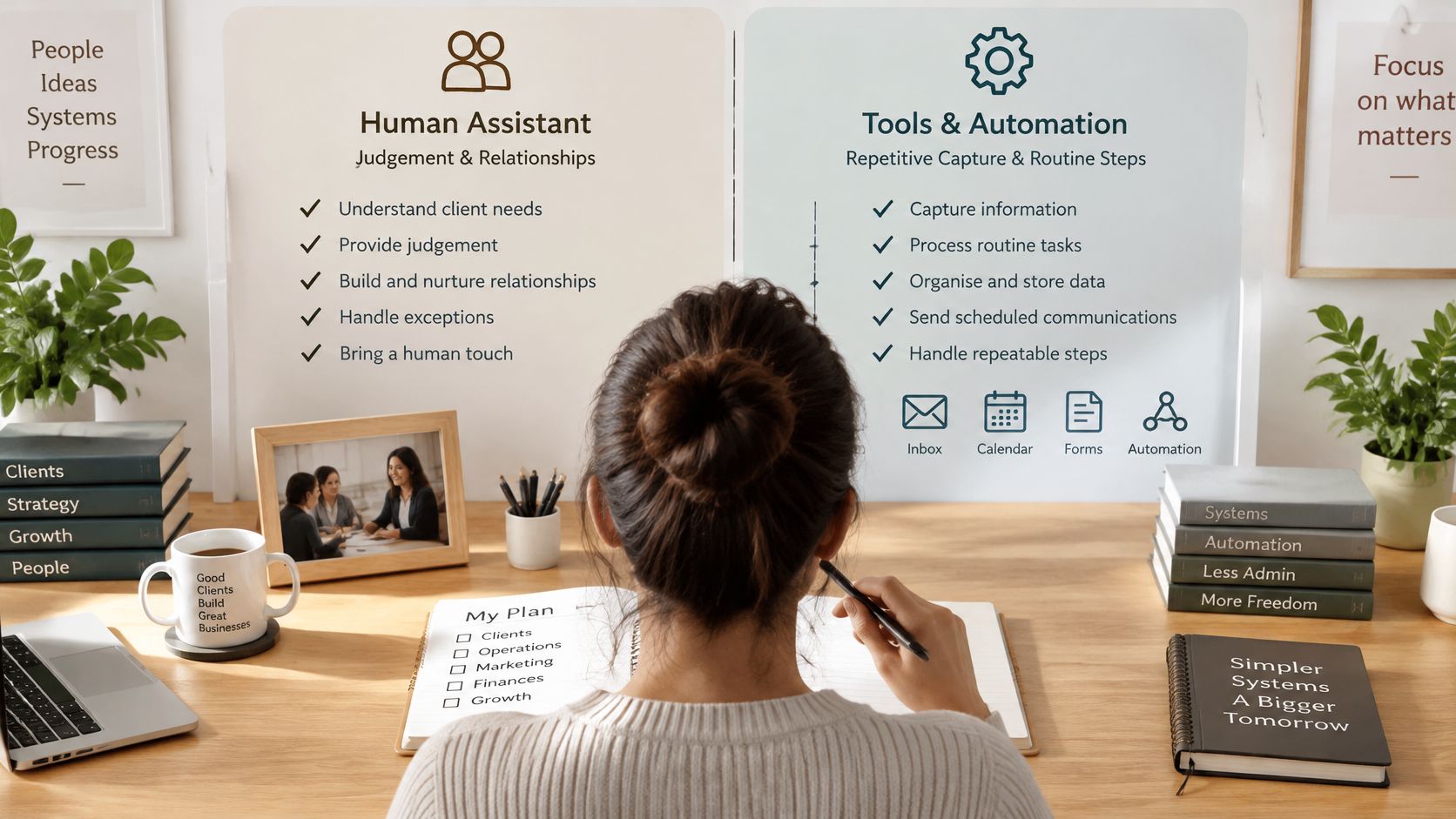
Four steps close it out.
- Score each row of the delegation table by frequency, minutes, error cost and judgement, and mark which rows stay with a person.
- Write the risk tier, approval gate and exception owner for the workflow you piloted, and name the person who reads the logs.
- Test any provider on specifics. Australian government analysis of the AI market found 22% of SMEs were not aware of how to use AI and 40% were not yet planning to use it, while Australia's AI ecosystem report notes that small businesses face confusing product claims, opaque training data and benefits that are hard to verify. Ask how the system works with your existing tools, what fields it can see, and what oversight looks like in writing.
- Compare the shortlist on the nine criteria and the weekly oversight hours before you decide.
Here's the short version of the whole exercise.
Truespeak builds and runs managed AI operations for Australian service businesses, connecting enquiry handling, intake, follow-up, CRM updates, invoice reminders and reporting around the tools you already use, with human approval on anything sensitive. If you'd rather see the mapping done for one workflow before committing to anything, visit Truespeak and reply to the email that follows; Sonny will arrange a 15-minute discovery call.