
Useful AI automation isn't mainly about impressive chatbots. For Australian service businesses, the expensive problems are usually quieter: an enquiry sits unanswered, a project brief arrives incomplete, a CRM record goes stale, a quote receives no follow-up, or an invoice ages while someone remembers to chase it.
The strongest AI automation examples solve those gaps by connecting triggers, decisions and actions around the tools a business already uses. A CRM, accounting platform or shared inbox remains the source of truth. Automation handles repetitive coordination, while people retain ownership, judgement and control over sensitive communication.
That distinction matters in Australia. Jobs and Skills Australia found that generative AI could augment around 55% of tasks across the workforce and automate an average of 13%, which points to task-level support rather than wholesale job replacement, as explained in the Australian Government response on AI and work. The practical opportunity is removing repetitive triage, administration and follow-up so owners and teams can spend more time on decisions and relationships.
Here are ten AI automation examples for service businesses, with the trade-offs that decide whether each workflow works in practice. The focus is the operating layer around the software, including ownership, next actions, exception paths, review gates and ongoing tuning. For broader context on how AI can support business operations, see Wisely AI solutions.
Table of Contents
- 1. Speed-to-lead automation for qualifying and routing inbound enquiries
- 2. Lead follow-up automation for quotes and stalled opportunities
- 3. Intake automation for structured capture and document collection
- 4. CRM automation for hygiene, routing and weekly visibility
- 5. Invoice reminder automation with human-approved follow-up
- 6. Business process automation across triggers, decisions and exceptions
- 7. Managed AI operations for monitoring and exception handling
- 8. Contact and lead enrichment using trusted public sources
- 9. Customer communication workflows across multiple channels
- 10. Predictive lead scoring for prioritising high-intent opportunities
- Side-by-Side: 10 AI Automation Examples
- Choose the Workflow You Can Operate Well
1. Speed-to-Lead Automation for Qualifying and Routing Inbound Enquiries
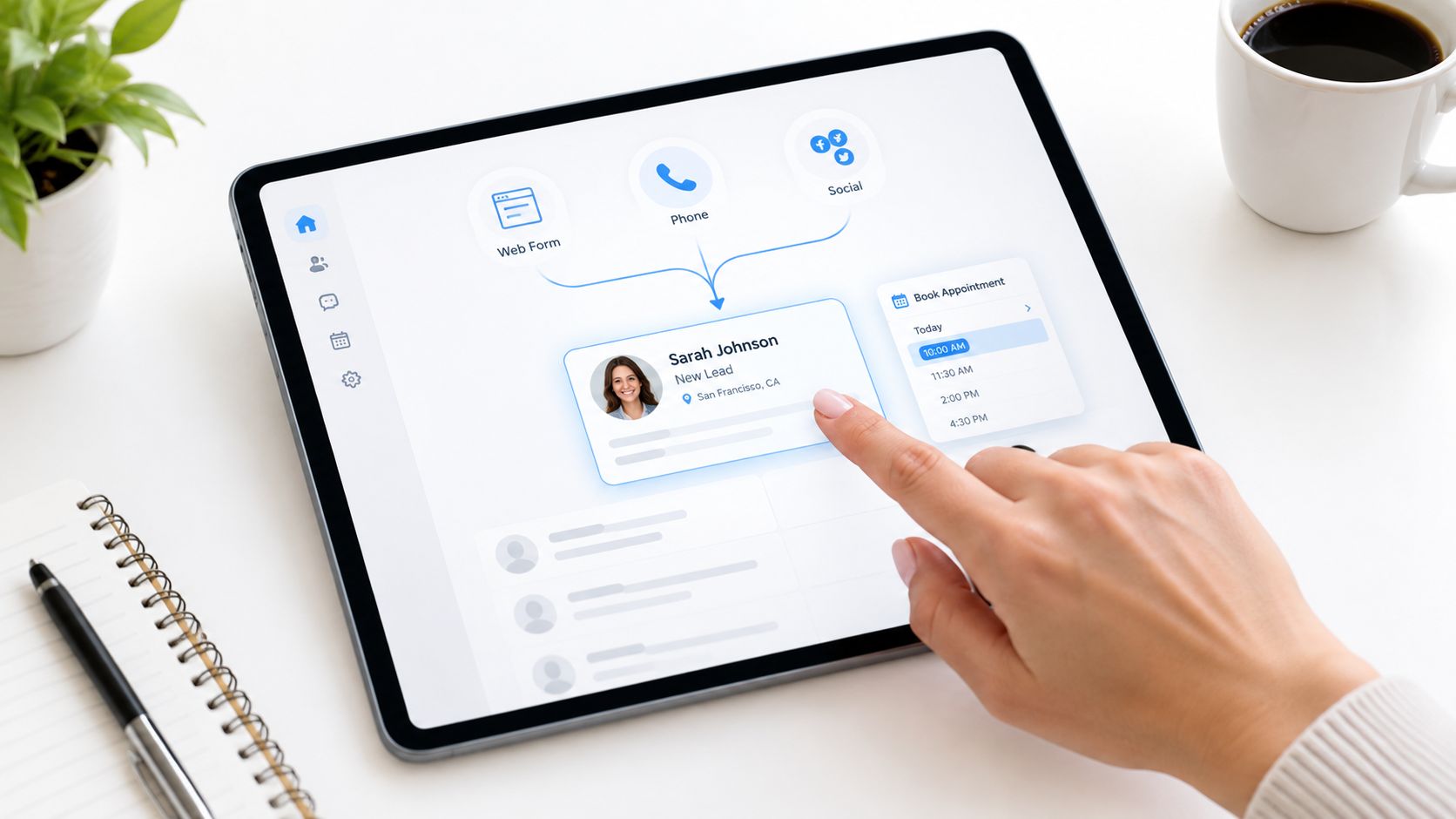
A lead should not disappear because it arrived through the wrong channel. Speed-to-lead automation brings web forms, phone enquiries, email and social messages into one workflow, sends a useful first response, and routes the opportunity to a person who can act.
For example, a trades business might route residential work to one team and commercial enquiries to another. A service installer could use phone transcription to identify urgency and location, then offer the next available site visit or quoting appointment. The system should record the source, qualification outcome, owner and next action in the CRM.
Australian guidance citing lead-response research says the odds of contacting a lead at five minutes versus thirty minutes fall by 100 times, while the odds of qualifying that lead fall by 21 times, as reported in Xero's lead-response guidance. That supports immediate routing, but it doesn't justify letting AI make every sales decision.
Practical rule: automate the first response and the administrative handoff. Keep fit, urgency, pricing and relationship judgement with a trained person.
Start with the highest-volume channel, agree qualification rules with sales and operations, then test real enquiries before expanding. Track first-response time, owner, stage and last activity. The lead-routing best practices guide is useful when defining those rules. A managed speed-to-lead automation workflow can monitor exceptions such as duplicate records, unclear locations and failed notifications.
2. Lead Follow-Up Automation for Quotes and Stalled Opportunities
Many service businesses don't lose opportunities because the quote is poor. They lose them because follow-up depends on memory, and memory competes with delivery work.
A follow-up workflow can trigger after a quote, proposal, missed call or dormant CRM status. It might send a polite message asking whether the client has questions, provide a relevant summary, and create a task for the account owner. The message should use approved templates, but the person responsible should be able to pause, edit or cancel it.
A builder could use one sequence for a newly issued quote and a different sequence for a proposal awaiting procurement approval. A professional services firm might flag an opportunity with no recent activity and ask the owner to decide whether to revive, defer or close it. The workflow must stop when a client declines, asks not to be contacted, signs, or enters a sensitive negotiation.
Use a do not follow up field and a customer requested pause status. High-value or relationship-sensitive opportunities should have a review gate before any message is sent.
A consistent reminder is useful. An automated message that ignores context damages trust.
Measure movement through the pipeline rather than assuming that more messages mean better performance. Review which sequences create replies, meetings, stalled records or complaints, then adjust the copy and timing after live use. The lead follow-up strategy guide covers the operating logic, while lead follow-up automation can connect triggers, drafts, approvals and CRM updates.
3. Intake Automation for Structured Capture and Document Collection
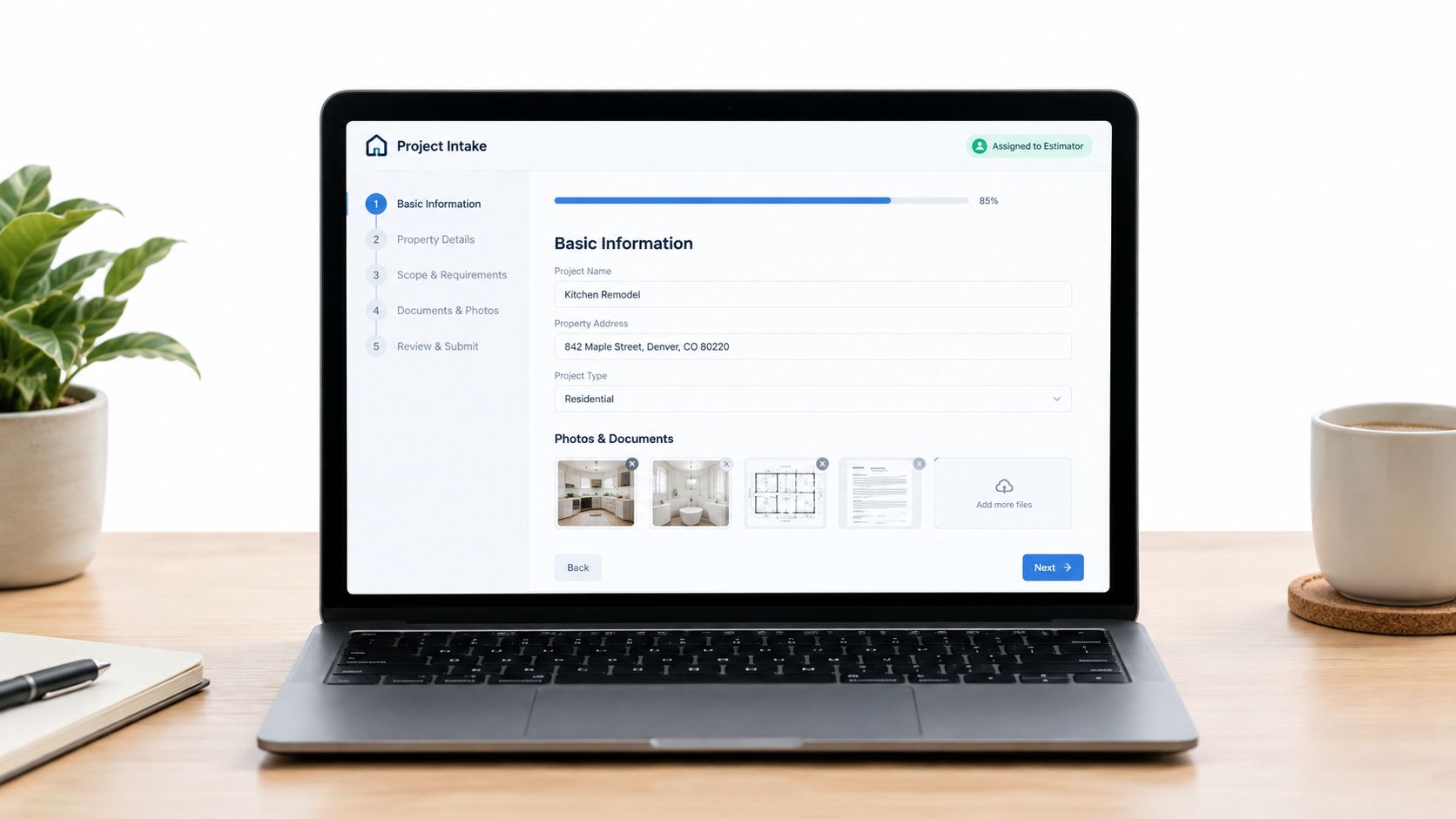
Intake automation turns scattered information into a usable brief before work reaches an estimator, consultant or project manager. It can collect contact details, scope, site information, photos, documents, timing and preferred communication method, then validate the submission and assign the next action.
A renovations business might ask for the property address, project scope, budget range, photos of the existing space and access constraints. A cleaning or maintenance provider could collect property type, size, frequency and special requirements before routing the request to the right regional team.
The important design choice is not how many fields the form can contain. It's which fields the receiving team genuinely needs to act without another round of clarification.
Design the Handoff Around Action
Use conditional logic only where it improves the customer's experience. If the form branches into a maze, people abandon it or submit low-quality answers. Set a sensible completeness threshold, show the receiving team what is missing, and assign a clear next action such as schedule site visit or prepare quote.
Safe Work Australia explains that structured incident reporting supports prompt action and follow-up, and that some jurisdictions require workplace injury and incident records to be kept for at least five years, as outlined in its record-keeping guidance. The same principle applies to operational intake. Consistent capture of time, location, people involved, description, photos and attachments makes later review more reliable.
Test the form with real customers and ask staff which fields are still missing. The client intake software guide provides a useful reference point, while intake automation can connect forms, inboxes, referrals, documents and ownership.
4. CRM Automation for Hygiene, Routing and Weekly Visibility
A CRM doesn't stay useful because a business bought it. It stays useful when records have owners, required fields and a next action.
CRM automation can flag stale opportunities, identify missing contact details, standardise naming, merge likely duplicates and route new records according to agreed rules. A weekly view should show which opportunities moved, which have no recent activity and which are waiting for an owner decision.
Consider a trades business with different owners for residential and commercial work. A routing rule can apply that distinction consistently, while an owner reviews the exceptions. A services manager might receive a queue of records with no last activity and decide whether each needs a call, a revised proposal or closure.
Make the Report Actionable
Don't build a dashboard that only describes decay. Give each record a call card with the client name, last contact, stage, owner and next action. Review the queue with the team, not just with the operations manager, because visibility without accountability only creates another report.
Start with one routine, such as flagging stale records. Document the routing logic in a shared runbook and test it with a small group before applying it to every new lead. The CRM automation service can support hygiene routines, action queues and weekly reporting around an existing CRM.
The main trade-off is false certainty. A stale record isn't automatically a bad opportunity, and a complete record isn't necessarily a qualified one. Automation should surface the decision. A person should make it.
5. Invoice Reminder Automation with Human-Approved Follow-Up
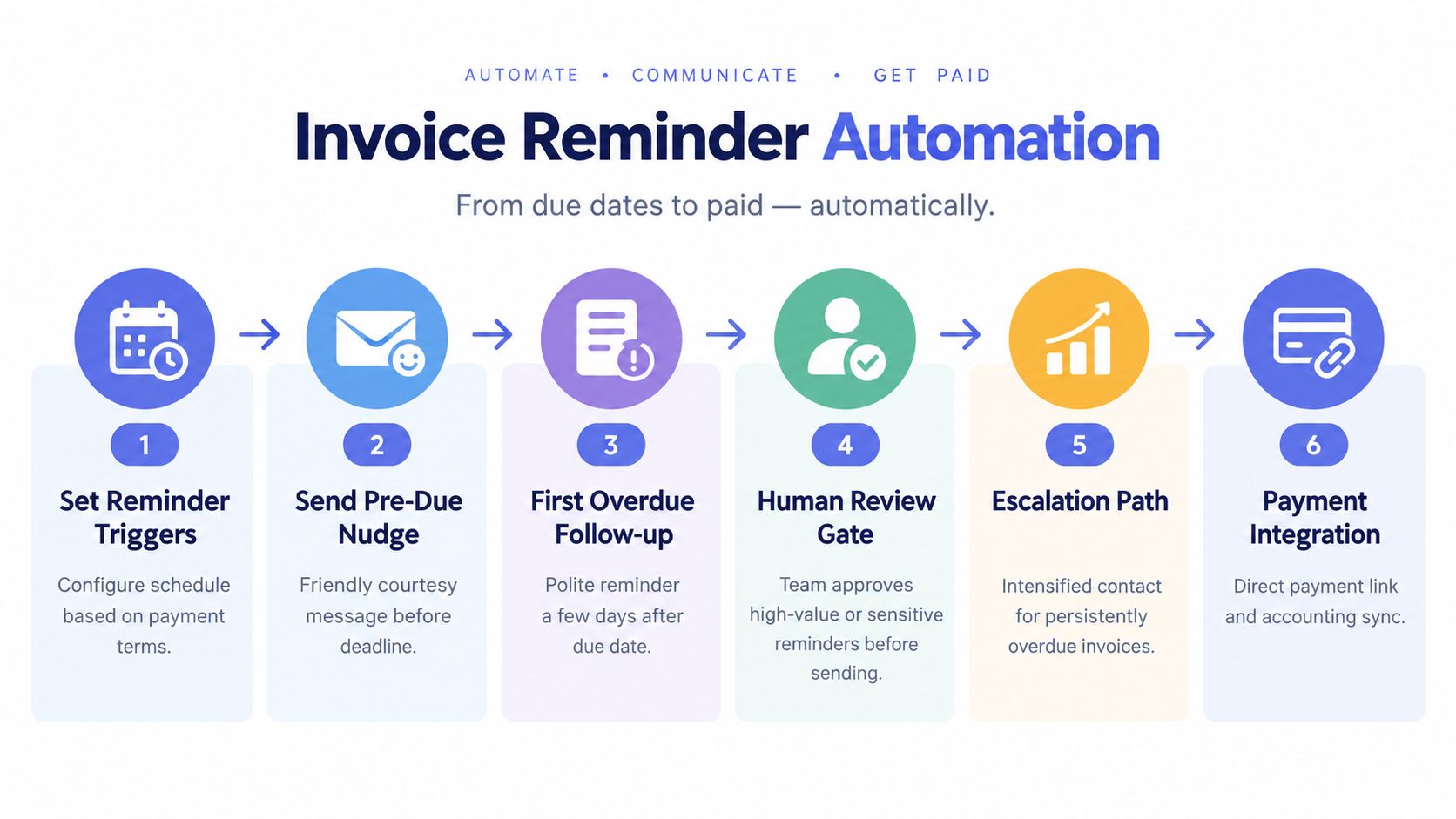
Invoice chasing is a strong automation candidate because the trigger is clear, the information is structured and the consequences of inconsistency are visible. A workflow can identify upcoming and overdue invoices, send approved reminders, include a payment link, and escalate an item to a person when it becomes disputed or sensitive.
Australian case studies show why this workflow deserves operational attention. One invoice-chasing case study reported debtor days falling from 42 days to 24 days, with invoice delivery moving from two to three days manually to under four minutes after reminders and payment flows were automated, as described by Cognition Co. A separate Australian case study reported invoice processing falling from 15 hours to under four hours per week, with debtor days decreasing by 30% after CRM and accounting integrations, according to Enlightened Business.
Those are case-specific outcomes, not promises. The safer operating model keeps the accounting platform as the source of truth and excludes invoices marked disputed, paid or payment arranged.
Keep the automation polite, predictable and easy to override.
Xero recommends a reminder on the due date or a few days before, and says its invoicing product can send customised reminders when invoices are due or overdue. Its customers report spending 50% less time chasing payments, according to Xero's payment-reminder guidance. MYOB Australia describes a sequence beginning on the due date, followed by another reminder about a week later and firmer escalation at roughly weekly intervals. It says most businesses send three to four reminders before formal escalation, as outlined in MYOB's payment follow-up guidance.
For high-value accounts, require approval before sending. Invoice reminder automation can handle scheduling, ownership and exception routing without taking the customer conversation away from finance staff.
6. Business Process Automation Across Triggers, Decisions and Exceptions
The most valuable AI automation examples often span several tools. Client onboarding, for example, may begin with an enquiry, continue through intake and approval, then move to a contract, payment setup and project kickoff.
Map each stage explicitly:
- Trigger: an enquiry or signed contract arrives.
- Decision: the request meets agreed fit, scope or approval criteria.
- Action: send the form, contract, payment instructions or welcome message.
- Verification: confirm the form, signature, payment or system access is complete.
- Exception: route bounced emails, missing information, rejected approvals or overdue actions to a person.
A building business might move a job from enquiry to intake, qualification, quote, approval, contract, payment and scheduling. A professional services firm might verify client details, provision access, schedule a welcome call and issue a project plan. The system should prevent the next stage from appearing complete when a required step has failed.
Automate the Sequence, Not the Confusion
Document the current process with the people who perform it. Then agree on the ideal sequence before connecting tools. Start with one complete workflow rather than automating isolated fragments, because partial automation can create faster handoffs into a broken process.
Measure where work waits. A workflow that sends messages quickly but leaves approvals unresolved hasn't solved the bottleneck. Build exception handling from the beginning and use a low-code platform where appropriate, because service processes change.
For a broader explanation of how agents can coordinate multi-step work, see understanding agentic automation power. The useful principle is simple: every automated action needs a verified outcome and an owner for failure.
7. Managed AI Operations for Monitoring and Exception Handling
Set-and-forget automation fails when the business changes. A new lead source appears, a staff member changes roles, a service area expands, an accounting rule changes or customers respond in unexpected ways.
Managed AI operations adds a review layer around live workflows. An operations team can monitor failed actions, inspect records routed to the wrong owner, review messages that weren't sent and tune rules when exceptions reveal a gap. A weekly report should show what changed, what broke and which decisions still require the business.
Suppose Facebook enquiries begin arriving with different location data and the routing rule sends them to the wrong team. Monitoring identifies the pattern, an operator updates the rule, and the change is tested before the workflow returns to full operation. In another example, a client segment may consistently negotiate invoices by phone. The right response might be to pause automated reminders for that segment and create a call task for the account owner.
Make Oversight Part of the Design
Set a point of contact inside the business, define urgent alerts, and agree on how long logs and audit trails are retained. Give the operations team permission to run controlled tests, but require approval for changes that affect sensitive communications or consequential decisions.
The need for this operating layer is clear in Australian adoption research. The National AI Centre and Fifth Quadrant reported that about 37% of SMEs had adopted AI, while 22% said they weren't aware of how to use it and 40% weren't planning to use it. A separate governance survey found 93% of respondents couldn't effectively measure ROI and 88% had difficulty integrating AI with existing systems, as reported in the Australian AI ecosystem report.
Managed AI operations is therefore less about adding another tool and more about keeping the operating system reliable after launch.
8. Contact and Lead Enrichment Using Trusted Public Sources
A new enquiry may contain little more than a name, email address and company. Enrichment automation can add useful context, such as industry, location, company website, likely role and relevant public information, then place it in the CRM for review.
A B2B service provider could use enrichment to prepare a company snapshot before a discovery call. A trades business prospecting among developers might combine business registries, company websites and public project information to identify relevant organisations. The result should help a person ask better questions, not automatically determine whether a prospect deserves attention.
Enrichment fails when data is treated as fact without validation. Company size can be outdated, a contact may have changed roles, and similar business names can create incorrect matches. International data sources may also represent Australian SMEs poorly.
Use a sample of existing records before rolling out enrichment. Document each field, its source and how staff should interpret confidence. Store the original value where practical so a team member can see what the system changed.
Privacy matters as well. Define the purpose for collecting external information, limit access and document how it enters the CRM. Don't enrich sensitive personal information just because a tool makes it possible.
A managed workflow can route low-confidence matches to review, ask the owner to confirm a decision-maker and record the evidence behind an update. That is more reliable than filling every blank field automatically.
9. Customer Communication Workflows Across Multiple Channels
Customers don't all prefer the same channel, and internal teams don't all monitor the same inbox. A communication workflow can use email, SMS or a messaging application according to the customer's preference, while sending an internal notification to the person who needs to act.
A home services business might send an appointment reminder by SMS when a customer has provided a mobile number, use email for customers without SMS details, and notify the field technician through an internal channel before the job. A professional services firm could email the client when a milestone is approved, alert the project manager to call, and tell finance that invoicing can begin.
The workflow needs a clear event, an approved message and a delivery record. It should also include quiet hours, opt-out handling and a fallback when delivery fails.
- Customer preference: store the preferred channel and honour changes.
- Internal ownership: send team alerts to a queue or named owner, not a general channel nobody monitors.
- Message purpose: separate service notifications from marketing messages.
- Exception path: create a task when a message bounces, a customer replies with a complaint or a milestone remains unresolved.
Start with email and SMS where those channels match customer behaviour. Add another channel only when it solves a defined operational problem. A large number of channels can make work less visible if every team member receives alerts everywhere.
The human role remains important. Automation can notify a customer that a technician is on the way, but a person should handle a complaint, a missed appointment or a request that falls outside the approved script.
10. Predictive Lead Scoring for Prioritising High-Intent Opportunities
Predictive lead scoring ranks opportunities using signals such as source, fit, engagement, service type and previous outcomes. It can help a team decide which new enquiry deserves immediate attention when several arrive together.
A professional services firm might discover that referrals, repeat clients and detailed project briefs tend to progress differently from low-context enquiries. A trades business could compare commercial and residential work, geography and job type. Those signals can inform routing and follow-up, but they shouldn't become an invisible gate that rejects lower-scored leads.
Treat the Score as a Prompt, Not a Verdict
Start with factors the team already understands, then compare them with historical CRM data. Review whether highly scored leads receive the right response and whether low-scored leads are being neglected unfairly. If the score can't be explained to a sales or operations manager, it won't be trusted.
Scoring models become unreliable when records are incomplete, outcomes are inconsistently recorded or the business changes its target market. A model trained on old service lines may prioritise the wrong work after a strategic shift. Review the logic periodically and document what each score means.
Use the result to prioritise queues and tailor nurture, not to remove human judgement. A score can create an alert for an owner, suggest a next action or assign a follow-up sequence. It shouldn't approve a discount, promise a delivery date or make a consequential decision without review.
The practical value is visibility. When a CRM shows stage, owner, last activity and next action alongside a transparent priority signal, managers can challenge the data and improve the process rather than accepting an unexplained number.
Side-by-Side: 10 AI Automation Examples
| Automation type | 🔄 Implementation complexity | ⚡ Resource requirements | ⭐ Expected outcomes | 📊 Key advantages | 💡 Ideal use cases |
|---|---|---|---|---|---|
| Speed-to-lead automation: qualifying and routing inbound enquiries | 🔄 Medium, multi-channel capture & routing rules, CRM sync | ⚡ Moderate, integrations, initial setup, team training | ⭐ High, faster first response, higher conversion from inbound intent | 📊 Ensures no lead is missed; visible inbound pipeline; consistent first touch | 💡 High-volume service enquiries, trades, time-sensitive leads |
| Lead follow-up automation: nudging quotes, proposals and stalled opportunities | 🔄 Low–Medium, trigger-based sequences and human gates | ⚡ Low, templates, CRM triggers, occasional human review | ⭐ Medium–High, consistent cadence reduces revenue leakage | 📊 Keeps deals moving; predictable follow-up; reduces manual chasing | 💡 Quote-heavy sales, stalled opportunities, proposal-driven services |
| Intake automation: structured capture and document collection | 🔄 Medium, multi-step forms, conditional logic, file uploads | ⚡ Moderate, form design, validation rules, CRM integration | ⭐ High, fewer handoffs/rework; complete briefs delivered to owners | 📊 Standardises input; reduces duplicate entry; faster handoffs | 💡 Project onboarding, estimators, service requests needing photos/docs |
| CRM automation: hygiene routines, routing rules and weekly visibility | 🔄 Medium–High, data rules, duplicate detection, routing logic | ⚡ Moderate, mapping work initially; ongoing scheduled runs | ⭐ High, cleaner data, clearer accountability, fewer stalled deals | 📊 Automated hygiene, weekly reports, routing enforcement | 💡 Organisations with CRM decay, multiple owners or messy pipelines |
| Invoice reminder automation: scheduled, human-approved payment follow-up | 🔄 Low–Medium, reminder sequences + accounting integration & approval gates | ⚡ Low–Moderate, finance input, accounting API/connectors | ⭐ Medium, reduced DSO and less manual chasing | 📊 Consistent cadence, payment links, escalation for overdue items | 💡 Businesses with net terms, recurring billing, mixed client payment behaviors |
| Business process automation: mapping triggers, decisions and exceptions end-to-end | 🔄 High, end-to-end workflow mapping, decision trees, many integrations | ⚡ High, cross-team design, integration effort, maintenance | ⭐ High, fewer errors, faster throughput, clear accountability | 📊 Full-process visibility; exception handling; bottleneck detection | 💡 Complex multi-step processes (onboarding, contract-to-project workflows) |
| Managed AI operations: ongoing monitoring, tuning and exception handling | 🔄 Medium, operational layer over existing automations | ⚡ Ongoing, dedicated ops team, monitoring tools, reporting cadence | ⭐ High, sustained performance; rapid issue resolution; continuous improvement | 📊 Prevents automation drift; A/B testing and tuning; incident escalation | 💡 Organisations relying on multiple automations that need upkeep and tuning |
| Contact and lead enrichment: augmenting CRM data with external sources | 🔄 Low–Medium, API integrations, matching logic, confidence scoring | ⚡ Moderate, data provider costs, validation workflows | ⭐ Medium, richer records enable faster, personalised qualification | 📊 Faster qualification; identifies buying signals; bulk enrichment possible | 💡 B2B sales, outreach list building, where context improves conversion |
| Customer communication workflows: multi-channel outreach across email, SMS and messaging apps | 🔄 Medium, multi-channel integrations and preference routing | ⚡ Moderate, messaging platform fees, template management, compliance | ⭐ High, improved engagement and lower no-shows when timed correctly | 📊 Reaches customers on preferred channels; internal alerts for teams | 💡 Appointment reminders, milestone notifications, multi-channel customer journeys |
| Predictive lead scoring: identifying high-intent and high-value leads automatically | 🔄 High, model training, feature selection, real-time scoring | ⚡ High, historical data, analytics resources, ongoing model tuning | ⭐ High, prioritises high-probability leads; improves sales efficiency | 📊 Data-driven prioritisation; insights on valuable sources/behaviours | 💡 Sales teams with 6–12+ months of historical data; B2B/high-value deals |
Choose the Workflow You Can Operate Well
The best starting point isn't the most advanced AI automation example. It's the bottleneck your team can see and describe clearly. Missed enquiries, incomplete intake, stale CRM records and overdue invoices are useful starting points because a failure leaves an operational trace.
Begin with one visible problem. Map what happens today, including the channels involved, handoffs, approval points and exceptions. Then choose the smallest useful workflow. A first version might only capture every enquiry in one CRM, assign an owner and create a next action. It doesn't need to replace the CRM, redesign the sales process or automate every message.
Define five things before launch:
- Source of truth: decide whether the CRM, accounting platform or another operational system owns the record.
- Owner: name the person or team responsible for the next decision.
- Next action: make the required step specific and visible.
- Exception path: decide what happens when information is missing, a message fails or a customer needs judgement.
- Review gate: require human approval for sensitive communication, unusual commercial terms and client-impacting actions.
Measure operational signals rather than relying on an impressive demonstration. Look at stage, owner, last activity, stalled work, completion, failed handoffs and time waiting between steps. For invoice workflows, check whether records are paid, disputed, arranged or escalated. For lead workflows, check whether every enquiry has a source, an owner and a meaningful outcome.
The Australian labour-market evidence supports this task-level approach. A July 2026 Australian Government report found no broad AI-driven upheaval to date. Using data up to February 2026, it reported employment growth of 5.6% in occupations more exposed to AI since November 2022, compared with 9.5% in less-exposed occupations, while overall labour-market conditions remained strong and occupational reshuffling had not accelerated, according to the AI and employment in Australia report. For service businesses, that makes operational efficiency and responsiveness a more defensible starting point than a headcount-reduction thesis.
Managed AI operations adds value after the build. Monitoring catches failures, approval gates protect relationships, tuning adapts rules to real exceptions and reporting shows whether the workflow remains useful. People still decide how to handle a disputed invoice, an unusual lead, a complaint or a sensitive client message.
Truespeak is one option for businesses that want an operating layer around existing tools, with services covering first response, follow-up, intake, CRM hygiene, invoice reminders and post-launch monitoring. Start with one workflow where failure is visible, document the runbook, review the exceptions and expand only when the evidence supports it.
Truespeak designs, builds and manages AI operating systems for Australian service businesses, including speed-to-lead, follow-up, intake, CRM hygiene and invoice-reminder workflows. Visit Truespeak to discuss a managed workflow around the tools your team already uses, with ownership, approval gates, monitoring and ongoing tuning built in.