
A quote goes out on Friday, but nobody follows up until Tuesday. Meanwhile, a new enquiry sits in an inbox overnight, an installer waits for missing photos, and your administrator chases an invoice that the customer says they never received. Everyone's busy, yet you still can't tell which jobs need attention without asking around.
That's the situation a business automation agency should help fix. The useful question isn't whether it can connect your software. It's whether someone will keep the work moving, handle exceptions and protect customer relationships after the initial build.
Table of Contents
- What a Business Automation Agency Actually Does
- Choosing Between Managed Service and Software
- Lead Response and Intake Automation in Practice
- CRM Hygiene and Invoice Reminders That Protect Cash
- Security, Privacy and Local Support Checks
- Outcomes to Expect and How to Measure Them
- Book a Diagnostic Before Committing to Tools
- How to Evaluate and Select an Agency
What a Business Automation Agency Actually Does
A business automation agency designs, builds and runs the operating layer between your existing tools and the daily work of responding, following up, updating records and billing.
Think of a capable office manager who sorts incoming messages, assigns each item, chases overdue work and prepares a weekly report. Automation can perform the routine routing around the clock while your inbox, CRM and accounting software remain in place. People still make decisions about pricing, complaints, unusual jobs and important relationships.
The distinction matters because buying technology doesn't assign responsibility. The Australian Bureau of Statistics reports that approximately 12% of Australian businesses used AI in 2024-25, with small and micro businesses at approximately 11%. For an owner, the practical constraint may be the time and expertise needed to operate a useful workflow, rather than a shortage of ideas.
An Operating Service, Not Another Application
An agency isn't a software licence. A licence gives you access to features, but your team still needs to configure rules, correct records and investigate failures.
Nor should an ongoing service mean a one-off installer who disappears at launch. And automation isn't a replacement for staff judgement. Its role is to prepare and progress repeatable work so people can concentrate on decisions that need context.
At Truespeak, we build and run managed AI operations systems for follow-ups, CRM administration and reporting, with routine operations running 24/7 without adding headcount.
Typical service families include:
- Enquiry handling: Capture incoming work and direct it to an accountable person.
- Intake: Collect the forms, documents and photos needed before a hand-off.
- Follow-up: Prepare context-aware reminders for enquiries, quotes and proposals.
- CRM updates: Maintain records and turn neglected items into action queues.
- Invoice reminders: Prepare payment follow-up with human approval.
- Reporting: Show stalled work, exceptions and actions requiring attention.
The buying decision comes down to which ownership model fits your team, which workflow deserves attention first, and whether the provider can operate it safely.
Choosing Between Managed Service and Software
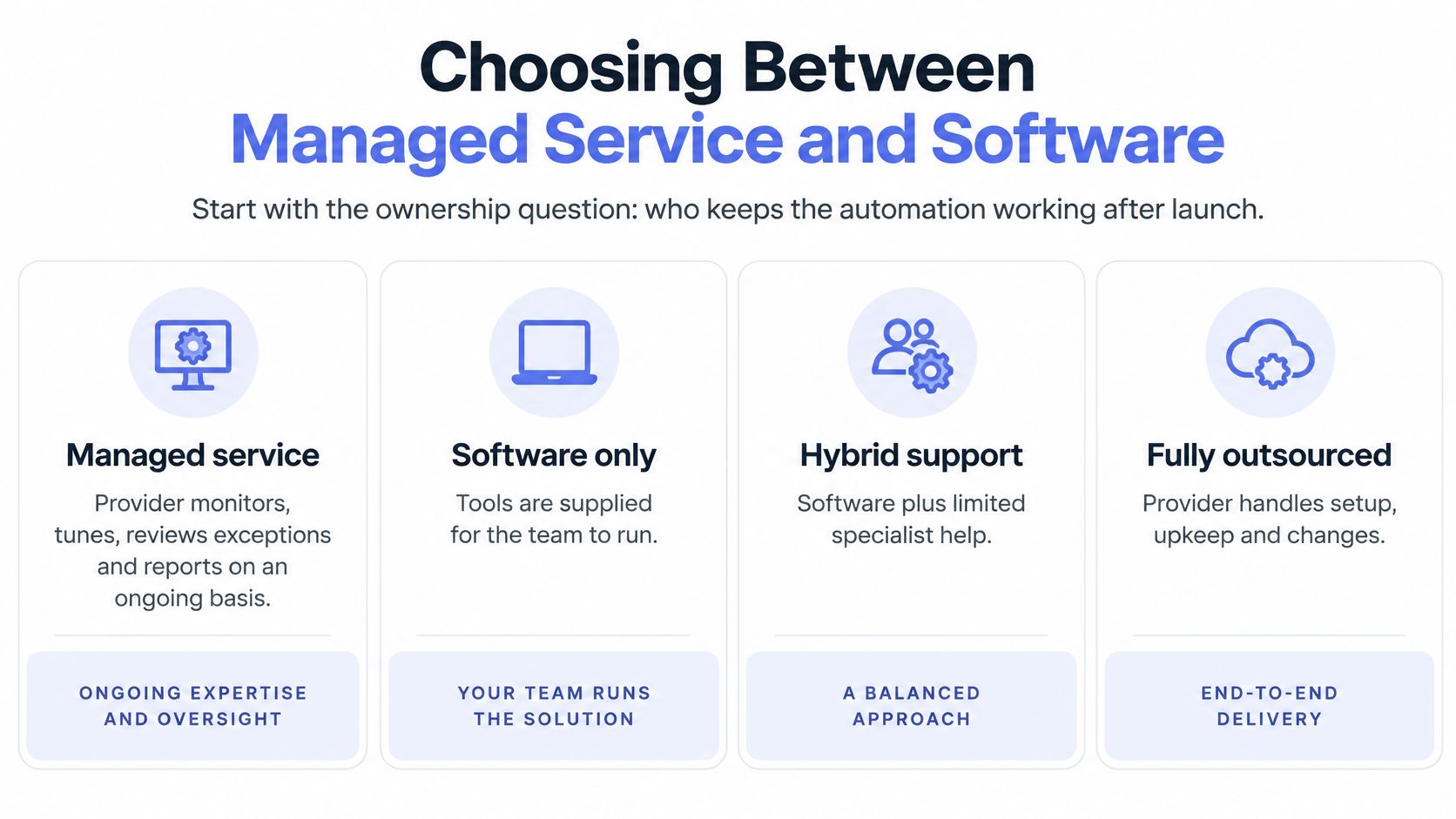
Who keeps the automation working after launch? Compare ownership before comparing features.
Ownership models compared
| Model | Who keeps it running after launch | Best fit | Main risk |
|---|---|---|---|
| Managed service | Provider monitors, tunes, reviews exceptions and reports | Owners without spare admin time; processes that change often | Dependence on the provider; scope drifts if reviews lapse |
| Software product | Business staff or their own admin contact | Stable processes with a capable internal owner | Tools added but no one maintains rules or exception handling |
| In-house hire | Employee with automation and AI skills | Larger teams with steady demand across several workflows | Single-person dependency and recruitment cost |
| Project build, handed over | Internal team after handover | One well-defined workflow with a named owner | Drift and unmonitored failures after launch |
These commercial labels are useful starting points, but the contract needs to identify who handles upkeep.
When Ongoing Management Earns Its Place
A managed service makes sense when nobody internally has time to investigate failures, customer-facing messages require review, or staff regularly change the process. The provider should own monitoring, tuning and exception handling, while your business retains authority over policy and customer decisions.
Software alone can be the better purchase when the process is stable, an internal administrator understands it, and an existing product already covers most requirements. Adding a service layer to a straightforward scheduling rule may introduce unnecessary expense and coordination.
An in-house hire offers direct control and business knowledge, but leave, turnover and competing priorities need coverage. A project handover works when the receiving team can maintain the workflow, not merely attend a demonstration.
Compare the Full Operating Cost
Separate implementation, software subscriptions, usage charges, monitoring and change requests when reviewing a proposal. Also establish what happens when an integration stops authenticating or a supplier changes a field.
A cheap build can become expensive if your administrator spends each morning checking whether it ran. Conversely, paying for ongoing management makes little sense if your own team already maintains the process confidently.
We describe Truespeak as an operations partner rather than an AI agency. Our Managed AI Operations approach includes monitoring, tuning, approval gates, reporting and exception handling after launch, rather than leaving another application for your team to administer.
Judge the arrangement by who holds the runbook and investigates failures, not by the service label.
Choose the model that gives each workflow a capable, available owner after launch.
Lead Response and Intake Automation in Practice
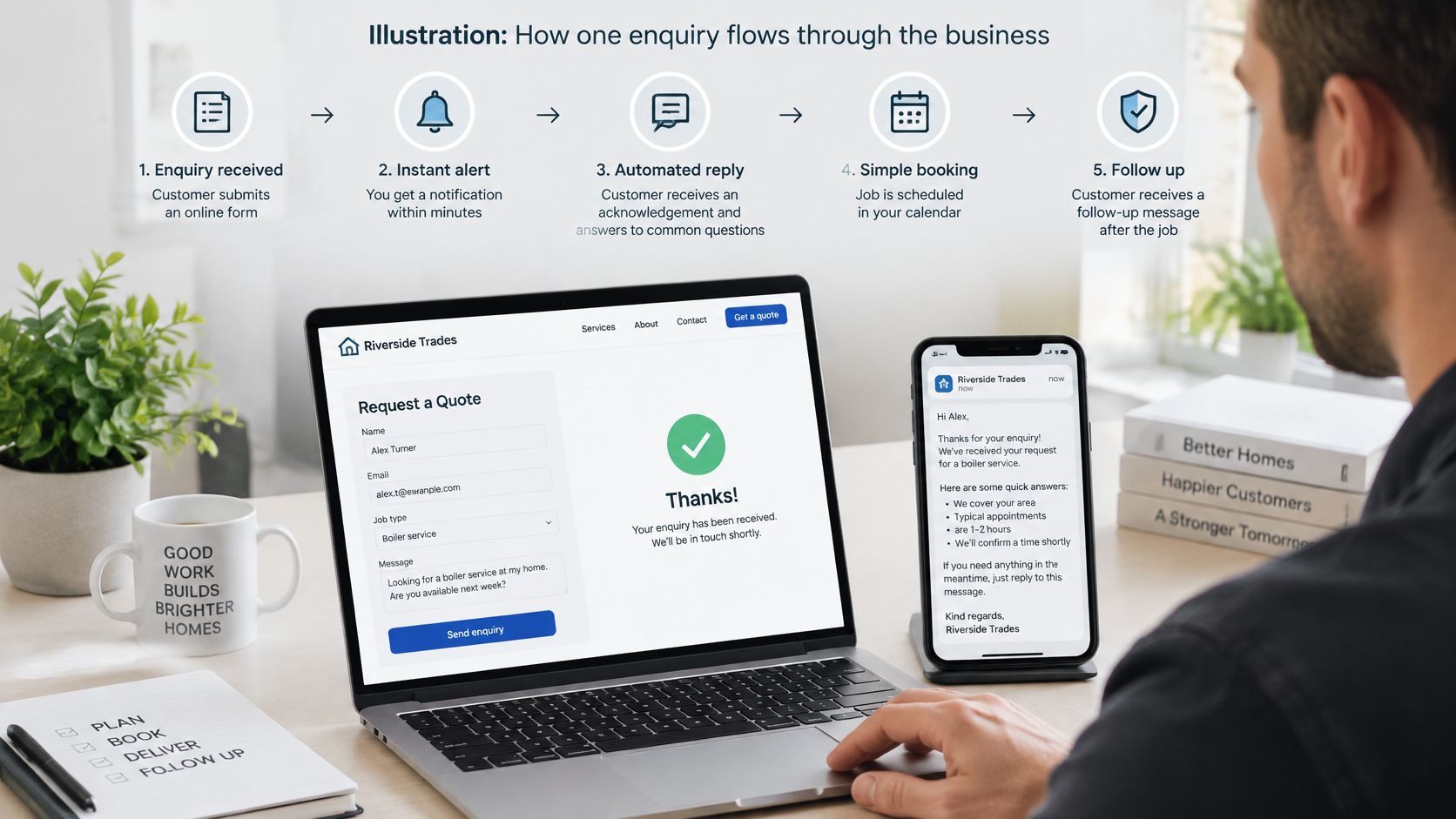
Consider a hypothetical trades business receiving a website enquiry about an installation. This is an illustration of workflow design, not a client result.
The enquiry should move through a visible sequence, with a clear boundary between administrative actions and human decisions.
From Arrival to a Useful Next Action
- Acknowledge the enquiry. Configure a useful first response within minutes, explaining the service area, operating hours and next steps. An unusual request should go to a person rather than receive an invented answer.
- Capture job type and location through a few focused questions. Tag the enquiry source and assign an owner, but leave suitability and pricing decisions with staff.
- Offer a booking or callback. Show available times, without promising an attendance arrangement the team hasn't approved. Our speed-to-lead automation supports fast first responses, qualification, routing and booking while buyer intent is fresh.
For a cleaning-specific application, Estimatty's resource on how to turn cleaning inquiries into booked jobs provides another way to examine the hand-off between an incoming request and a booking. Use that kind of example to test your own sequence, not to copy another operator's qualification rules.
The accompanying video provides additional context for the workflow.
Follow-Up and Preparation for the Human Call
Once a quote is issued, reminders should reflect its stage and the last conversation. Our lead follow-up automation supports context-aware sequences, while a person can approve, change or pause the proposed communication.
Intake then collects relevant documents, site photos and missing details into a usable brief. Our intake automation prepares that material before the human call or administrative hand-off. Don't ask customers to repeat details already captured, and don't collect identity documents just because the form supports uploads.
For entities covered by the Privacy Act, Australian Privacy Principle 11.1 requires reasonable steps to protect personal information, and eligible breaches must be notified promptly unless an exception applies, according to the Office of the Australian Information Commissioner. Define storage, access, retention and escalation before publishing the form.
The practical acceptance test is simple: an arriving enquiry should acquire an owner, a stage and a next action promptly, with sensitive documents and unusual requests waiting for human review.
CRM Hygiene and Invoice Reminders That Protect Cash
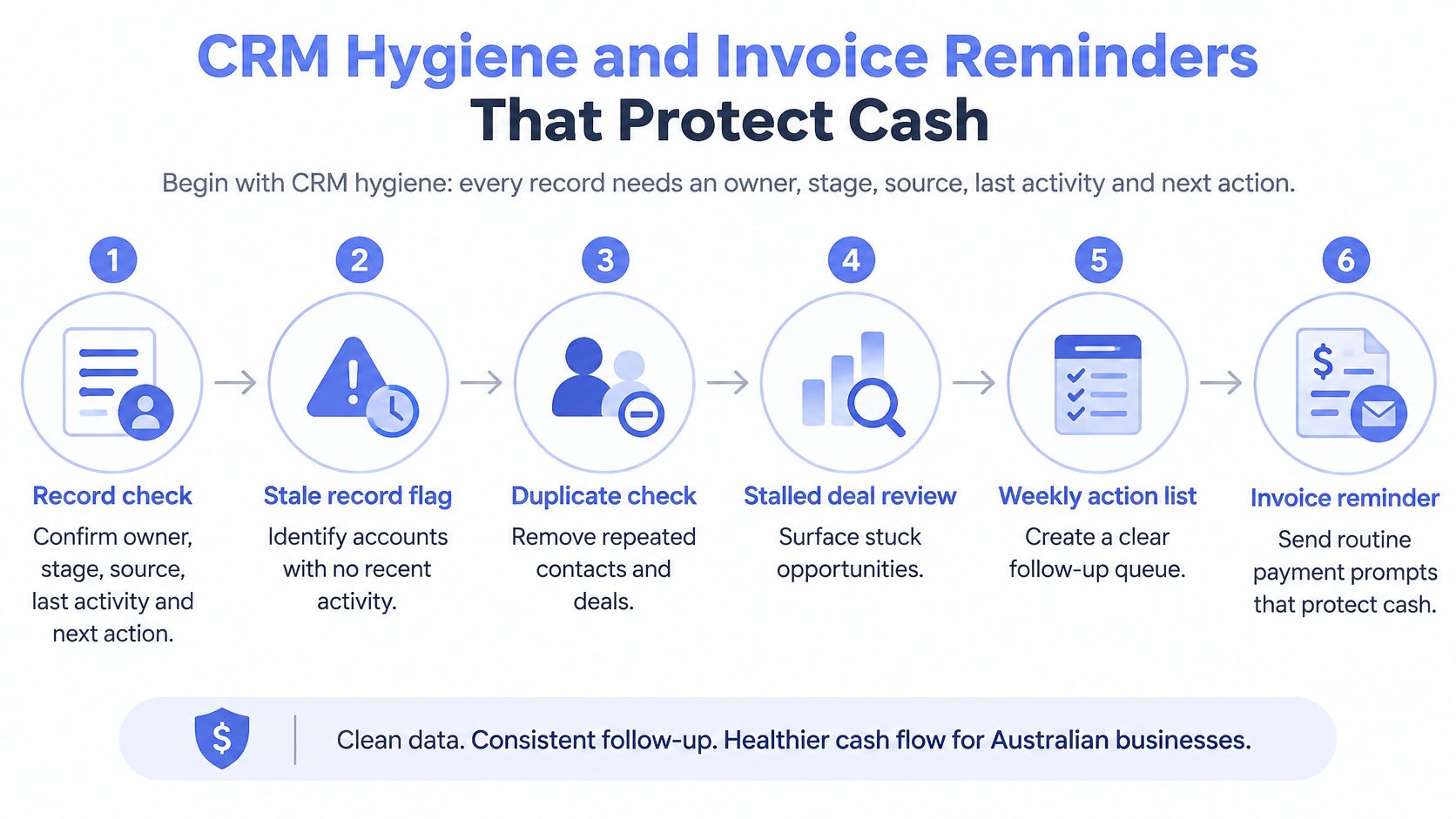
A usable CRM record needs an owner, stage, source, last activity and next action. Without those fields, automated follow-up can send the wrong message confidently and repeatedly.
Routine checks should flag stale records, possible duplicates and stalled deals for a weekly action queue. Our CRM automation turns those records into action queues, call cards, updates and weekly visibility. For an accounting-oriented perspective on organising customer information, consider the CRM insights from EndureGo Tax.
The sequence starts with record quality, not more messages.
Treat Receivables as a Controlled Workflow
An explanatory memorandum published through the ATO cites analysis of more than 10 million invoices from over 76,000 small businesses, finding that more than one-third of small-business invoices were paid after 30 days. That historical analysis establishes a cash-management problem, not a promise about what reminders will recover.
Start by validating customer details, invoice references and payment terms. Send through a structured channel where available, monitor the invoice state, then prepare approved reminders and escalate unresolved items into a prioritised queue.
The ATO's eInvoicing guidance puts processing costs at less than AUD 10 for an eInvoice, compared with approximately AUD 30 for paper and AUD 27 for an emailed PDF. Structured exchange addresses handling costs before considering any payment-timing benefit.
Invoice states and the action at each one
| Invoice state | Automated action | Human decision needed |
|---|---|---|
| Sent, not yet due | Confirm delivery and record the due date | Only if details or addresses are wrong |
| Due, unpaid | Send standard reminder using approved wording | Approve reminders for key or long-standing accounts |
| Overdue, first escalation | Create a call-back task in the queue | Choose tone, payment plan or hold |
| Disputed | Pause all reminders | Resolve the dispute, then restart or close |
| Paid | Stop the sequence and record payment | None |
Protect the Relationship While Collecting Cash
Our invoice reminder automation provides polite, human-approved payment follow-up rather than relying on awkward manual chasing. Reminder thresholds should be set during onboarding for the business, not copied blindly from a template.
Faster collection can strain a long-standing relationship if the message ignores an agreed extension or incomplete job. Adjust wording and timing for customer type and payment history, and route disputes, complaints and key accounts to a person before sending.
Security, Privacy and Local Support Checks
Is your business covered by the Privacy Act? Size alone doesn't answer that question.
The OAIC's small-business guidance says most businesses with annual turnover of $3 million or less aren't covered, but exceptions include health service providers, businesses trading in personal information and contractors providing services under a Commonwealth contract. Where coverage applies, obligations include the Australian Privacy Principles and the Notifiable Data Breaches scheme.
Use a Concrete Security Agenda
- Coverage: Establish which privacy obligations apply before selecting tools or expanding collection.
- Data inventory: Identify personal information entering forms, CRM records, invoices, emails and workflow logs.
- Access: Specify which staff, suppliers and service accounts can read, edit or export each category.
- Storage: Identify where raw personal data is held and whether working records can use references instead of copies.
- Approval gates: Define which sensitive or client-impacting actions require review before execution.
- Failure and breach escalation: Name who receives alerts, who can stop the workflow and how suspected exposure is assessed.
Our client systems may process business records including CRM entries, invoices, emails, forms, reports and workflow logs. We agree scope for each system, limit access to what it needs, and review tools and data before deciding what can be automated.
Our security approach includes isolated environments, restricted access and private vaults for raw personal data. Operational logs and approval gates should be part of the agreed design, not an assumption inferred from a sales presentation.
Local Support Needs a Practical Definition
We're a Sydney-based partner for Australian operators. Location helps establish context, but the agreement should still state response hours, time zone, communication channels and escalation arrangements.
Use a concrete test: identify who would fix a failed workflow on a Friday evening and what your staff should do until it's restored. MY CYBER GUARD's supplier risk guidance for Australian SMEs is a useful resource for structuring that supplier conversation.
Get the security scope and support responsibilities in writing for each system.
Outcomes to Expect and How to Measure Them
The earliest outcomes should be operational, not promises of revenue. You should be able to identify unanswered enquiries, overdue actions and unresolved exceptions without reconstructing events from staff messages.
Baseline the current process before launch. As a practical starting exercise, pull two to four weeks of CRM and accounting records, then check whether timestamps and statuses are complete enough for a fair comparison.
Operational metrics and where to find them
| Metric | What it shows | Where the data comes from |
|---|---|---|
| Enquiries with owner and next action | Whether work is visible in one place | CRM stage, owner and next-action fields |
| Time from enquiry to first response | Speed of response | CRM timestamps on creation and first activity |
| Stalled records | Hygiene and follow-up gaps | CRM stalled-work or last-activity report |
| Overdue invoices by age band | Cash collection health | Accounting software receivables ageing report |
| Exceptions escalated to a person | Where the system needed judgement | Exception log and approval queue |
| Complaints about automated messages | Relationship risk | Complaints log and inbox tags |
Measure Completed Work, Not Activity Volume
Separate an acknowledgement from a substantive response. Likewise, distinguish a reminder sent from an invoice paid, and an exception logged from an exception resolved.
A dashboard should make these distinctions visible.
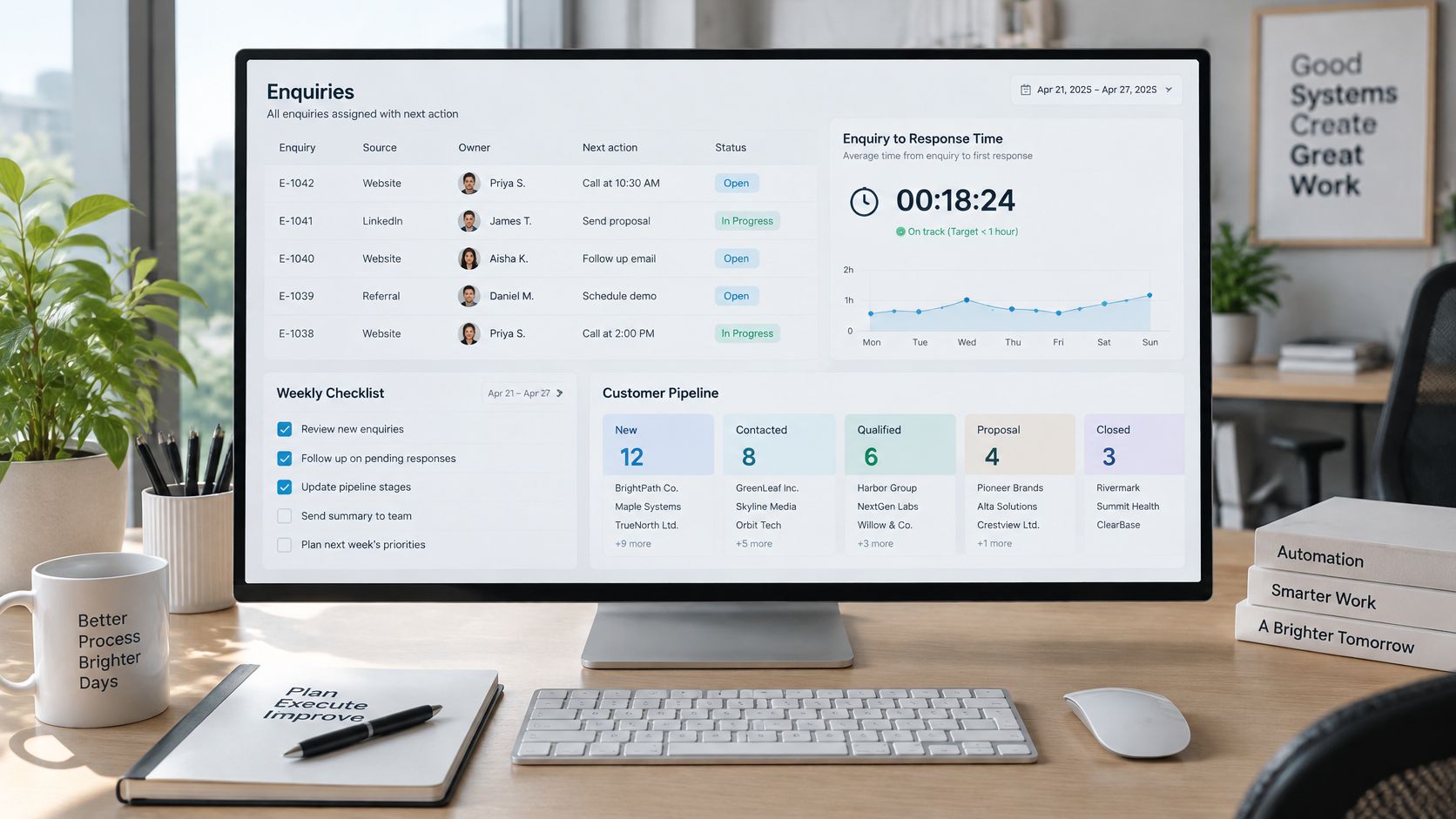
For a structured evaluation, use our guide to measuring the ROI of AI automation. Compare performance against your own baseline and account for review effort, software charges and maintenance, rather than counting every automated action as a saving.
Plan for Day 31
We run scheduled tasks and continuous checks across enquiries, CRM updates, invoice chasing, preparation and reporting. Risky or client-sensitive work waits for human approval.
After launch, review failures and exceptions weekly, decide whether rules need changing, and pause workflows that can't operate reliably. A corrected workflow should be tested before it resumes, including checks that replaying an action won't duplicate a customer message.
Operating test: When an unexpected case arrives on day 31, someone should know what stopped, why it stopped and who decides what happens next.
Book a Diagnostic Before Committing to Tools
Start with a diagnostic, not a software purchase. The first useful check is whether an enquiry or job can be located, assigned and progressed in a shared operational view.
The ABS characteristics of Australian business release provides national technology-adoption context, but it doesn't prescribe a CRM diagnostic. The assessment below is a practical process-mapping exercise.
Trace Real Work Before Choosing Automation
- Pick the work type that matters most to revenue, cash or customer delivery.
- Follow five recent examples from arrival to completion.
- Record each item's stage, owner, last activity and next action.
- Count work outside the main system, including inboxes, spreadsheets and staff memory.
- List three repeatable actions that consume the most administrative attention.
- Rank those actions by revenue or cash impact.
- Test the existing system as the potential source of truth.
- Choose one workflow to automate first, with a clear human hand-off.
These are assessment steps, not a fixed onboarding formula. Our work starts with mapping the process, then establishing reliable operational records, then adding suitable automation.
Bring Evidence to the Conversation
Our diagnostic assessment examples can help you prepare. Business process automation maps triggers, context, decisions, actions, verification and exceptions; the ongoing operating layer then maintains the workflow after launch.
For Australian service businesses, a useful design also needs a safe stop: when information is missing or risk is high, our system pauses with context rather than hiding the failure.
This week, gather sample enquiries, your receivables ageing report, existing forms and a list of tools in use. Bring those materials to a diagnostic conversation before committing to another application.
How to Evaluate and Select an Agency
Run the diagnostic before comparing providers so you can discuss a specific workflow rather than a broad promise to automate the business. A candidate should explain how work will move, where it can fail and what your staff must still decide.
Test the Operating Arrangement
- Shortlist for tool fit. We can usually use your existing business process automation software. Replacement should follow evidence that the current system blocks the workflow.
- Review the proposed security scope, privacy coverage and access arrangements. Identify the records each integration needs.
- Establish exception ownership. Name the person or team who reviews unexpected cases after launch, including failures that don't generate an obvious customer complaint.
- Identify decisions that remain human. Our automation retains human control over policy, relationship judgement, pricing, complaints, unusual exceptions and final approval on risky actions.
- Request working documents: a sample runbook, report template and exception-log format. These reveal more than a polished demonstration.
- Establish ownership of workflows, logs and data when the contract ends, including export formats and access removal.
- Check references carefully. Ask about operational changes in the reference's own words and how they verified them, rather than accepting a headline performance figure.
- Start with a bounded workflow, an agreed review date and explicit stopping criteria. Document what would justify expansion.
Compare Candidates on the Same Evidence
Provider scorecard
| Criterion | Good sign | Red flag |
|---|---|---|
| Tool fit | Works around the CRM and software you already use | Replaces working systems without evidence |
| Ownership after launch | Named monitoring, reviews and exception handling | Build-and-leave with no operating plan |
| Human control | Approval gates for sensitive messages and payments | Fully autonomous client-facing sends |
| Security | Written access scope, logs and data handling rules | Vague answers on who can see personal data |
| Measurement | Operational metrics agreed before launch | Promises of fixed returns or unverifiable figures |
| Local support | Clear hours, time zone and escalation path | No named contact or agreed response time |
Don't award extra credit for a fixed-return promise. Lower the score when a provider can't explain assumptions, exclusions or how the outcome will be verified.
The strongest proposal makes responsibilities plain: what the provider operates, what your team approves, which costs sit outside scope and how either party can stop the workflow safely. Buy an accountable operating arrangement, not an impressive demo.
Truespeak designs, builds and manages automation around the tools Australian service businesses already use, covering enquiry response, intake, follow-up, CRM administration, invoice reminders and reporting. Visit Truespeak to discuss a diagnostic, bringing sample enquiries, your current receivables ageing report and your tool list so the conversation starts with work that needs fixing.