
Your phone rings while you're under a house with your hands in a wet subfloor. You let it go. What did that call cost you, and what would you have done with the job if you'd answered it?
Most advice about the AI receptionist for tradies market dodges that second question. It assumes every captured call is good news, when plenty of trade businesses are already booked out, short-staffed, or relieved when a poor-fit enquiry goes to someone else. Construction was Australia's fourth-largest employing industry in 2022-23, with around 1.3 million people and industry income of about $568 billion, according to the Australian Bureau of Statistics. That's an enormous number of businesses whose real constraint is hours in the day, not leads in the pipeline.
A receptionist that only adds demand makes the strain worse. One that filters, records and escalates properly takes pressure off the field. The difference sits entirely in the rules you set before the first call is answered.
Table of Contents
- What an AI Receptionist Does for a Tradie
- How an AI Receptionist Handles a Call, Step by Step
- Details to Collect Before the Next Step Is Booked
- Keeping Customer Data Safe
- Calls and Enquiries That Must Go to a Person
- Testing Trade Terms, Suburbs and Noisy Calls
- Connecting the Receptionist to Your CRM and Calendar
- Measuring Results Before and After Launch
- Pick One Workflow to Pilot First
What an AI Receptionist Does for a Tradie
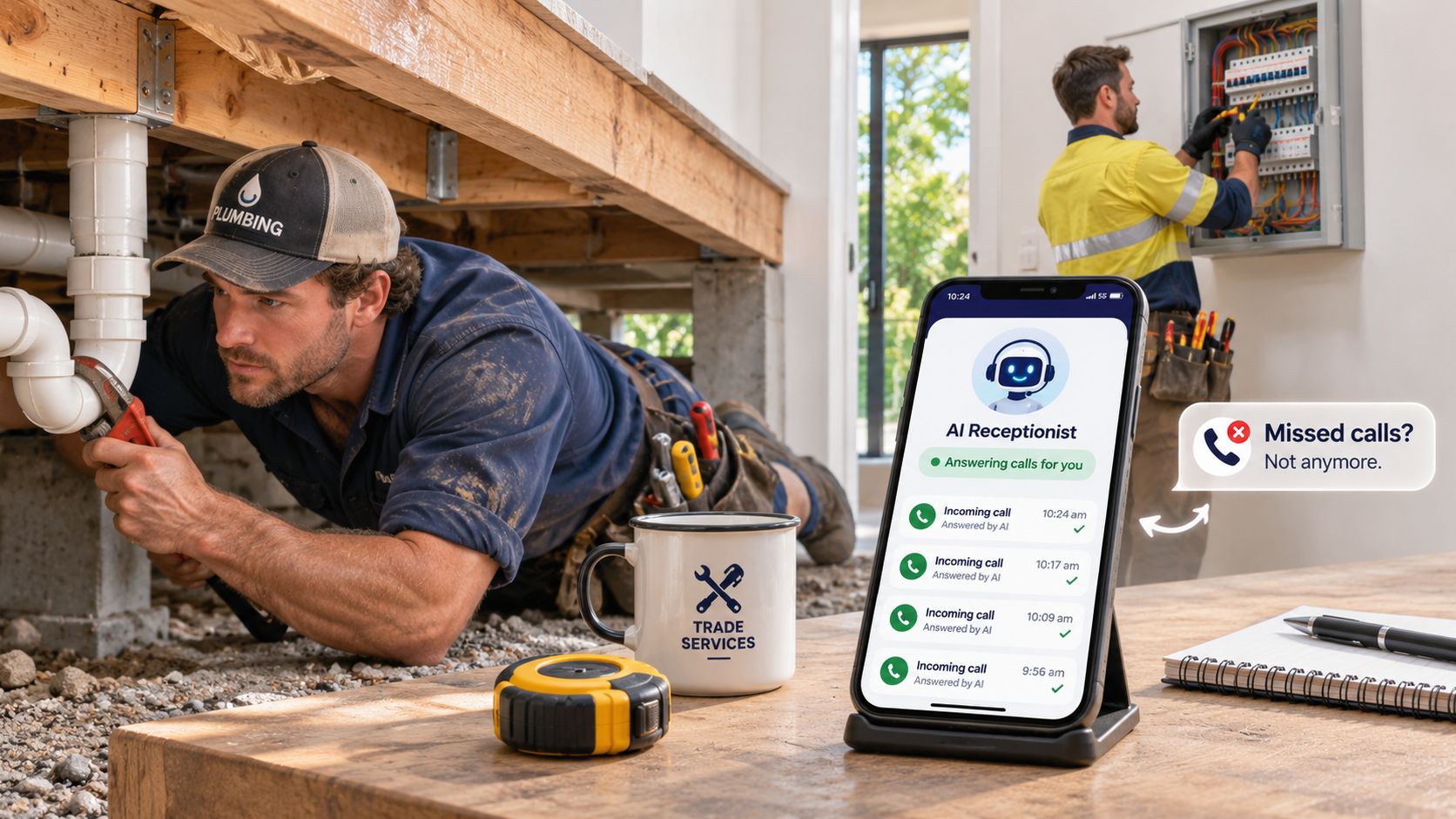
A plumber in a crawlspace, an electrician at a switchboard, a carpenter with a saw running. None of them can stop and pick up. When nobody answers, the caller gets voicemail, hangs up, and dials the next name on the list.
An AI receptionist is software that answers phone and web enquiries, asks a fixed set of questions, writes the answers into your CRM, and either books the next step or flags the enquiry for a person. It's a front desk that never leaves the van and follows only the rules you agreed before launch.
It does three jobs. It answers when the team is on site or closed, it qualifies each enquiry against your service area and work types, and it hands off anything it can't settle. Adoption is still shallow: the ABS reported that 12% of Australian businesses used artificial intelligence in 2024-25, up from 1% in 2022-23, according to its technology and innovation statistics.
Its limits are just as clear. It doesn't write quotes from scratch, it doesn't decide whether a risky job is safe to take, and it doesn't replace your judgement about which work is worth doing. If the first-response side of the workflow is where your losses sit, speed to lead automation covers how quickly an enquiry gets a useful reply and how that timing is tracked.
How an AI Receptionist Handles a Call, Step by Step
Every call should follow the same path, whether it lands at 10am on a Tuesday or 9pm on a Friday.
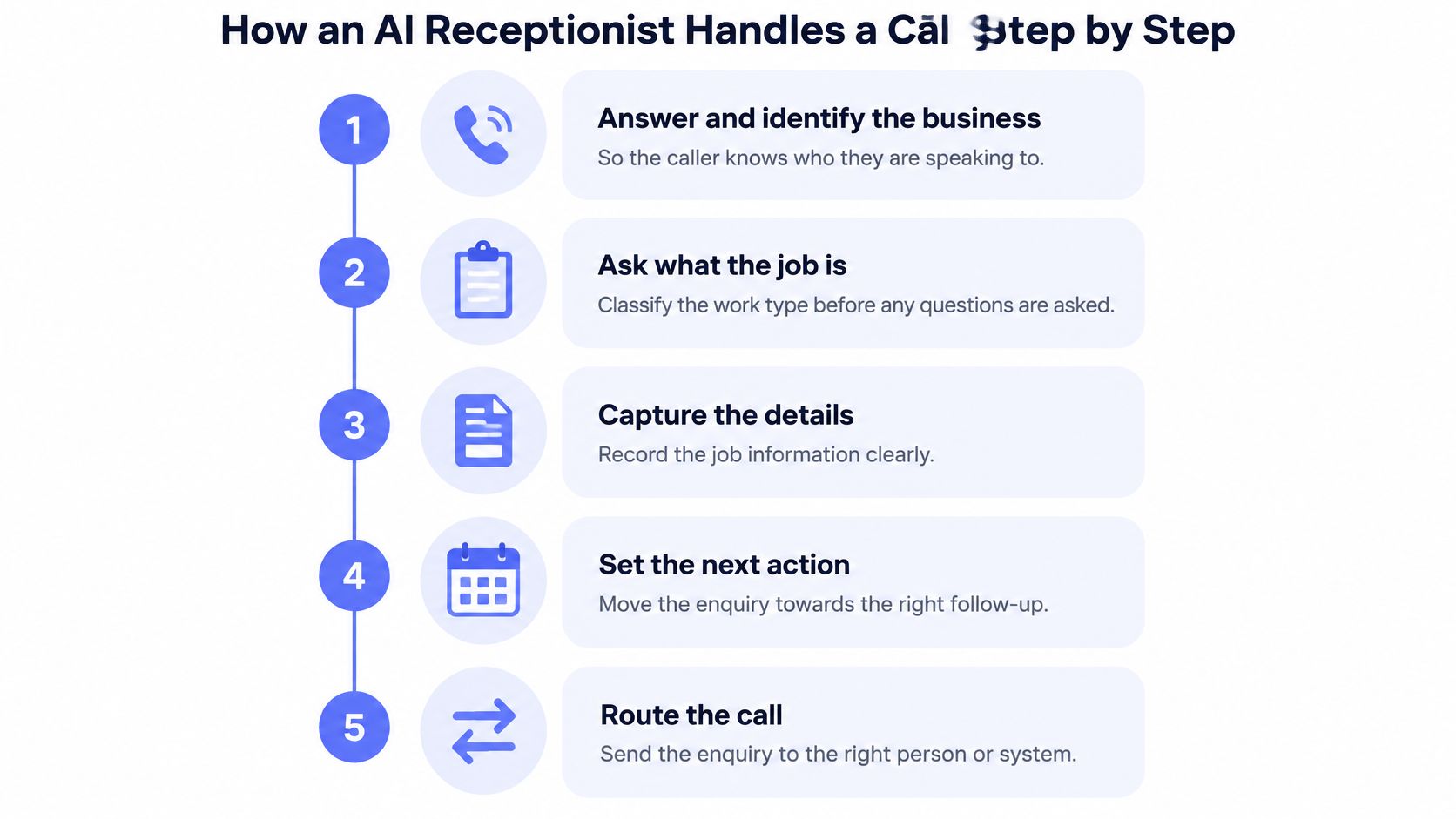
- Answer and identify the business. The caller hears the company name before any questions begin, so they know who they've reached and the call doesn't feel like a queue.
- Ask what the job is. Work type gets classified: hot water system, leaking tap, switchboard upgrade, blocked drain. That classification decides which tradie or which quote template the enquiry routes to, so it has to happen early.
- Capture the job location and check the service area. An address outside the area gets flagged before anyone offers a time, which saves the awkward call back.
- Ask about urgency. An active leak or a total loss of power isn't the same as a quote for a renovation next month. Urgent faults need a faster path and a different script.
- Collect preferred availability against your rules. If the diary can't confirm a slot, the receptionist offers a callback instead. No time gets promised that can't be kept.
- Read back the callback number, address and job summary. A wrong street number or a transposed digit is the most common cause of a failed visit, and it's cheap to prevent at the point of capture.
- Write one enquiry record with an owner and a next action. Not a voicemail, not a text thread, not a note on the dash. One record the office can act on.
- Confirm the next step with the caller, or route to a person if any rule fails. The caller leaves knowing what happens next, which is the difference between a booking and a maybe.
The sequence matters more than the technology. Confirming details before the record is created prevents dispatch errors that cost a whole afternoon.
Construction is behind the wider market here. Only 6% of construction businesses used artificial intelligence in 2024-25, well under the all-business rate, according to the ABS characteristics of Australian business release. Most of your competitors haven't automated intake yet, which is an advantage while it lasts.
The after-hours value is real and it's where coverage gaps show up fastest. A system set up this way runs 24/7, including overnight and weekends, so an enquiry sent at 9pm on a Friday gets captured rather than sitting in a voicemail box until Monday morning. If the caller doesn't reply to the confirmation, lead follow-up automation covers what happens next.
Details to Collect Before the Next Step Is Booked
Every next step rests on a complete record. Book a callback without an address and the office rings back to start the intake again, which wastes a call and makes the business look disorganised. Treat these seven fields as mandatory and put them in the receptionist's rules.
| Field | Why it matters | Example entry |
|---|---|---|
| Caller name | Identifies the customer and links the record to past jobs | Priya Sharma |
| Callback number | Lets a person call back if the system stops | Mobile, read back and confirmed |
| Job location | Checks service area and travel time | Suburb plus nearest cross street |
| Type of work | Routes to the right tradie or quote type | Hot water system replacement |
| Urgency | Separates active faults from routine quotes | No hot water since this morning |
| Preferred availability | Avoids promising times the diary cannot hold | Weekday mornings, next week |
| Next action | Sets callback, quote or booking as the owner's task | Callback within one working day |
Two fields carry more weight than the rest. Job location decides whether the work is worth travelling to, and preferred availability is where automated booking most often over-promises. Renovation enquiries also need scope signals early, and a guide to comparing Melbourne bathroom renovation quotes shows the line items an estimator wants before the site visit, which is exactly what the receptionist should be prompting for.
Practical rule: if the callback number can't be read back and confirmed, the enquiry isn't booked. It sits in a review queue.
Privacy is part of intake design. A person's name, address and phone number are personal information regardless of whether they're on a paper job sheet or in a database, as business.gov.au's guidance on protecting customer information sets out. Collect only what the next step needs, tell the caller why, and keep it in a controlled system. A customer intake form built around these fields gives your phone script and your web form the same backbone. Structured intake before a human call also cuts the rework, and our intake automation service handles forms, photos and briefs for exactly that reason.
Keeping Customer Data Safe
A trade intake record is rarely just a name and a mobile. It can hold street addresses, gate codes, access instructions and property photos, and sometimes health details, tenancy arrangements or payment information. All of it arrives through a conversation that feels casual to the caller, which is exactly why it needs a boundary.
That boundary starts with what the receptionist is allowed to ask. Cyber.gov.au guidance for small business AI use warns that small businesses using public-cloud AI can expose sensitive customer, staff or financial records through accidental leaks, unauthorised access or third-party misuse, and recommends data minimisation, anonymisation where possible, vendor data-handling reviews and a written internal AI-use policy. A receptionist that captures only what the next step needs has less to store and less to leak. The capacity filter and the privacy control are the same design decision.
The legal frame sits underneath. ABS guidance on data confidentiality notes that the Australian Privacy Principles govern most private-sector organisations with annual turnover above $3 million, plus some small businesses, and that APP 6 restricts how personal information is disclosed. Five controls do most of the protective work:
- Field-level classification: contact details and job address are protected customer data; health, accessibility and security notes trigger stricter handling and escalation; payment details never enter a general conversation log.
- Separation of raw content: transcripts and uploaded photos live apart from the operational record, with a defined retention period.
- Role-based access: the scheduler sees suburb and availability, not payment details or health notes.
- Disclosure logging: every automated disclosure, including a booking confirmation sent onward, leaves a trace.
- Vendor questions: ask where data is stored, whether your data trains models, and how deletion works.
I would tighten transcript retention first; raw recordings are more useful to an attacker than to your scheduler.
Personal information should be destroyed or de-identified once it is no longer needed, and follow-up messaging carries its own obligations. Australia's Spam Act generally requires consent for commercial electronic messages, requires the sender to be identified, and requires an easy way to unsubscribe. Record whether the caller asked for a callback, quote or booking, and let that choice set the next permitted contact rather than treating every enquiry as marketing permission. The vendor side of these decisions, including what to ask before client data touches any AI tool, is covered in our guide to putting client data into AI tools safely.
Calls and Enquiries That Must Go to a Person
The receptionist should know its next step with confidence. When it doesn't, a person takes over. That single rule prevents most of the problems trade owners worry about when they hand a phone line to software.
| Situation | What the receptionist does | Who handles it |
|---|---|---|
| Suspected safety risk, such as gas smell or sparking wiring | Directs caller to emergency services and stops automated booking | On-call tradie and emergency pathway |
| Complaint about past work | Takes details, makes no promises, flags for review | Office manager |
| Disputed charge | Logs the dispute and holds further payment messages | Owner or accounts |
| Request outside agreed booking rules | Offers a callback without committing a time | Scheduler |
| Caller asks for a person | Transfers or books a callback at the next available time | Nearest available staff member |
| Enquiry the system cannot confidently understand | Repeats back what was heard, then hands over | Office team |
Emergencies sit outside the booking flow entirely. Where life or property is at risk, the pathway points the caller to 000 and doesn't wait for a diary slot. The distinction between an urgent job and a genuine emergency is worth writing into your rules explicitly, because a burst pipe at 11pm and a smell of gas need very different responses, and a useful reference on when to call a 24/7 plumber sets out where that line usually falls.
Every handover should be logged with its reason. A logged handover teaches you something about where the rules are thin. A silent guess teaches nothing and leaves a record you can't trust.
Capacity is the second filter. Skilled trade hours are usually the scarcest input in the business, and an enquiry you can't service becomes a promise you'll break. When a call falls outside your trade, your area or your realistic timeframe, the receptionist should decline politely, capture the reason, and move on. Those logged declines matter. Over a month they show the office whether you're turning away the right jobs, underpricing a suburb, or missing a service worth adding.
Anything risky or client-sensitive waits for human approval. That covers messages that change a bill, a booking or a customer's expectations. The receptionist captures only what the next step needs and stops there, which protects your field time, your customer data and your name.
Testing Trade Terms, Suburbs and Noisy Calls
A receptionist that mishears a job type creates a bad record, and a bad record costs more than a missed call because someone acts on it. Test before launch, using your own vocabulary.
- Trade terms: call-out, quote, hot water system, switchboard, blocked drain, downlights, and the way your customers say them ("the safety switch keeps tripping" rather than "RCD fault").
- Suburb names: local suburbs with similar spellings, near-identical neighbours, and the ones your customers mangle. A misheard suburb sends a van to the wrong side of the city.
- Job descriptions in plain speech: the tap that drips at night, the toilet that won't stop running, the light that flickers when the oven goes on.
- Call conditions: background machinery, wind, a truck reversing beside the phone, and patchy mobile reception on a rural block.
For each condition, note whether the receptionist repeats the critical detail, asks again, or hands the enquiry to a person. This is an illustrative test plan, not a report of past results, and yours should reflect your own postcodes.
Pass rule: suburb, callback number and urgency must be confirmed before any record is saved. Everything else can be corrected later.
Mapping what happens when a test fails is a process question rather than a phone question, and our business process automation work covers triggers, decisions, actions and exception paths.
Connecting the Receptionist to Your CRM and Calendar
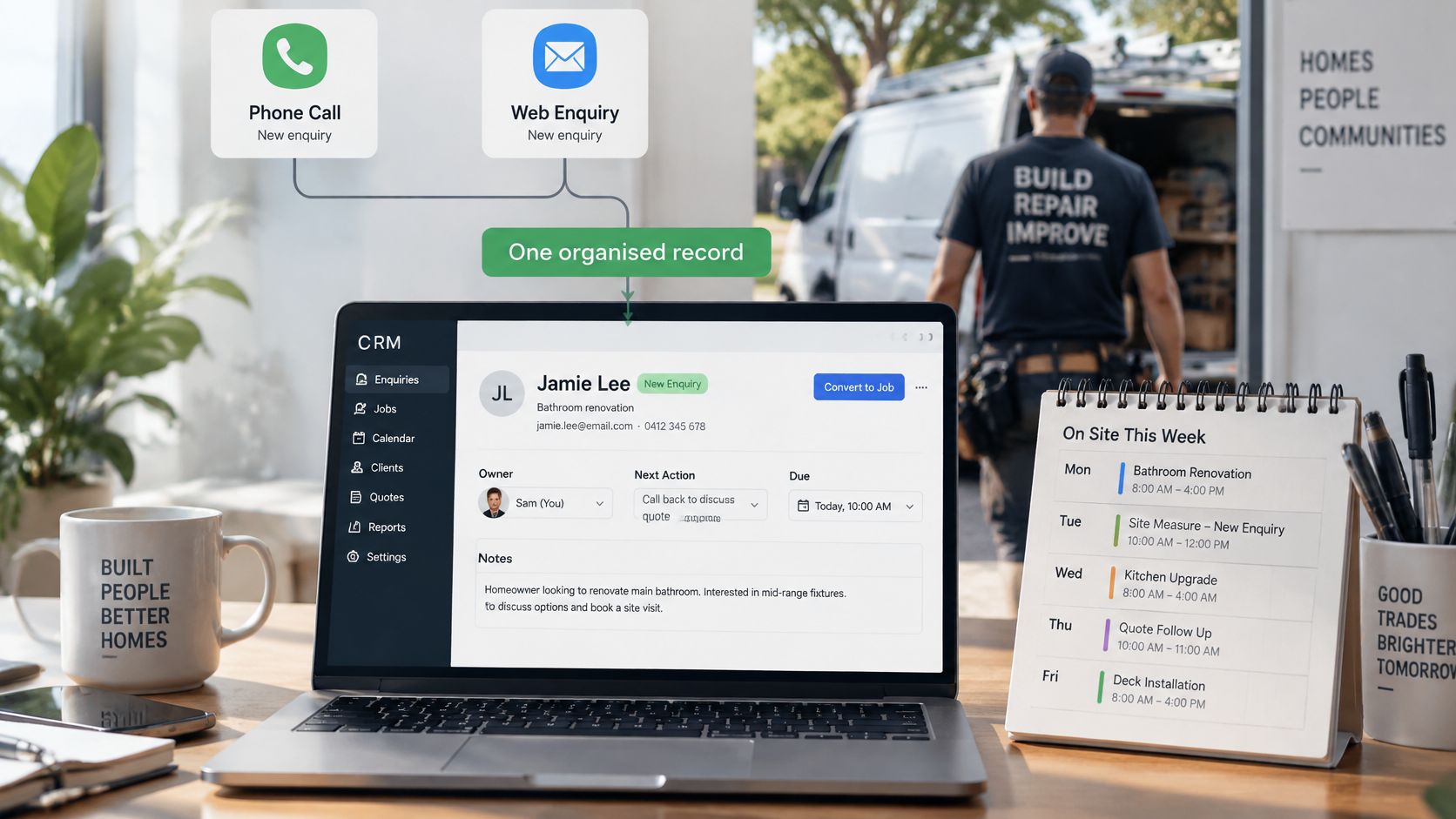
The single record is the spine. When the same enquiry exists in a notebook, a voicemail and a text thread, follow-up gets missed and duplicates multiply. One CRM record carrying the owner, next action and due time fixes that by default.
Everything else hangs off it:
- Calendar availability for booking, with rules that prevent a slot being offered when the crew is already committed.
- A job-type field that routes to the right tradie or the right quote template.
- A task queue the office checks each morning, sorted by urgency and due time.
- A reminder trigger on completed work, so invoicing follows rather than waits.
The receptionist shouldn't chase payments on its own. A completed job can trigger a reminder that a person approves before it's sent, which keeps the tone right and avoids dunning a good customer over a disputed line. Our invoice reminder automation is built around that approval step.
Existing tools stay where they work. If your job management platform already handles scheduling and job cards, connect to it rather than replacing it, and read a CRM integration guide before assuming a migration is needed. Roofing and exterior trades often run scheduling inside a niche platform, and a roofing software guide for NZ roofers is a useful comparison of what those tools do well and where they leave gaps. Hygiene routines such as duplicate checks and stale-record sweeps belong in CRM automation, and cleaner forms, documents, photos and briefs before the human call or admin handoff come from our intake automation service. Replacement is worth considering only when the current stack blocks the workflow outright.
Measuring Results Before and After Launch
Start with a benchmark someone else already set. The business.gov.au customer service charter aims to respond to phone, email and social-media enquiries within one working day. That isn't a legal deadline for trade businesses, but it's a concrete Australian reference point for first-response timing.
| Measure | What to record | How to compare |
|---|---|---|
| Missed calls | Calls not answered by a person during working hours | Same weeks before and after launch, adjusted for volume |
| First response time | Time from enquiry arrival to first reply | Median, not average |
| Returned calls | Calls the business returned | Counted separately from qualified enquiries |
| Qualified enquiries | Enquiries with all intake fields complete | Share of total enquiries |
| Quotes sent | Quotes issued after a confirmed next action | Rate per qualified enquiry |
| Confirmed bookings | Bookings or callbacks confirmed with the caller | Rate per qualified enquiry |
| Duplicate CRM records | Records created twice for one caller | Count per week |
| Human escalations | Handovers to staff, by reason | Share of total, reviewed monthly |
Median response time beats an average every time. One callback that took three days because the scheduler was on leave will drag an average into fiction, while the median tells you what a typical caller experiences.
Be just as careful with conversion claims. A returned call isn't work until it's qualified, quoted and confirmed, and reporting the stages as one blended number hides exactly where the leak is.
No before-and-after figures are claimed here, because a real comparison depends on your own enquiry volume and seasonality. The table gives you the method. Your records give the result. Pick a comparison window of the same length on both sides, note any marketing push or seasonal surge that landed in either period, and review the escalation reasons as closely as the headline numbers.
Pick One Workflow to Pilot First
Don't automate the whole front desk. Start with one gap, usually the enquiries that arrive after hours or while the team is on site, because that's where the losses are easiest to see and cheapest to fix.
Before anything is switched on, write the intake fields and the handover rules, and name the person who owns each handover. Choose your comparison window and agree what success looks like in advance. Then review the pilot on real exceptions rather than leaving it to run unattended. Three decisions this week:
- Ownership: who receives each handover, and who covers it when they're on leave.
- Measurement: which weeks you'll compare, and who pulls the numbers.
- Approval gates: which messages need a human to read them before they go out.
A practical way in is to bring one messy handoff, such as a call that went wrong last month, and map what should be captured, drafted, approved and logged. That's what our managed AI operations service does after launch too: monitoring, tuning and reporting on real exceptions rather than set-and-forget. On a discovery call we look at the business beforehand and come prepared with at least one specific gap and what it costs, with no pitch deck and no obligation.
A receptionist is only worth having if it protects your field time, your customer data and your reputation at the same time. Truespeak builds and manages AI operating systems for Australian service businesses, starting with the single workflow that's costing you the most: enquiry capture, intake, CRM hygiene, follow-up or invoice reminders, with human approval gates on anything sensitive. Visit Truespeak to bring one messy handoff to a discovery call and see what a properly bounded receptionist would look like in your business.