
An enquiry arrives through the website, another sits in a shared inbox, and a third is written in a spreadsheet beside a quote. Then the team member who took the original call goes on leave. Nobody knows whether the customer is waiting for a price, a site visit or a simple answer, so the opportunity stops moving.
That's why the best CRM tips for Australian service businesses usually start with habits, not software features. A CRM can't rescue a process that leaves ownership unclear, hides next actions in personal inboxes or treats an old opportunity as active forever. The practical sequence is straightforward: capture every enquiry, record its status, qualify it, route it, follow up consistently, collect usable information and review the pipeline.
The same discipline supports optimising your sales process in 2026. It also gives owners a clearer view of whether the team is responding quickly and progressing real work, rather than just adding more contacts to a database.
Table of Contents
- 1. Designate a single source of truth for all enquiries
- 2. Record owner, stage, next action and clear outcome for every lead
- 3. Implement a daily or weekly CRM audit to surface stale records
- 4. Qualify leads for fit, intent and urgency before assignment
- 5. Establish clear routing rules to prevent lead misassignment
- 6. Create standardised follow-up sequences for different lead types
- 7. Collect structured intake data upfront to reduce rework
- 8. Conduct weekly pipeline reviews to maintain visibility and accountability
- 8-Point CRM Tips Comparison
- Turning These CRM Habits Into a Weekly Routine
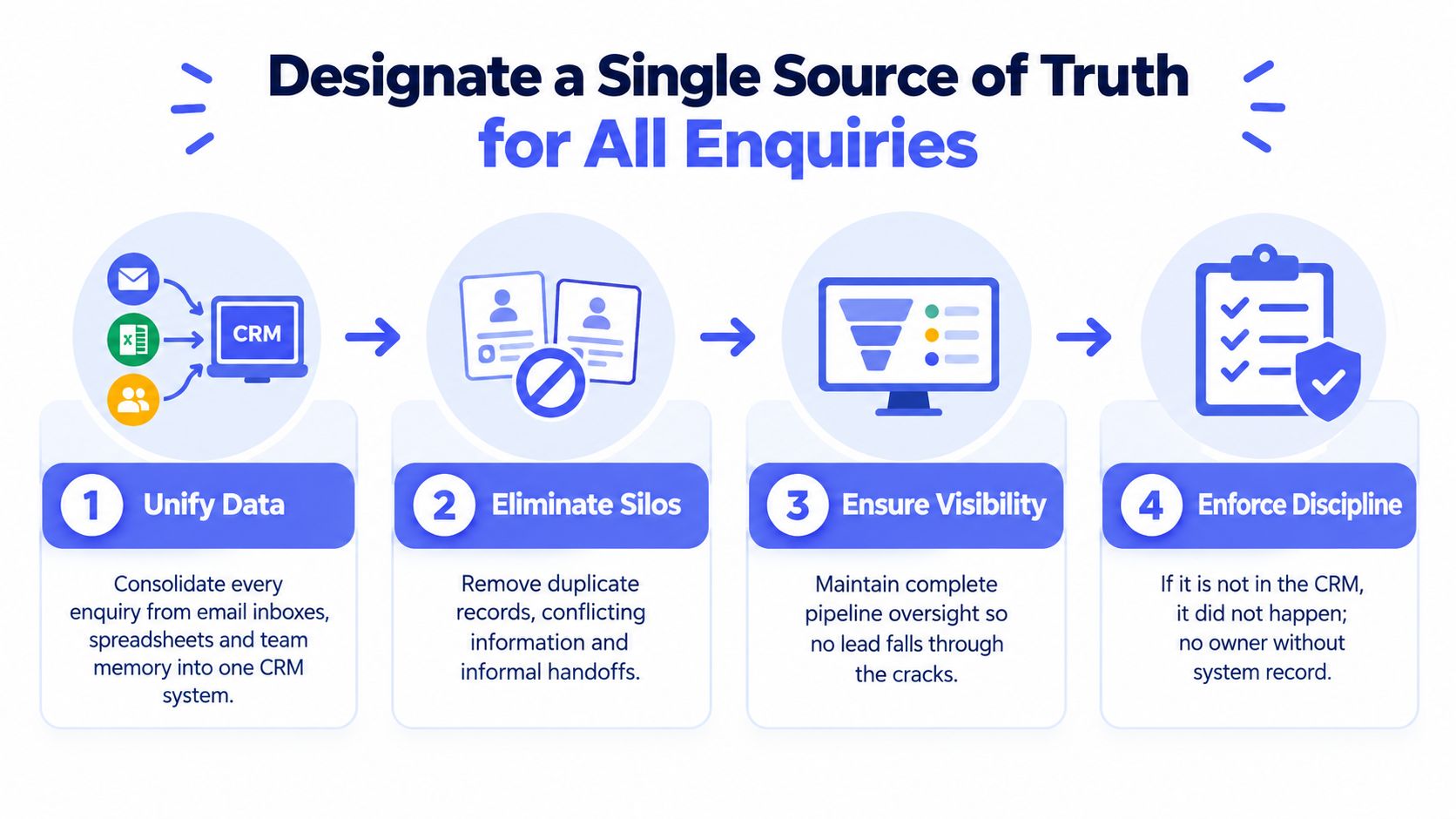
1. Designate a Single Source of Truth for All Enquiries
A service business needs one dependable place where every enquiry lives. That might be HubSpot, Salesforce, Microsoft Dynamics 365, Zoho CRM or another system already connected to the team's forms, inboxes and calendars. The product matters less than the rule: if an enquiry isn't in the CRM, nobody can reliably own or progress it.
This is especially important for builders, trades, installers and professional-service firms handling several job types. A customer might call the office, reply to an old email and submit a website form in the same week. Without a shared record, two staff members can respond separately, a quote can be duplicated or a follow-up can disappear when someone takes leave.
Set the CRM up as the operational record for:
- New enquiries: Capture the customer, service requested, source and arrival time.
- Active opportunities: Keep the current stage, owner and next action visible.
- Quotes and proposals: Connect the commercial document to the account and job.
- Customer history: Store relevant conversations and decisions where the team can find them.
- Outcomes: Mark work won, lost, disqualified or nurtured instead of leaving it indefinitely open.
Practical rule: If a customer's latest status exists only in someone's inbox, spreadsheet or memory, the business doesn't have operational visibility.
Integrations can push website forms, shared inbox messages and booking requests into the CRM immediately. Use permissions to protect sensitive information, but don't create so many silos that staff can't see the context needed to act. Guidance on how to integrate your CRM is useful for understanding the technical options, while CRM automation can support validation, ownership and action queues around the system you already use.
2. Record Owner, Stage, Next Action and Clear Outcome for Every Lead
A contact record isn't useful merely because it contains a name and phone number. For an active lead, four fields should be treated as the minimum operating record: owner, stage, next action and outcome.
The owner answers who is responsible. The stage explains where the lead sits, such as new enquiry, qualified, quoted, awaiting decision or booked. The next action states what someone will do and when. The outcome closes the loop with a clear result, such as won, lost, disqualified or nurtured.
These fields turn the CRM into an action queue. A plumbing enquiry might be owned by the service coordinator, marked as qualified, assigned the next action “confirm access details” and left open until the booking is secured. A building quote might sit with the estimator, remain in “awaiting decision” and carry a dated call task. Anyone opening the record can understand what's happening without asking the original staff member.
Update the fields when an event occurs, not in a rushed batch later on. Use dropdowns, short templates and sensible defaults to reduce data-entry friction. Then create an exception view that shows records with:
- No owner: Assign responsibility before the lead enters the active pipeline.
- No stage: Ask the owner to classify the enquiry.
- No next action: Keep active work from becoming invisible.
- No outcome: Close or re-qualify records instead of allowing permanent limbo.
The Australian Bureau of Statistics business technology data shows that digital tools can improve responsiveness, but it also highlights the difference between using technology and measuring its contribution. Your CRM should therefore report practical indicators such as response time, follow-up completion, data completeness and overdue actions.
3. Implement a Daily or Weekly CRM Audit to Surface Stale Records
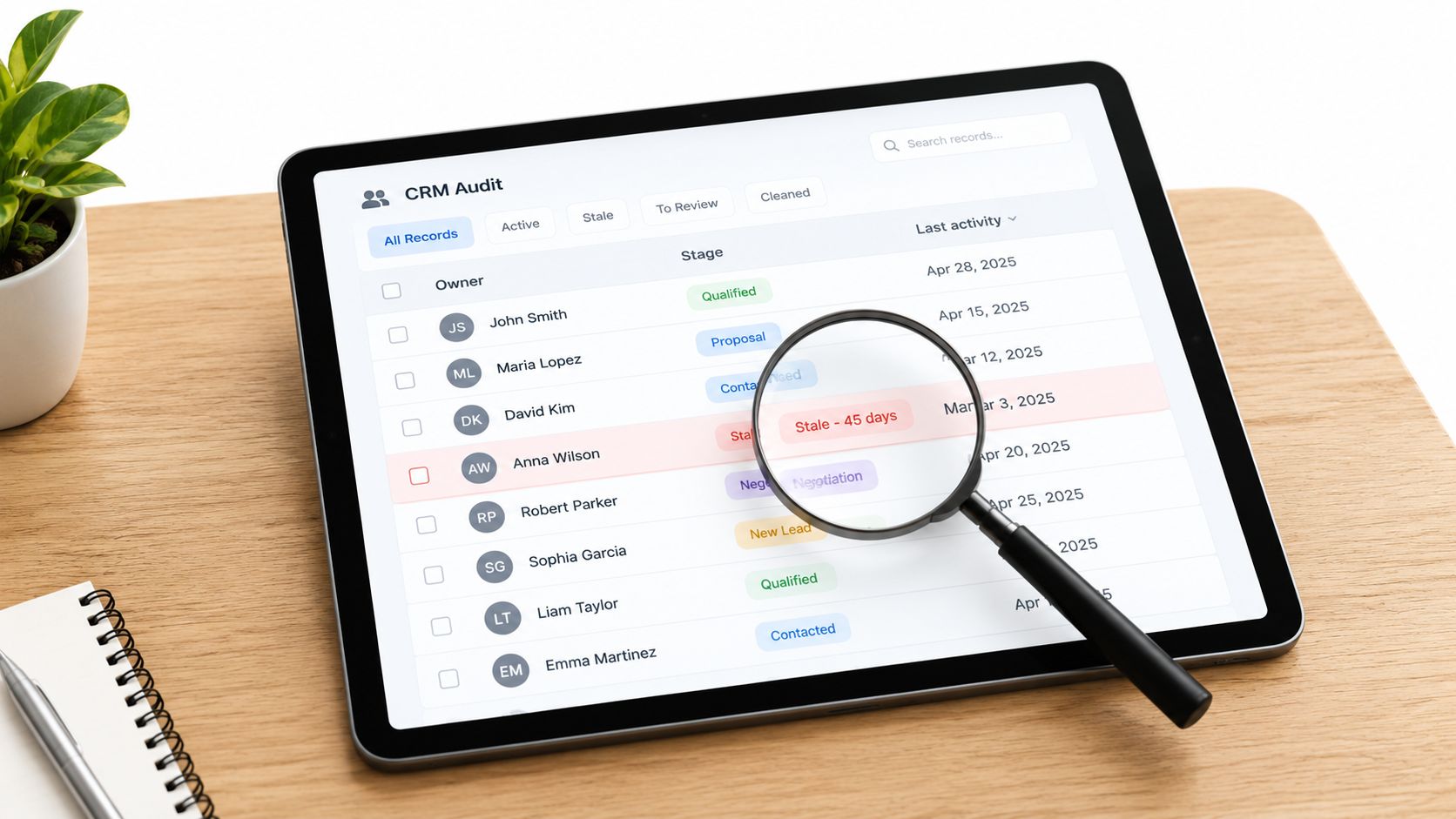
A stale record is not just an old contact. It's an enquiry, quote or opportunity with no meaningful recent activity, no current next step or no clear outcome. It can look healthy in a pipeline report while nobody is progressing it.
The right review interval depends on enquiry volume and the follow-up standard your business has set. A high-volume team may need daily exception checks. A smaller operation might review its action queue on a regular weekly cycle. There's no universal cadence prescribed by the OAIC's guidance on personal information quality, so match the routine to the risk of records becoming inaccurate and the pace at which your team receives work.
Review Exceptions, Not Every Field
Start with reports that group records by the problems most likely to cause dropped work:
- Missing owner: The enquiry has entered the system but no one is accountable.
- Missing activity: The record hasn't been updated within the team's follow-up standard.
- Missing next action: The opportunity is active in name only.
- Ageing stage: A quote or decision has remained unchanged long enough to require a decision.
- Unclear outcome: The team hasn't decided whether to continue, close or nurture the lead.
A stale opportunity should be re-qualified, assigned a useful next action, marked with a genuine outcome or escalated to the owner. Don't move old records into a new stage just to make the dashboard look cleaner. That hides the very problem the audit is meant to find.
Run the review at a consistent time so it becomes part of the operating rhythm, then track the exceptions by owner and stage. The CRM data quality guidance from Truespeak describes the practical focus well: keep one source of truth and review records lacking ownership, stage, recent activity or a next action. For teams that need continuing monitoring and tuning, managed AI operations can sit around the existing process without replacing the human decision on whether an opportunity is dead.
4. Qualify Leads for Fit, Intent and Urgency Before Assignment
Fast response doesn't mean giving every enquiry the same treatment. A short qualification step helps the team protect its time while keeping genuine opportunities moving.
Use three practical questions. Fit asks whether the service, location, job type and likely requirements match what the business provides. Intent asks whether the person is seeking a real next step or only gathering general information. Urgency asks when the work needs to happen and whether there's a time-sensitive reason to act.
For example, an installer could ask for the suburb, property type, service required and preferred timing before assigning a site visit. A professional-services firm might ask what problem the prospect needs solved, whether a decision-maker is involved and whether there's a target start date. The questions should sound helpful, not like an interrogation.
Keep Qualification Useful
Use simple fields or ratings that a coordinator can complete quickly. Don't ask for information that won't change routing, scheduling, quoting or follow-up. If an enquiry is clearly outside the service area, record that reason and close it cleanly. If the fit is uncertain but the potential value is reasonable, send it to a person rather than forcing an automated decision.
Automation can collect the first answers, identify obvious matches and suggest a route. Human review still matters for unusual jobs, incomplete details and relationship-sensitive situations. Review disqualification reasons from time to time. If many suitable customers are being rejected for the same reason, the criteria may be too strict. If the pipeline is filling with poor-fit leads, the intake questions may be too loose.
A useful first response can acknowledge the enquiry, ask the missing qualification question and offer a clear next step. Speed-to-lead automation is designed for that combination of prompt response, qualification and routing, rather than sending a generic acknowledgement that leaves the customer to do all the work.
5. Establish Clear Routing Rules to Prevent Lead Misassignment
A lead sent to the wrong person often becomes everyone's problem and nobody's responsibility. The customer waits, staff pass the record around and the original context gets lost. Routing rules should make ownership obvious as soon as the enquiry enters the CRM.
Start with one primary rule. It could be postcode, trade, service type, account owner or location. A Sydney electrical business might route commercial maintenance enquiries to one coordinator and residential jobs to another. A multi-trade operator could use service type first, then apply urgency or geographic coverage as a second decision.
Keep the logic readable. A rule that nobody can explain will be difficult to maintain when the team changes. Add availability and escalation handling so a lead doesn't remain assigned to someone who is on leave or already unable to respond. The fallback might be a secondary owner, a shared queue or the operations manager.
Useful routing controls include:
- Primary assignment: Send the enquiry to the person with the right service or territory responsibility.
- Availability check: Exclude staff marked unavailable or overloaded.
- Fallback owner: Route exceptions to a named backup instead of leaving them unassigned.
- Urgency escalation: Push time-sensitive requests to a manager or priority queue.
- Audit trail: Record why the CRM chose the assigned owner.
Test the logic using recent enquiry patterns before making it live. Look for ambiguous suburbs, overlapping service categories and jobs that need technical judgement. The aim isn't to remove common sense. It's to make the normal path consistent, while giving people a clear place to handle exceptions.
The lead routing best practices resource covers the operational detail behind ownership, fallback rules and exception handling. You can also use CRM automation to connect routing with validation, reminders and manager visibility. Review assignment history regularly and refine the rules when the business adds services, locations or team members.
6. Create Standardised Follow-Up Sequences for Different Lead Types
Follow-up should reflect what the customer has asked for. A quote, a proposal, a future project and an unanswered first enquiry shouldn't all receive the same message or timing.
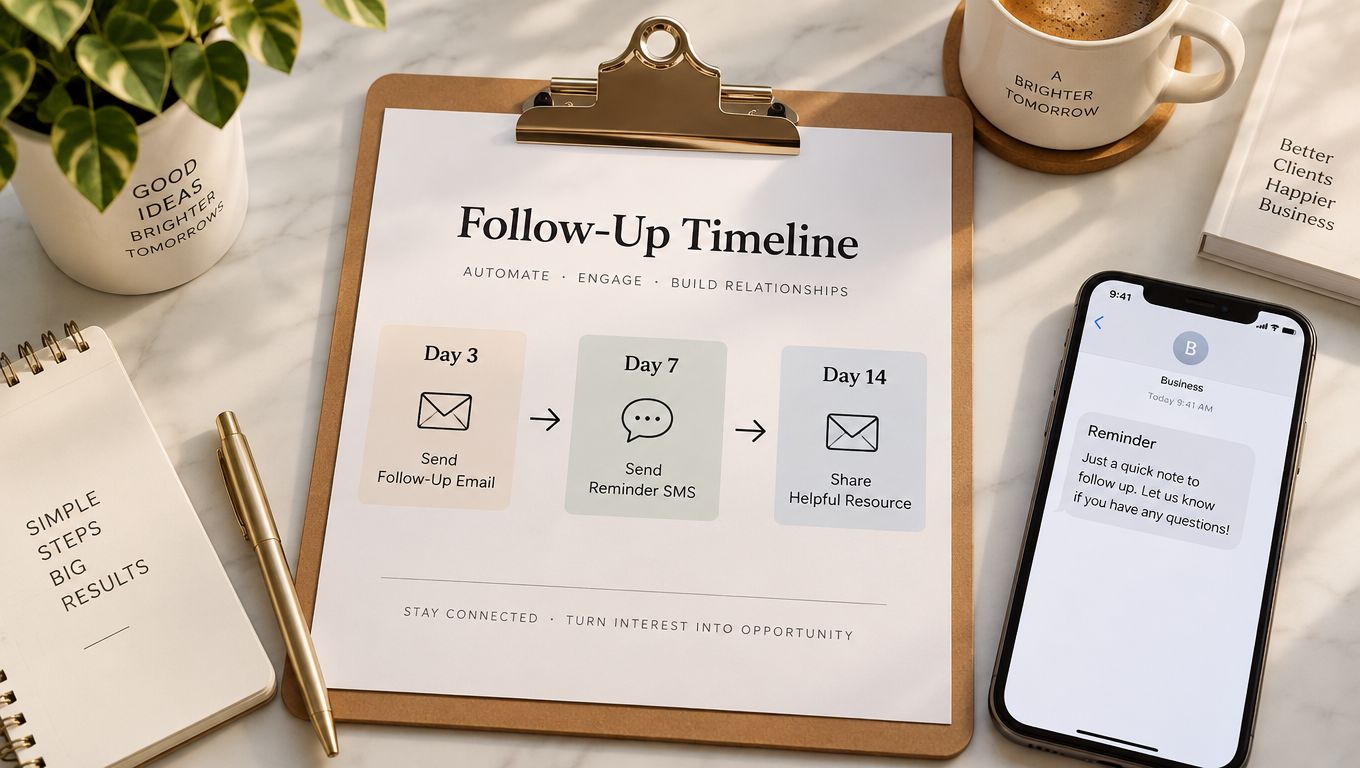
Create separate sequences for the main lead types. A quoted job might need a brief check-in that confirms the customer received the price and answers questions. A proposal may need a message that summarises the recommended next step. A dormant opportunity may need a reactivation note that checks whether the timing or requirement has changed.
The sequence should pause when the customer replies, books, declines or asks not to be contacted. It should also show the owner what happened, so an automated message doesn't continue after a human conversation.
Use Automation for Consistency, Not Pressure
Write short messages that add context. Remind the customer what was discussed, answer a likely question or offer a simple choice of next actions. Avoid making every message sound like a demand for a decision.
Use conditions before sending:
- No-response check: Continue only when the customer hasn't replied or booked.
- Stage check: Don't send a sales follow-up to a record already marked won or lost.
- Owner review: Give the responsible person a chance to approve sensitive messages.
- Pause option: Stop the sequence when the customer requests space or the job is delayed.
- Outcome update: Require the owner to record what happened after a meaningful response.
Measure whether follow-up produces completed conversations, bookings and clear outcomes, not just message activity. The lead follow-up strategy guidance is useful for separating timing, message context and human judgement. Lead follow-up automation can manage reminders and conditional sequences while leaving client-impacting decisions with the team.
For businesses trying to find home service leads faster, the important distinction is between acquiring more enquiries and acting reliably on the ones already arriving. A well-designed sequence helps prevent good opportunities from stalling, but it won't compensate for poor qualification or missing ownership.
7. Collect Structured Intake Data Upfront to Reduce Rework
Incomplete intake creates work that customers and staff have to repeat. Someone asks for the property address, then requests photos, then discovers that access details are missing when the technician is already scheduled. A structured form reduces that back-and-forth by collecting the information needed for the next decision.
For a builder, installer or trade business, the form might request the service type, suburb, property details, preferred timing, access notes and photos. For a professional-services firm, it might capture the business problem, relevant documents, decision-maker, desired outcome and timing. Each field should have a purpose linked to qualification, scheduling, quoting, document collection or handoff.
Ask Only for Information the Workflow Uses
Required fields should stay limited to what the team needs at intake. Use conditional logic so a residential customer doesn't see commercial questions, and provide examples where an answer might be unclear. A mobile-friendly form matters because many customers will complete it on a phone, possibly while standing at the property or between other tasks.
Build an exception path for incomplete submissions. Don't let an automated workflow assign a job as ready when the uploaded photos are unreadable, the address is missing or the requested service isn't clear. Send the record to a review queue with a specific request for the missing information.
The OAIC guidance on handling personal information supports collecting only information the organisation needs. Personal information can include names, addresses, telephone numbers and bank account details, so avoid copying sensitive material into general notes or broad notification channels without an operational reason. The Australian Privacy Principles also require covered organisations to take reasonable steps to protect information and deal appropriately with information that is no longer needed.
Intake Automation Can Connect Forms, Document Collection, Validation and Routing, but the Process Should Remain Understandable to the Team. Good Intake Isn'T About Asking Every Possible Question. It'S About Collecting Enough Reliable Context to Make the Next Handoff Accurate.
8. Conduct Weekly Pipeline Reviews to Maintain Visibility and Accountability
A pipeline review gives owners and operations managers a shared view of active work. It should answer practical questions: Which new enquiries haven't been assigned? Which quotes need action? Which opportunities are blocked? Which records have no next step? Which decisions need management support?
Schedule the review at a consistent time and prepare the reports beforehand. The meeting should focus on exceptions and decisions rather than gathering basic information that the CRM should already contain. Each owner can report progress, blockers and the next action, while the manager removes obstacles or escalates work that has stalled.
Keep the Conversation Action-Focused
Use the same review order each time:
- New work: Confirm every recent enquiry has an owner, stage and next action.
- Active opportunities: Check whether the recorded stage reflects the latest customer interaction.
- Overdue actions: Decide what needs immediate follow-up and who will do it.
- Blocked records: Identify missing information, approval, capacity or customer decisions.
- Recent outcomes: Record wins, losses, disqualifications and nurture decisions accurately.
Keep the discussion brief enough that the team can sustain it. A review that turns into a long interrogation will encourage people to avoid the CRM and update records defensively. A useful meeting removes blockers, clarifies ownership and leaves every active record with a credible next step.
The commercial case for this discipline is stronger when the dashboard connects CRM activity to business outcomes. CPA Australia's 2025 Business Technology Report links CRM use with stronger reported business performance among surveyed professionals across several Asia-Pacific markets. That doesn't mean login frequency creates profit. It means the business should test whether stage conversion, follow-up completion, response time and ageing are improving.
Use managed AI operations where ongoing monitoring, exception handling and reporting need support around the existing team. The system can surface records for discussion, but people should still decide how to handle unusual customers, commercial risk and sensitive communication.
8-Point CRM Tips Comparison
| Item | 🔄 Implementation complexity | ⚡ Resource & efficiency | 📊 Expected outcomes | 💡 Ideal use cases | ⭐ Key advantages |
|---|---|---|---|---|---|
| Designate a single source of truth for all enquiries | 🔄 Medium, CRM setup, data migration, change management | ⚡ Moderate ongoing, integrations and training; high long-term efficiency | 📊 High, unified pipeline, fewer lost leads, clearer audit trail | 💡 Multi-trade/service businesses, teams with handovers or leave | ⭐ Prevents lost leads; clarifies ownership; enforces consistency |
| Record owner, stage, next action and clear outcome for every lead | 🔄 Low–Medium, add fields, templates, training | ⚡ Low ongoing, simple entry rules; enables automated reminders | 📊 High, accountability, fewer stalled leads, faster escalation | 💡 Teams responding to quotes, site visits or project workflows | ⭐ Transparent ownership; action-oriented CRM; easy to monitor |
| Implement a daily or weekly CRM audit to surface stale records | 🔄 Medium, reporting, filters, definitions of “stale” | ⚡ Variable, daily = higher effort; automation reduces load | 📊 High, uncovers revenue leakage, improves cash flow and hygiene | 💡 High-volume teams (daily) or smaller teams (weekly) | ⭐ Reveals hidden opportunities; enforces cleanup and follow-up |
| Qualify leads for fit, intent, and urgency before assignment | 🔄 Low–Medium, intake questions, scoring and routing logic | ⚡ Low, can be automated or handled by junior staff; saves senior time | 📊 Medium–High, better lead quality, higher conversion, prioritisation | 💡 Businesses with many inbound enquiries that need triage | ⭐ Protects capacity; prioritises high-value leads; speeds response |
| Establish clear routing rules to prevent lead misassignment | 🔄 Medium, rules engine, testing and maintenance | ⚡ Moderate, initial build and updates; automation enables 24/7 routing | 📊 High, faster first response, fair load distribution, fewer handoffs | 💡 Multi-location or multi-trade teams where geography/skill matter | ⭐ Consistent assignments; reduces bottlenecks; supports escalation |
| Create standardised follow-up sequences for different lead types | 🔄 Medium, templates, timing rules, conditional pauses | ⚡ Low–Medium, setup effort; automation runs sequences reliably | 📊 High, consistent outreach, fewer stalled deals, improved professionalism | 💡 Teams managing quotes, proposals or long sales cycles | ⭐ Ensures consistent follow-up; reduces manual chasing; scalable |
| Collect structured intake data upfront to reduce rework | 🔄 Low–Medium, form design, conditional logic, integrations | ⚡ Low, one-time design; saves time downstream (quoting/scheduling) | 📊 High, more accurate quotes, fewer revisits, smoother handoffs | 💡 Trades, builders, installers needing photos/measurements upfront | ⭐ Captures required info once; reduces scope creep and rework |
| Conduct weekly pipeline reviews to maintain visibility and accountability | 🔄 Low, meeting agenda and report preparation; discipline required | ⚡ Moderate recurring, 30–60 minutes/week plus prep | 📊 High, catches stalled deals, improves forecast accuracy and alignment | 💡 Small-to-medium teams needing regular oversight and action | ⭐ Keeps pipeline active; removes blockers; builds team alignment |
Turning These CRM Habits into a Weekly Routine
The eight habits work best as one operating rhythm, not as separate CRM projects. First, capture every enquiry in one system. Then assign an owner, set the stage, record the next action and keep the outcome open until the customer's position is known. Qualification and routing should happen early enough to protect response time and send the enquiry to someone who can act.
During daily work, staff update the record when something changes. A call, quote, booking, customer reply or lost opportunity should change the CRM, not just an inbox or personal note. Automation can create tasks, check required fields, flag overdue actions and send approved reminders, but it shouldn't conceal uncertainty. If the record isn't reliable enough for an automated customer-facing action, send it to a human review queue.
The weekly rhythm then becomes simple:
- Capture: Confirm forms, inboxes and phone enquiries are entering the same CRM.
- Assign: Check that every active record has a named owner and sensible route.
- Qualify: Separate suitable, timely work from poor-fit or future enquiries.
- Progress: Confirm each open lead has a current stage and dated next action.
- Audit: Surface stale, incomplete and untouched records for a decision.
- Review: Discuss blockers, overdue actions and recent outcomes with the team.
- Improve: Adjust forms, routing rules and sequences when exceptions reveal a process problem.
Privacy and data quality belong in the routine as well. The OAIC's information-quality guidance supports checking whether core information remains accurate, complete and relevant for its purpose. The OAIC's security guidance also makes clear that covered organisations need reasonable protections against misuse, loss, unauthorised access, modification and disclosure, along with appropriate retention decisions.
Start this week with one change. Add owner, stage, next action and outcome as mandatory fields to every open lead, then create a view showing which records are missing any of them. Don't attempt a large CRM rebuild first. Give each incomplete record a real owner and next action, close records that have a genuine outcome, and use what you find to decide which workflow needs attention next.
Truespeak designs and manages practical automation for Australian service businesses, including speed-to-lead, follow-up, intake, CRM hygiene, invoice reminders and ongoing exception monitoring. Visit Truespeak to discuss how an operating layer around your existing tools can keep ownership, next actions and customer communication visible.