
Automation strategy succeeds when it is embedded in daily operations, measured against visible outcomes, and improved through iteration. In Australia, AI use reached 12% of businesses overall in 2024-25, while small-business use was only 8%.
An owner can recognise the pattern immediately. Enquiries arrive through a phone, an inbox and an after-hours form. One staff member replies quickly, another leaves follow-up until the next morning, and a third records the job in a spreadsheet that nobody checks. Quotes sit without a next action, customer details drift between systems, and invoice reminders happen when someone remembers.
The tempting response is to buy another automation platform. That's usually the wrong first move.
A sound business process automation strategy starts with process clarity. You need to see how work moves, decide who owns each stage, define what happens next, and identify where a human must make the call. Technology then supports that operating model instead of hiding its weaknesses.
Table of Contents
- The Hidden Cost of Automating Messy Processes
- Mapping Your Current State Before Any Automation
- Prioritising Automation Candidates by Impact and Urgency
- Building vs Partnering for Managed AI Operations
- Designing a Minimal-Viable Automation System
- Embedding Human Control and Iterative Tuning
The Hidden Cost of Automating Messy Processes
A fragmented workflow doesn't become organised because a software tool connects to it. It becomes a faster version of the same fragmented workflow. An automated form can send incomplete information to the wrong person, a CRM can create duplicate records at scale, and an AI assistant can produce polished messages for enquiries that should have been escalated.
Australian Bureau of Statistics data reported through this analysis of business process automation in Australia shows that AI use among businesses reached 12% overall in 2024-25, while small businesses sat at 8%. The important lesson isn't that small operators need more tools. It's that adoption depends on the ability to change workflows, ownership and operating routines.
Start with the Work, Not the Software
Consider a plumbing, electrical or building business. A prospective customer submits a form after hours. The office receives an email, a salesperson sees a notification, and the owner hears about it the next day. Nobody has agreed whether the first response should qualify the enquiry, book a call, request photos or just confirm receipt.
That process needs decisions before it needs automation:
- Capture: Where does every enquiry enter the operating system?
- Ownership: Who is responsible for the next action?
- Stage: Is the enquiry new, qualified, quoted, stalled, won or lost?
- Outcome: What must happen before the item leaves the current stage?
- Exception: Which cases require judgement or senior approval?
A useful overview of business process management can help owners distinguish process design from task automation. The distinction matters because a button that sends an email isn't a strategy. A strategy defines how the business handles work from trigger to outcome.
Practical rule: If a team member can't explain who owns an item, what happens next and how failure is detected, don't automate that step yet.
The same principle applies to invoicing. If staff don't agree when an invoice becomes due for follow-up, which message is appropriate and when a person must intervene, an automated reminder sequence will create inconsistency with less effort. The system may be busy, but the business won't be in control.
Why Operational Maturity Matters
The gap between awareness and execution is visible across Australian businesses. Teams may experiment with AI for drafting, summarising or data entry while leaving the underlying hand-offs untouched. That produces isolated productivity gains, not a dependable operating layer.
Owners should document the live process before selecting a platform. Speak to the person answering enquiries, the person preparing quotes and the person chasing payment. Their versions of the workflow will differ, and those differences usually reveal the leakage.
For a broader perspective on practical operating improvements, Pipeline On's resources on operational efficiency provide useful context around how businesses organise recurring work. Use that kind of material to sharpen the operating model, not to skip the diagnostic work.
Mapping Your Current State Before Any Automation
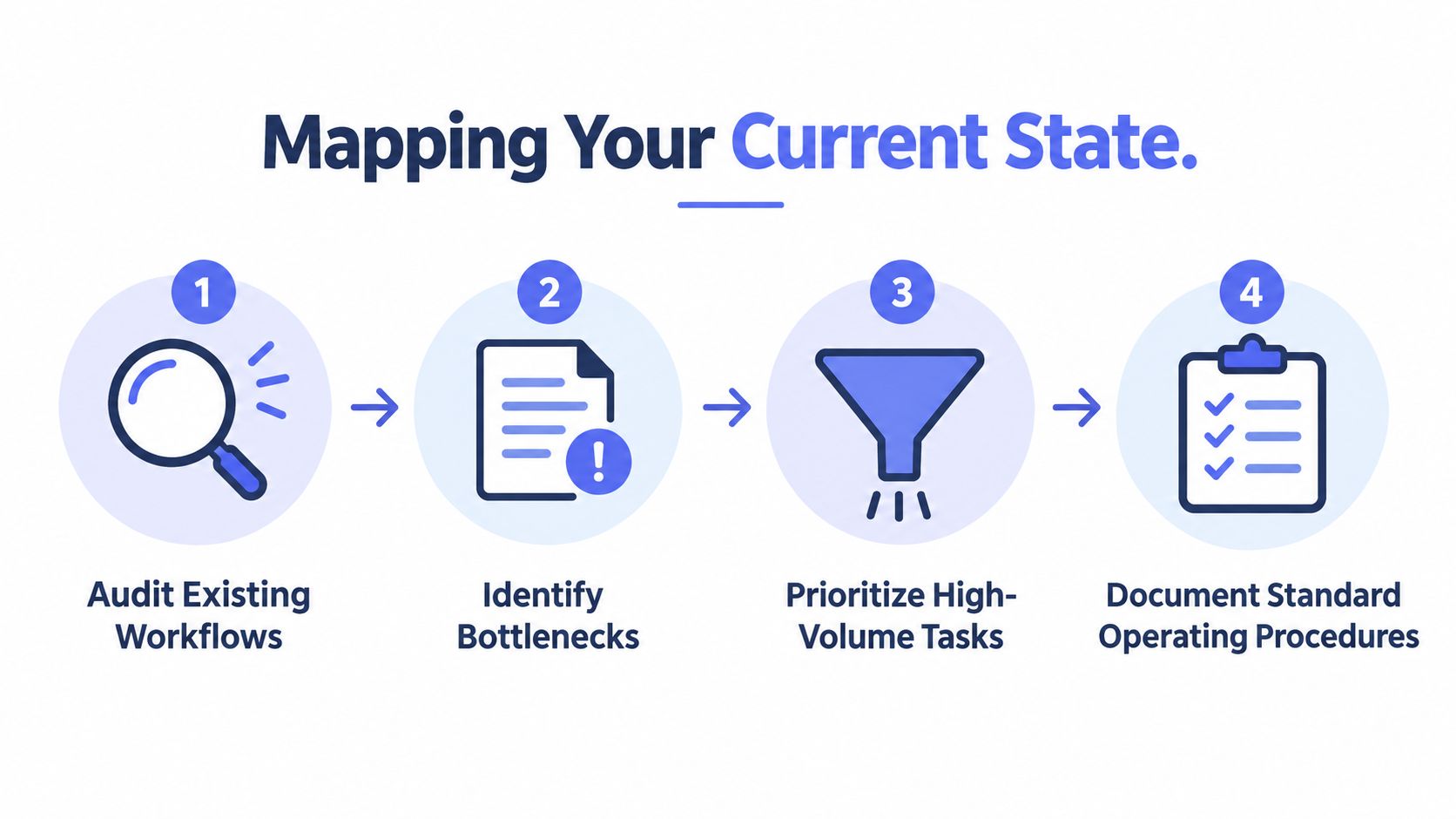
Process mapping is the least glamorous phase of an automation project, and it's where most of the value is found. Before choosing a connector, AI assistant or CRM workflow, trace one real item from its starting point to its final outcome.
For a service business, follow an enquiry from the first form submission or phone call through qualification, routing, site visit, quote, acceptance, delivery and invoicing. Record what happens in practice, not what the procedure manual claims should happen.
Capture the Real Workflow
Australian process-mapping guidance recommends documenting triggers, systems, users, decisions, approvals, manual steps, spreadsheets, exceptions and outputs before automation begins. That list forces the team to inspect the messy middle, where work often disappears between an inbox, a calendar, a job-management system and a finance platform.
Use a simple working record for each stage:
- Trigger: What starts the process, such as an online enquiry, signed quote or overdue invoice?
- Source: Where does the original information live?
- Action: What does the team member do with it?
- Decision: What conditions change the route?
- Handoff: Who receives responsibility next?
- Output: What record, message, booking or payment status should result?
- Exception: What prevents the normal route from working?
Don't rely on a workshop alone. Review actual emails, CRM records, spreadsheets and calendar entries. Ask staff to show how they handle an enquiry that arrives with missing information, a quote that receives no reply, or a customer who calls instead of responding to an automated message.
Establish One Operational Source of Truth
A source of truth isn't necessarily the most expensive system. It's the place where the team can reliably see the item's owner, stage, last activity, next action and outcome. If those details are split across a CRM, inboxes and personal notes, automation will struggle to determine what's current.
Set a clear rule for each process. A lead may be owned in the CRM, while job delivery sits in field-service software and invoices remain in the accounting platform. Integration can connect those systems, but the team still needs to define which system controls each field and status.
Services Australia's Automation and Artificial Intelligence Strategy 2025-27 describes automation as a way to reduce and remove large amounts of repetitive, rules-based tasks. That principle only works when the rules and the records are clear enough for the system to follow.
Find the Breakpoints
Look for duplicated data entry, unowned tasks, unclear approvals, repeated questions, manual reminders and work that depends on one person's memory. These are not merely inconveniences. They indicate where the process needs a decision, a standard or a visible queue.
Workflow automation guidance for Australian businesses is useful when turning a process map into an operating design. The map should remain the source document. A workflow may change as the business learns, but the team should always be able to explain why a rule exists and who can change it.
Prioritising Automation Candidates by Impact and Urgency
The best first automation is rarely the most impressive one. It's the workflow where delay is expensive, the steps are repeated frequently, the information is structured enough to route, and the business can tell whether the process is working.
Speed-to-lead often qualifies because the cost of delay is immediate. Landmark lead-response research indicates a 21x higher chance of qualifying a lead when contacted within 5 minutes rather than 30 minutes, while audits report average B2B response times ranging from 5 to 29+ hours. The figures are documented in Australian speed-to-lead research.
That gap creates a practical decision point. If a high-intent enquiry arrives while the team is on a job, the first automated action could acknowledge the enquiry, collect missing context, notify the right person and offer a suitable next step. It shouldn't pretend to replace a sales conversation where the enquiry requires expertise or judgement.
Use Four Filters
Assess each candidate against four questions:
| Filter | Question to ask | Strong candidate |
|---|---|---|
| Intent | Does the item signal a meaningful customer or operational need? | A quote request with contact details and service requirements |
| Urgency | What happens if nobody acts promptly? | An after-hours enquiry that may go to a competitor |
| Visibility | Can the team see ownership, stage and next action in one place? | A CRM pipeline with defined statuses |
| Exception complexity | Can routine cases follow rules without hiding judgement calls? | A standard invoice reminder with a human escalation path |
A workflow that scores well on intent and urgency but poorly on visibility needs process repair before automation. Otherwise, the business will send messages quickly without knowing whether someone has already called the customer.
Choose Leakage Over Novelty
High-value candidates for Australian service businesses commonly include:
- First response: Acknowledge, qualify and route inbound enquiries.
- Lead follow-up: Remind staff and customers about quotes, proposals and dormant opportunities.
- Structured intake: Collect job details, documents, photos and access information before handoff.
- CRM hygiene: Detect missing fields, stale records and unassigned actions.
- Invoice reminders: Send consistent, approved payment follow-up while escalating exceptions.
Use small-business automation guidance to challenge broad transformation plans that lack a defined operational outcome. “Automate sales” is too vague. “Ensure every web enquiry receives an acknowledgement, an owner and a next action” is testable.
Don't prioritise a process just because it contains AI. Prioritise it because the team can define the trigger, route routine cases, verify completion and measure stalled work. A basic reminder that prevents a missed follow-up is more strategically useful than an impressive assistant nobody owns.
Separate Speed from Judgement
The most effective design often splits a workflow into two layers. The system handles immediate acknowledgement, data capture, routing and reminders. A person handles pricing, unusual requirements, sensitive communication and consequential decisions.
That split protects the customer experience while reducing avoidable delay. It also makes the business process automation strategy easier to govern because the team can see exactly where automation stops and accountability begins.
Building vs Partnering for Managed AI Operations
Building automation internally gives an organisation direct control, but control comes with work. Someone must map the process, configure integrations, monitor failures, maintain rules, review message quality, manage permissions and update the system when the business changes.
Partnering with a managed AI operations provider reduces the internal administration burden, but it requires clear access boundaries, documented ownership and agreed review practices. The provider shouldn't become a mysterious external brain. The business still needs to own the process, customer relationships and decisions.

The Internal Build Option
An internal team makes sense when the business already has people who understand its systems and can support ongoing operations. The advantage is proximity. Staff can change a routing rule quickly, understand local context and keep process knowledge close to the team.
The risk is that automation becomes an extra responsibility for an already busy operations manager. A workflow may work during launch and then degrade over time as forms change, staff bypass required fields or exceptions accumulate. Without alerting and review, nobody knows which failures matter.
Internal ownership also needs more than a technical administrator. The business needs a process owner who can answer whether the workflow still reflects the way work should be done. Technical maintenance without operational accountability creates a well-maintained version of the wrong process.
The Managed Option
A managed arrangement shifts configuration, monitoring and tuning to a specialist operating partner. The useful model is not “send us your tasks and forget them”. It is a continuing service with documented rules, approval gates, alert destinations, review cadences and a route for manual recovery.
For Australian SMEs, that model can work particularly well when existing tools are adequate but staff lack the capacity to connect them properly. The provider can build around the current CRM, forms, messaging tools and finance system instead of forcing a costly replacement.
NAB's 2026 SME survey found 42% of businesses were using AI, 44% were not using it, and 14% planned to introduce it. It also found that 35% of SMEs selected automation as the area where AI could assist most, as reported in the survey coverage. That combination points to a practical need for implementation and operations, not just access to another AI product.
Businesses comparing operating models may also find AI transformation for enterprises useful for broader context. The decision should still come back to the workflow: who monitors it, who approves sensitive actions, who handles exceptions and who tunes it when the process changes.
Make Governance Part of the Service
Whether you build or partner, require restricted access, separated environments for sensitive information, visible logs and human review for client-facing communication. Define what the system may change and what it may only recommend.
A good operating arrangement answers five questions:
- Who owns the process?
- Who can approve a new rule?
- Who receives failure alerts?
- Who reviews exceptions?
- Who decides when the workflow needs redesign?
Those answers matter more than the brand of automation platform. Governance is an operating habit, not a feature you switch on after launch.
Designing a Minimal-Viable Automation System
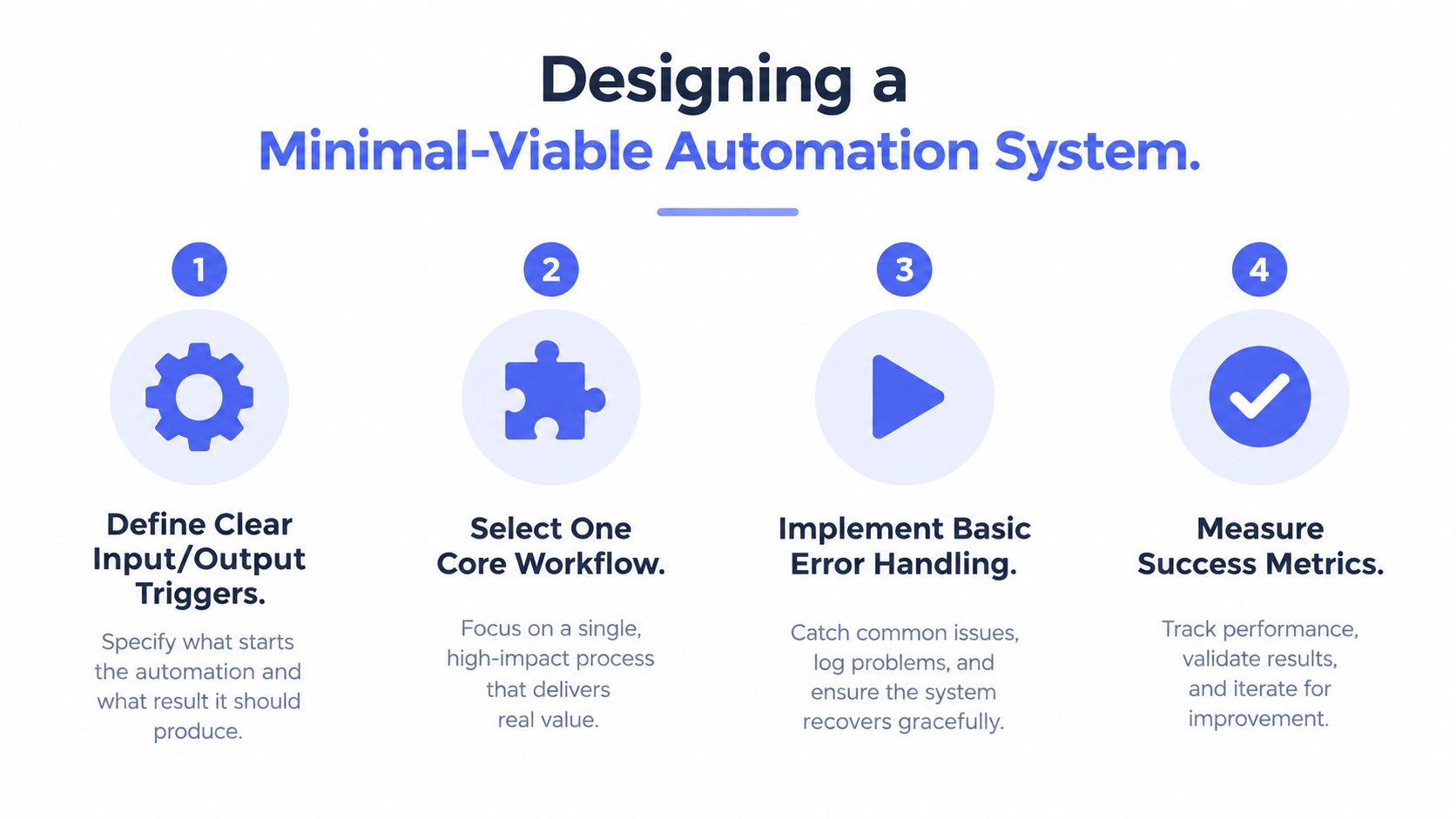
A minimal-viable automation system should complete one useful workflow without becoming a black box. Start with a narrow path, such as inbound enquiry to booked next action, and define every handoff before connecting the tools.
The system needs six parts:
- Trigger: An event starts the workflow, such as a form submission, email, missed call or invoice status change.
- Context: The system retrieves the relevant customer, job, service and history information.
- Decision: Rules determine whether the item is routine, incomplete, urgent or unsuitable for automated handling.
- Action: The workflow sends an acknowledgement, creates a task, updates a record or routes the item.
- Verification: A check confirms that the action occurred and the record contains the expected status.
- Exception path: A person receives the item when confidence is low, information is missing or the consequence is material.
Design the Control Record
Each automated step needs an owner, a source of truth and a way to detect failure. For every action, record the source record, permitted change, responsible owner, alert destination and manual recovery step. Australian workflow automation guidance sets out this practical control structure.
For example, an enquiry workflow might be permitted to create a lead, assign a salesperson, draft a response and schedule a reminder. It shouldn't be permitted to promise a delivery date, approve a discount or close an opportunity without the appropriate human decision.
A control record might look like this:
| Workflow action | Owner | Source of truth | Failure signal | Recovery |
|---|---|---|---|---|
| Create lead | Sales coordinator | CRM | No record ID returned | Enter and assign manually |
| Send acknowledgement | Duty salesperson | Approved template | Delivery failure or missing field | Review and resend |
| Request missing photos | Service coordinator | Intake record | No response after reminder | Call the customer |
| Create follow-up task | Sales manager | Opportunity stage | Task has no owner | Assign from the queue |
This level of detail keeps the workflow explainable. It also helps a new staff member understand what the automation does without reverse-engineering a collection of hidden rules.
Keep the First System Deliberately Small
A first release should handle the smallest useful subset of work. For an installer, that might mean collecting site photos and access details before a quote review. For a professional service firm, it might mean creating a structured intake record and assigning an initial consultation. For finance administration, it might mean drafting invoice reminders for human approval.
A specialist resource such as SkipCalls AI for small teams can provide ideas for handling routine front-desk interactions. The strategic question remains the same: which part of the process should the system handle, and where should a person take over?
Avoid replacing the whole stack at the beginning. Connect the existing systems, establish the source of truth and observe where the workflow fails. Expand only after the team understands the exceptions.
Separate Acknowledgement from Follow-Up
An immediate acknowledgement isn't the same as a complete sales response. The first message can confirm receipt and request the information needed for triage. A person can then review the context, answer technical questions and decide whether to book, quote or escalate.
This separation gives the business speed without pretending that every customer fits a template. Use approval gates for external messages where tone, accuracy or commercial commitments matter. Route high-value, ambiguous or incomplete cases to a person instead of forcing them through a low-confidence path.
Embedding Human Control and Iterative Tuning
Automation should be treated as a living operating layer, not a project that ends at launch. The team needs a review rhythm for stalled records, failed actions, unusual handoffs and cases that should never have been auto-routed.
Human control belongs at the points where judgement matters. People should retain responsibility for relationships, pricing, sensitive messages, unusual customer needs and decisions with commercial or operational consequences. The system should make those decisions easier by presenting context and a clear next action, not decide them on the team's behalf without explicit input.
Turn Exceptions into Design Evidence
A stalled enquiry may reveal an unclear owner. A failed reminder may expose a missing status. A customer who repeatedly bypasses the form may indicate that the intake process is inconvenient. These are not annoyances to hide. They are evidence that the workflow needs a rule, a better handoff or a human route.
Maintain a short runbook covering:
- Rules: What each workflow is allowed to do.
- Prompts: Which instructions shape generated drafts or classifications.
- Logs: What the system records for review.
- Alerts: Who receives failure and exception notifications.
- Cadence: When the team audits the workflow.
- Recovery: How staff complete the work manually.
National AI Centre and NAB reporting indicates that only about 13% of Australian SMEs plan to introduce AI, while only about 5% are fully AI-enabled, highlighting the execution maturity gap described in the Australian AI adoption update. Buying software doesn't close that gap. Operating the workflow, reviewing outcomes and improving the controls does.
The complete business process automation strategy is therefore straightforward. Map the live process, establish one source of truth, assign ownership, prioritise a high-impact workflow, build the smallest useful system, keep people accountable for judgement and tune the design as real exceptions appear.
Truespeak maps, builds and manages practical AI operating systems around the tools Australian service businesses already use, including speed-to-lead, follow-up, intake, CRM hygiene and invoice reminders. Visit Truespeak to discuss a process diagnostic and identify the first workflow worth automating.