
A web enquiry arrives after hours, a quote sits in an inbox waiting for a reply, and someone records a referral in a spreadsheet “for later”. By the time the team reviews the pipeline, nobody is certain who owns each opportunity, what was promised, or which customer needs a call today.
That isn't a software problem on its own. It's a process problem. The most useful CRM process steps give every enquiry a clear path from capture to qualification, ownership, pipeline movement and follow-up, then continue after the sale with clean records and visible action queues.
For Australian service businesses, that operating discipline matters because leads, quotes, jobs and invoices often pass between office staff, salespeople, project managers and technicians. A CRM should reduce those hand-off failures, not become another place where incomplete information waits unnoticed.
Table of Contents
- Why Most CRM Implementations Fail To Stop Revenue Leakage
- Consolidating Enquiries And Qualifying Intent
- Routing Ownership And Accelerating Pipeline Visibility
- Maintaining Hygiene And Automating Post-Sale Follow-Up
- Designing Human Review Gates For Sensitive Communication
- Auditing Your Workflow And Fixing Data Health
Why Most CRM Implementations Fail to Stop Revenue Leakage
Buying a CRM doesn't create a sales process. It creates a set of fields, views and automation options. Unless the business defines what happens when a form is submitted, a call is missed, a quote is sent or an invoice becomes overdue, staff will keep using the tools that feel fastest in the moment.
That usually means email inboxes, personal notes, spreadsheets and memory. A CRM record might exist, but the next action isn't assigned. A quote might be visible, but no reminder is due. A web enquiry might arrive overnight, but nobody has a rule for triage when the team returns.
Australian payment data shows the cost of treating follow-up as optional. CreditorWatch reports that 80% of Australian businesses experienced late or overdue payments in the previous 12 months, while 68% said up to 30% of their invoices were paid late. The average delay was 25 days beyond agreed terms. These figures concern invoices, but the process lesson applies earlier in the customer journey too. A missed follow-up can weaken both the relationship and the cash position.
A Database Isn'T an Operating Layer
A static pipeline diagram says a lead moves from new to qualified, quoted and won. It doesn't explain who acts on the record, how quickly they act, what evidence permits a stage change, or what happens when the normal path breaks.
A working process answers those questions explicitly:
- Capture: Where do website forms, emails, calls and referrals enter the system?
- Qualification: What makes an enquiry a fit, and who records the decision?
- Ownership: Which person is accountable for the next action?
- Visibility: Can a manager see the stage, last activity and stalled records?
- Follow-up: What reminder, escalation or human review occurs when nothing happens?
A useful starting point is a small set of ready-made CRM designs that helps a team visualise fields, stages and views before configuring software. Templates can speed up design, but they don't replace decisions about responsibility or service standards.
Practical rule: If a process can't tell one person what to do next, it isn't finished.
The shift from passive database to active operating layer is the central idea behind CRM automation. Automation should create the record, apply the rule, assign the task and raise the exception. People should decide how to handle unusual requirements, sensitive communication and relationships that need context.
The common failure isn't necessarily one lost stage. It's the fragmented hand-off between stages. A lead captured in one place, qualified in another and followed up from memory will decay even when the CRM itself is configured correctly.
Consolidating Enquiries and Qualifying Intent
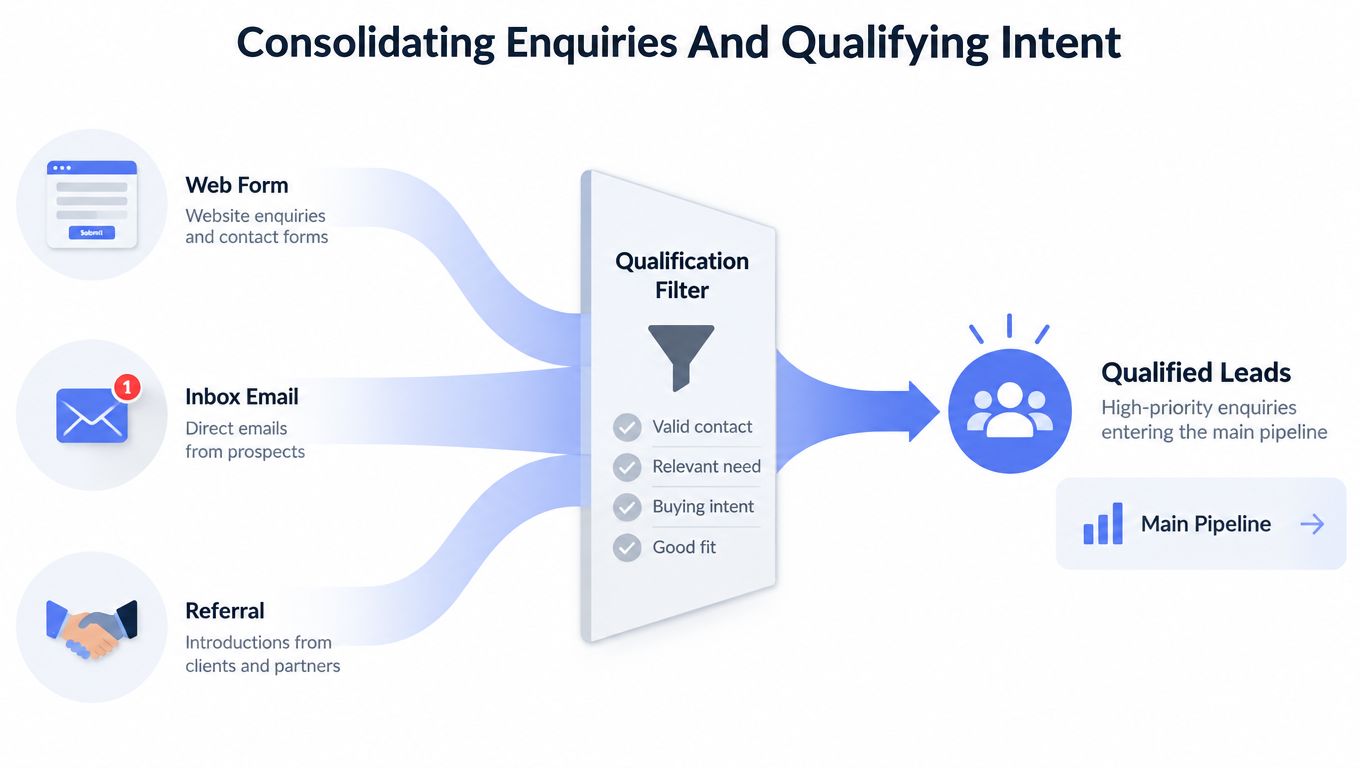
The first reliable CRM process step is capture. Every enquiry should enter one visible system of record, whether it arrives through a website form, an email inbox, a referral partner or a phone conversation recorded by staff.
At intake, store the contact details, lead source, enquiry summary and supporting documents. For a builder, that might include plans or site photos. For an installer, it could include measurements and equipment details. For a professional services firm, it may be a brief, referral note or previous correspondence.
Capture Before Judgement
Don't ask staff to qualify an enquiry while they're still trying to find it. Capture first, then apply the decision rules. This sequence prevents a promising lead from remaining trapped in an inbox just because the person who received it is busy or absent.
A practical intake record includes:
- Source: Website, email, referral, phone, repeat customer or another channel.
- Contact details: Name, phone, email, business and service location where relevant.
- Need: The work requested, product involved or business problem described.
- Urgency: The requested timing, deadline or service risk.
- Evidence: Photos, plans, documents, previous quotes or conversation history.
- Next action: The immediate task required before qualification is complete.
Source tracking also gives the owner a way to distinguish a strong referral from an unqualified enquiry without relying on recollection. It makes routing and later reporting more dependable.
Qualification Needs a Gate
Qualification should check fit, intent and urgency. Fit asks whether the business serves the location, job type, customer profile or budget range. Intent asks whether the contact is actively seeking a solution or only gathering information. Urgency identifies a time-sensitive repair, project deadline, renewal or commercial requirement.
Record the outcome as qualified, nurture or disqualified. The decision should be supported by explicit criteria and, where useful, a threshold in the CRM. Guidance on lead management systems describes this kind of rule-based movement towards sales-ready status rather than leaving the decision to informal opinion.
An automated lead scoring system can help prioritise records using declared signals such as service fit, stated timing and completed information. It shouldn't make the final call when the available information is ambiguous. A score can prompt a review, but a person still needs to decide whether the business can deliver the work and whether the proposed communication is appropriate.
The useful test is simple. If two staff members would classify the same enquiry differently, the qualification criteria need clearer examples, not more automation.
Routing Ownership and Accelerating Pipeline Visibility
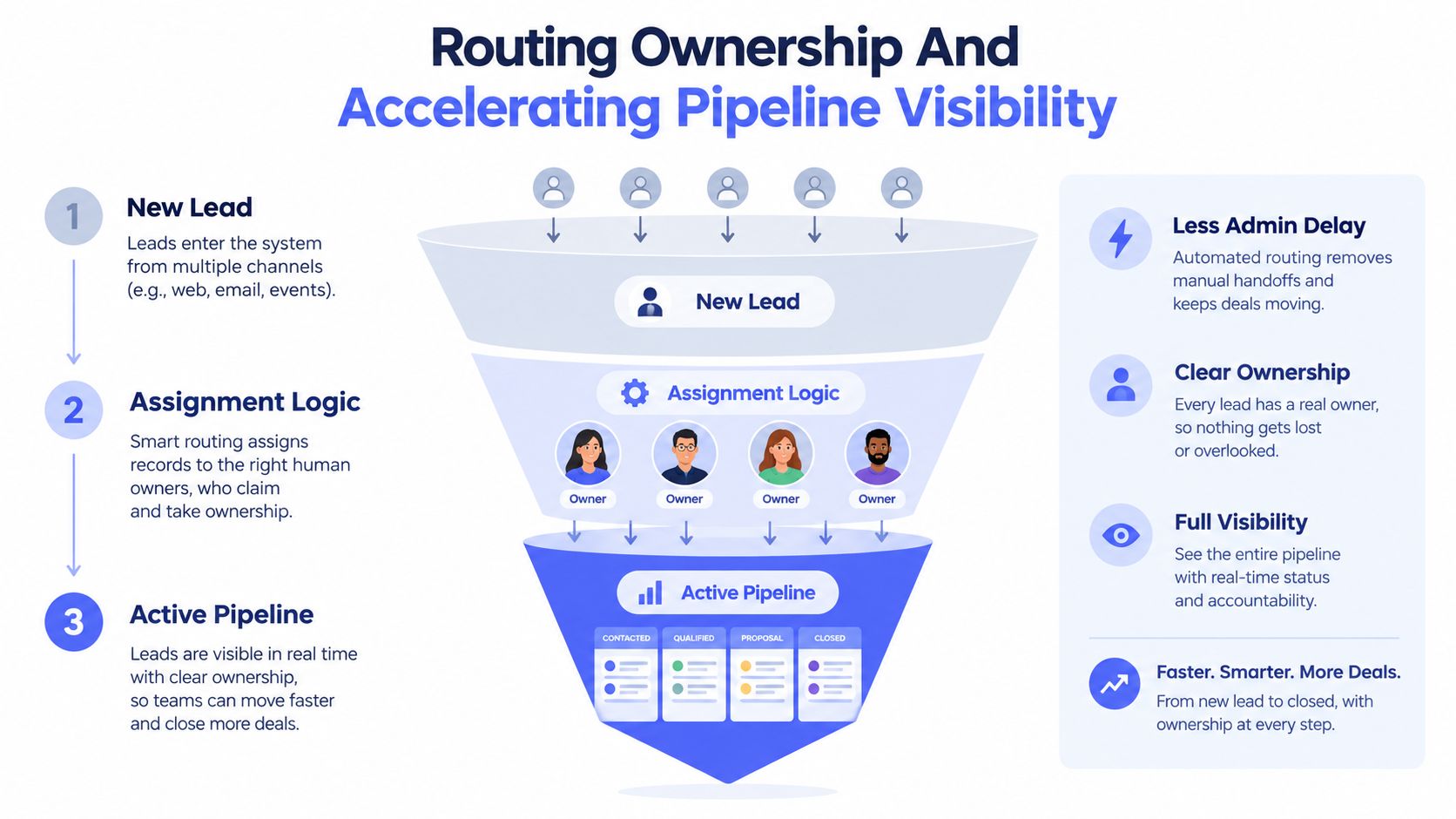
Once an enquiry is qualified, the hand-off to a human owner becomes the operational pressure point. A record without an owner, stage or next action is not being managed. It's waiting.
Every active lead should show four things at a glance: who owns it, where it is, what happened last and what happens next. Add the source and missing information so a manager can understand the record without searching through separate inboxes or chat threads.
Route First, Investigate Exceptions Second
Routing rules can assign records by location, service type, availability, customer segment or round-robin allocation. The rule should also create an alert and a due action. If the assigned person doesn't touch the record within the agreed response window, an escalation should go to a manager or backup owner.
Australian speed-to-lead guidance calls for web enquiries to receive an answer within 60 seconds, and phone calls to be answered within two rings. Pivot2Thrive's Australian benchmark guidance also states that contact within 10 seconds can convert at 4 to 7 times the rate of waiting 10 minutes, while businesses average more than 40 minutes to respond to web enquiries. Each quantitative claim is source-specific, but the operational conclusion is clear: a queue that waits for a manual morning check is too slow for high-intent enquiries.
Build the smallest response layer that can:
- Acknowledge receipt: Send a useful confirmation rather than a vague auto-reply.
- Collect missing context: Ask for service location, timing, photos or the next essential detail.
- Classify the enquiry: Apply routing criteria and identify urgent exceptions.
- Alert the owner: Create the task and show the due time in the CRM.
- Escalate silence: Notify the backup owner when the first response target is missed.
An after-hours phone solution, such as an AI receptionist for contractors, can support initial intake and routing when nobody is available to answer. It shouldn't promise availability, pricing or technical outcomes that a team member hasn't approved.
Make Pipeline Visibility Operational
Pipeline visibility isn't a dashboard decoration. It's the daily control surface for deciding where management attention goes. A useful view filters for new records without an owner, quotes with no next action, opportunities with no recent activity and records waiting for information.
The status labels must describe actual work, not vague optimism. “Interested” tells a manager little. “Site visit booked”, “quote awaiting approval” or “customer documents missing” creates a clear operational picture.
A documented approach to lead routing best practices should define ownership, fallback rules and escalation paths before the workflow goes live.
The following video can help teams visualise how routing and pipeline movement fit together:
Maintaining Hygiene and Automating Post-Sale Follow-Up
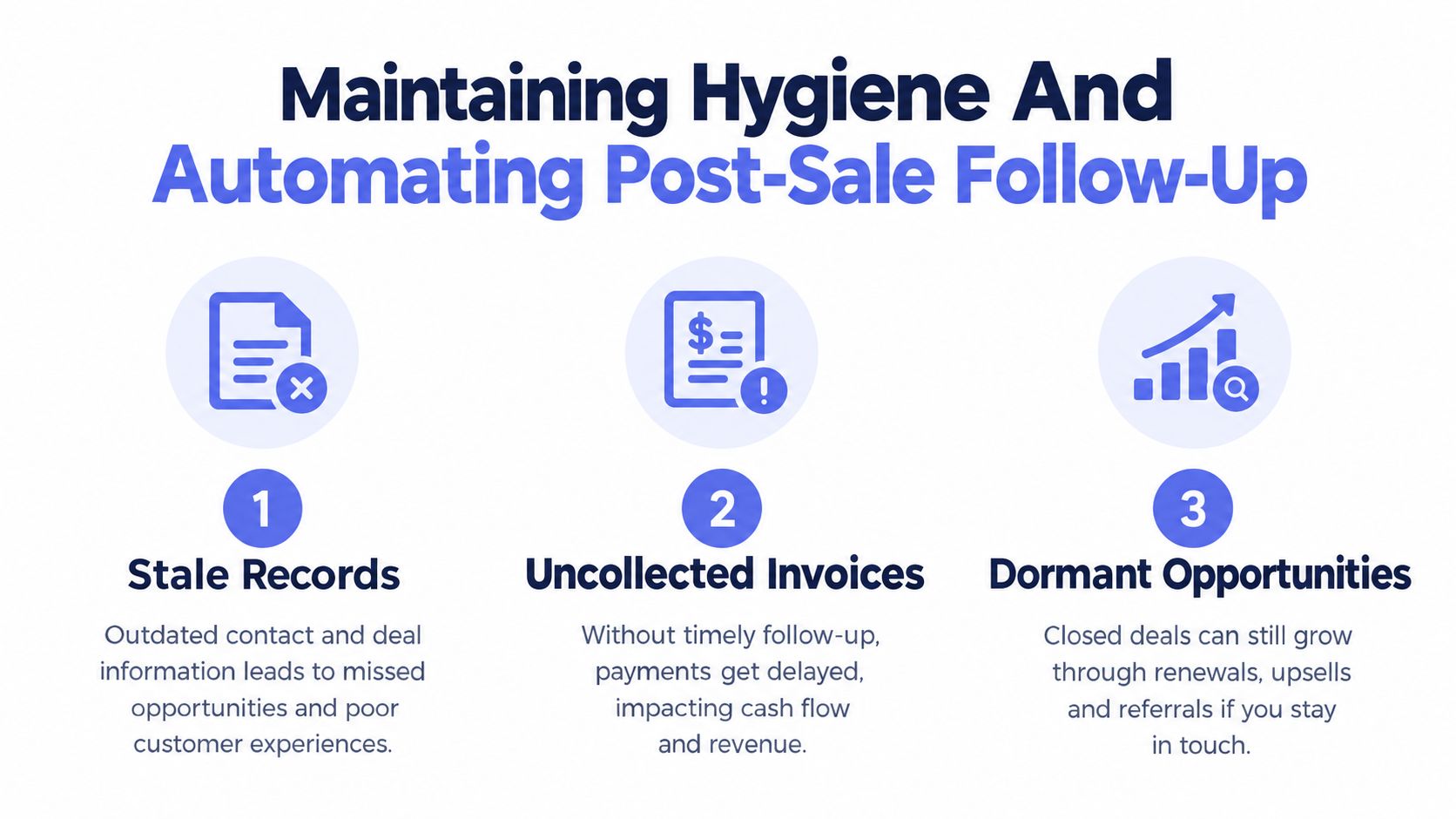
Closed-won is not the end of the CRM process. It's the point where the record changes purpose. Sales needs to hand over accurate information, operations needs the delivery context, finance needs invoice visibility and the account owner needs a reason to stay in contact.
Treating the closed stage as an archive creates three predictable risks: stale records, uncollected invoices and dormant opportunities. Old quotes remain open, renewal dates disappear into calendars, and finance staff chase payment manually without a shared view of the customer history.
Protect Cash Flow Without Damaging Trust
Late-payment follow-up needs structure because staff often avoid it when they fear harming a customer relationship. The CreditorWatch survey found that 73% of businesses faced challenges following up late payments because they worried about damaging customer relationships. That is a strong argument for templated, human-approved reminders rather than leaving every message to individual judgement.
Xero's Australian small business payment guidance reports that clients took an average of 22.9 days to pay in the June 2026 quarter, compared with 24.2 days in the March quarter, and that 41% of Australian small businesses reported payments arriving more than 14 days overdue. The same guidance notes that earlier Australian payment research found just over half of trade credit invoices were paid late and arrived an average of 23 days after they were due.
A sensible reminder workflow can:
- Check the invoice state: Confirm that the invoice is issued, visible and not already disputed.
- Prepare the message: Use the customer name, invoice reference and agreed terms.
- Pause for approval: Require a person to review sensitive, unusual or high-value situations.
- Send the reminder: Deliver a polite message through the agreed channel.
- Create an exception: Escalate disputes, repeated non-response or account-risk signals.
Automation handles timing and consistency. It doesn't decide whether a customer is unhappy, whether work remains incomplete or whether a commercial relationship needs a personal call.
Turn Old Records into Action
Run a weekly exception queue for opportunities with no recent activity, quotes with no decision, renewals approaching and invoices requiring attention. Each exception needs an owner and a disposition, such as follow up, update details, close-lost, nurture, escalate or remove.
Hygiene also means recording the last meaningful activity, not merely the last automated touch. A system that sends reminders but leaves inaccurate stages will produce a busy-looking pipeline that management can't trust.
Revenue-control principle: A CRM should show what needs action next, not merely what happened in the past.
Post-sale follow-up can include service check-ins, renewal preparation and referral opportunities, but only when those actions reflect the actual customer relationship. A generic sequence sent without context can create more noise than value.
Designing Human Review Gates for Sensitive Communication
Automation is well suited to repetitive administration. It can capture a form, copy documents into a record, assign an owner, create a reminder and flag a missing field. It is less suited to deciding how a frustrated customer should be answered or whether a complex quote accurately reflects a conversation.
Human review gates create a controlled pause before communication or a consequential stage change. The pause should be deliberate, short and tied to a clear reason. If every routine action waits for approval, the team will bypass the workflow. If nothing receives review, the business risks inaccurate or impersonal communication.
Put Review Where the Risk Changes
Useful gates often sit before:
- The first substantive outreach: Check that the message reflects the enquiry and doesn't make unsupported promises.
- A complex quote: Confirm scope, exclusions, timing and required documents.
- A sensitive invoice reminder: Review disputes, service issues or relationship history.
- A stage change: Verify that the evidence supports marking a record qualified, won, lost or dormant.
- An escalation: Decide whether a manager, technician, finance contact or account owner should intervene.
The CRM should display the context needed for a quick decision. Include the original enquiry, latest reply, source, notes, documents, proposed message and reason for the review. A reviewer shouldn't have to search multiple systems to understand what they're approving.
Separate Routine Paths from Exception Paths
Routine work can move automatically when the required fields are complete and the action is low risk. Exceptions should be visible in a separate queue with a reason code. “Missing photos”, “customer disputed invoice” and “scope unclear” are more useful than a generic “manual review” label.
A practical workflow has four outcomes:
- Approve: Send the prepared message or apply the proposed stage.
- Edit: Make a small correction and continue.
- Return: Ask the owner for missing information.
- Escalate: Send the matter to a manager or specialist.
This arrangement preserves speed without pretending that every customer interaction can be reduced to a rule. It also gives the team a record of why automation stopped, which helps improve the process later.
The right balance isn't “automate everything” or “keep everything manual”. It's to automate predictable movement and reserve human attention for judgement, exceptions and consequences.
Auditing Your Workflow and Fixing Data Health
A CRM process needs an operating rhythm after launch. Without regular checks, fields drift out of sync, duplicates build up, and opportunities stay open long after the customer has moved on.
Start with a sample of active and recently closed records. Trace each one from original enquiry to current status, then check whether the source, owner, stage, last activity and next action are present. Repeat the exercise for quotes, delivered work, renewals and invoices so the audit covers the full operating flow, not just the sales pipeline.
Run the Smallest Useful Audit
Use a weekly review to identify:
- Unowned records: Leads or opportunities with no accountable person.
- Missing fields: No source, service type, timing, contact detail or next action.
- Duplicate contacts: Multiple records for the same person or business.
- Stale opportunities: Open records with no meaningful recent activity.
- Broken routing: Records assigned to unavailable staff or the wrong service queue.
- Unresolved exceptions: Items repeatedly returned for missing information.
- Stage inconsistencies: Records whose notes do not support their current status.
The State of CRM Data Health study reported by Technology Decisions linked poor CRM data with customer loss for 61% of respondents, lost new sales for 56%, and duplicate or inadequate outreach for 82%. It also reported that 42% estimated revenue losses above 10%. Those findings support a practical safeguard: complete deduplication and field validation through CRM data quality hygiene before trusting routing or follow-up automation.
Measure Behaviour, Not Activity Theatre
A healthy dashboard should show response speed, stage movement, stalled records, overdue actions and exception volume. Count meaningful progress, not just the number of automated emails sent.
Compare the workflow against its own targets. Are web enquiries receiving a first response inside the agreed window? Are quotes receiving a recorded next action? Are overdue invoices reviewed by a person before escalation? Are closed records being handed to delivery with the necessary information?
Document the answers in a runbook. Assign an owner for data standards, schedule the review, record decisions and change one part of the workflow at a time. That keeps improvement tied to observed failures instead of adding features because the CRM happens to offer them.
A solid audit catches the slow leaks. It shows where records decay, where handoffs fail, and where human review still needs to sit in front of automation.