
Half of Australian businesses could not access aggregated customer data across their marketing, sales and service systems, according to the 2021 CRM and Sales Impact Report reported by Marketing Mag, while 82% agreed a consolidated view of customer information was critical to delivering a good customer experience. The ambition was never the problem. The plumbing was.
A CRM cleanup fixes the plumbing. It's the work that makes the record in front of you the right record: correct contact details, a named owner, the quote history attached, and a consent status you can trust before you send anything. Done properly, it recovers leads you've already paid for.
Here's the sequence I'd run this month, in the order that stops a cleanup from destroying the very history it was meant to organise.
Table of Contents
- How to Sequence a CRM Cleanup Without Losing Records
- Back Up and Check Record Links Before Any Change
- Audit Records and Set Field and Ownership Rules
- Merge Duplicates Only When the Match Is Certain
- Complete Essential Fields Without Overwriting Consent
- Run a Weekly Routine and Measure Whether It Works
How to Sequence a CRM Cleanup Without Losing Records
37% of organisations surveyed across the United States, United Kingdom and Australia reported losing revenue directly because of poor CRM data quality, according to Validity's State of CRM Data Management in 2025 report. Read that as commercial risk rather than a data-entry complaint. A CRM full of duplicated contacts and half-dead opportunities forecasts revenue that never arrives, and the next sales meeting becomes an argument about whose numbers are right.
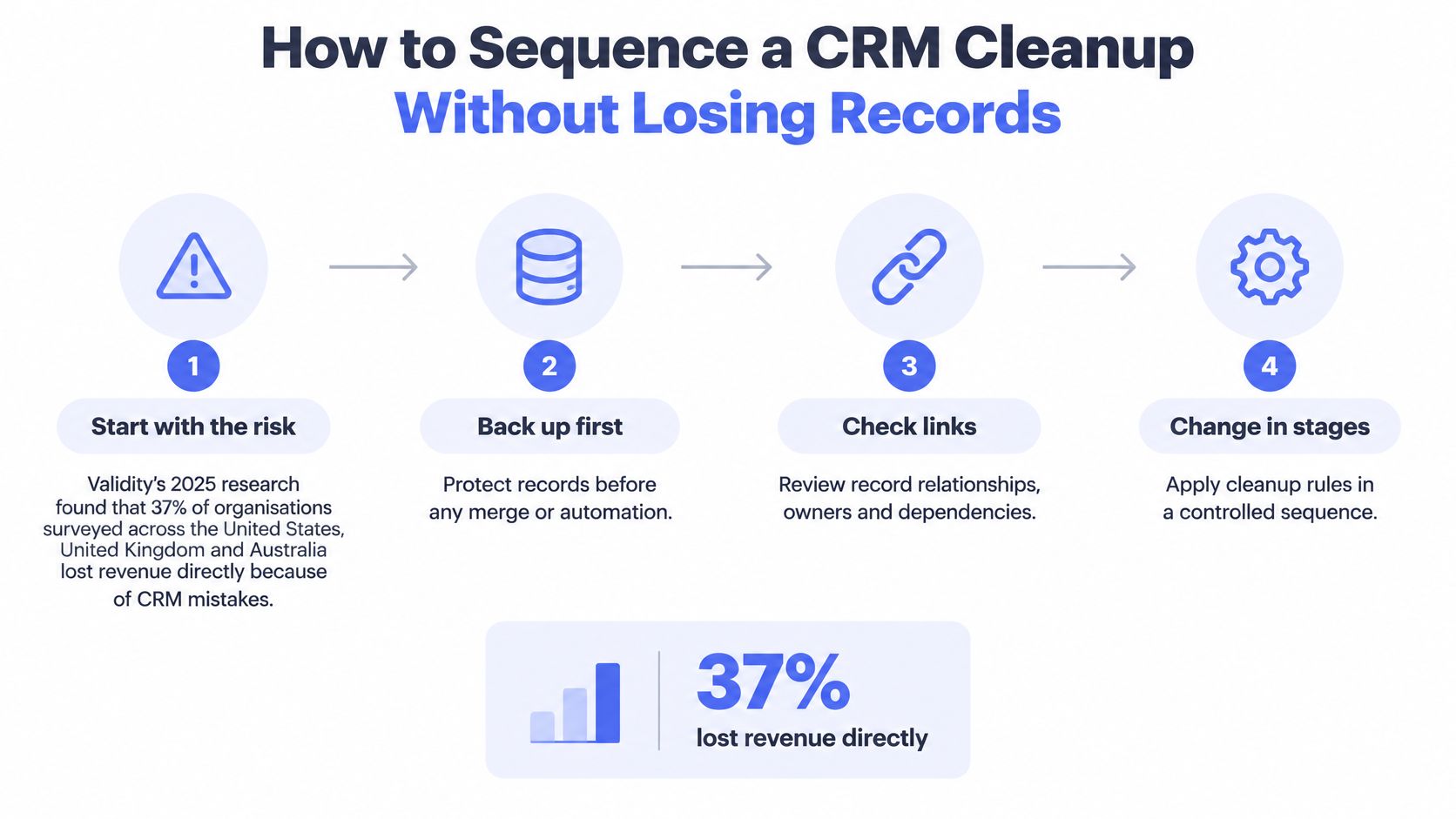
Six phases carry the work, and each one hands something to the next. Skipping a phase doesn't save time, it moves the cost downstream to a point where undoing it is harder.
| Phase | Goal | Output before moving on |
|---|---|---|
| 1. Back up and scope | Protect records so every change can be reversed | Tested backup, restore sample and scope list |
| 2. Audit and set rules | Measure a baseline and define a usable record | Baseline metrics and agreed field and ownership rules |
| 3. Review duplicates | Merge certain matches and hold uncertain ones | Merge log linking old IDs to surviving IDs |
| 4. Complete essential fields | Fill the minimum field set on surviving records | Completed fields with a recorded source for new values |
| 5. Review stale deals | Give every open deal an owner and an outcome | Each open deal has a next action or a closed outcome |
| 6. Set routines | Keep records clean after the cleanup ends | Weekly exception queue and a measurement plan |
The dependencies are the whole point. A merge can't be safely undone without a tested restore, so protection comes first. Duplicate review has to happen before gap filling, or you'll spend a day loading data into records that are about to be absorbed by others. Stale deals are only worth reviewing once records are consolidated, because until then one job can sit under two owners with two different values and neither is obviously wrong.
Treat the output column as a gate. If the merge log doesn't exist, don't start completing fields. If the field rules haven't been agreed, don't review duplicates. When a cleanup stalls halfway, it's usually because two phases ran at once and neither finished.
Where the model itself is the problem, with sales, marketing and service disagreeing about what a record even means, it's worth understanding when to hire a RevOps consultant rather than asking a stretched admin to arbitrate between teams.
Back Up and Check Record Links Before Any Change
One merge action can rewrite hundreds of records at once, and a delete takes the linked history with it. The first control in any cleanup is making the change reversible before you make it.
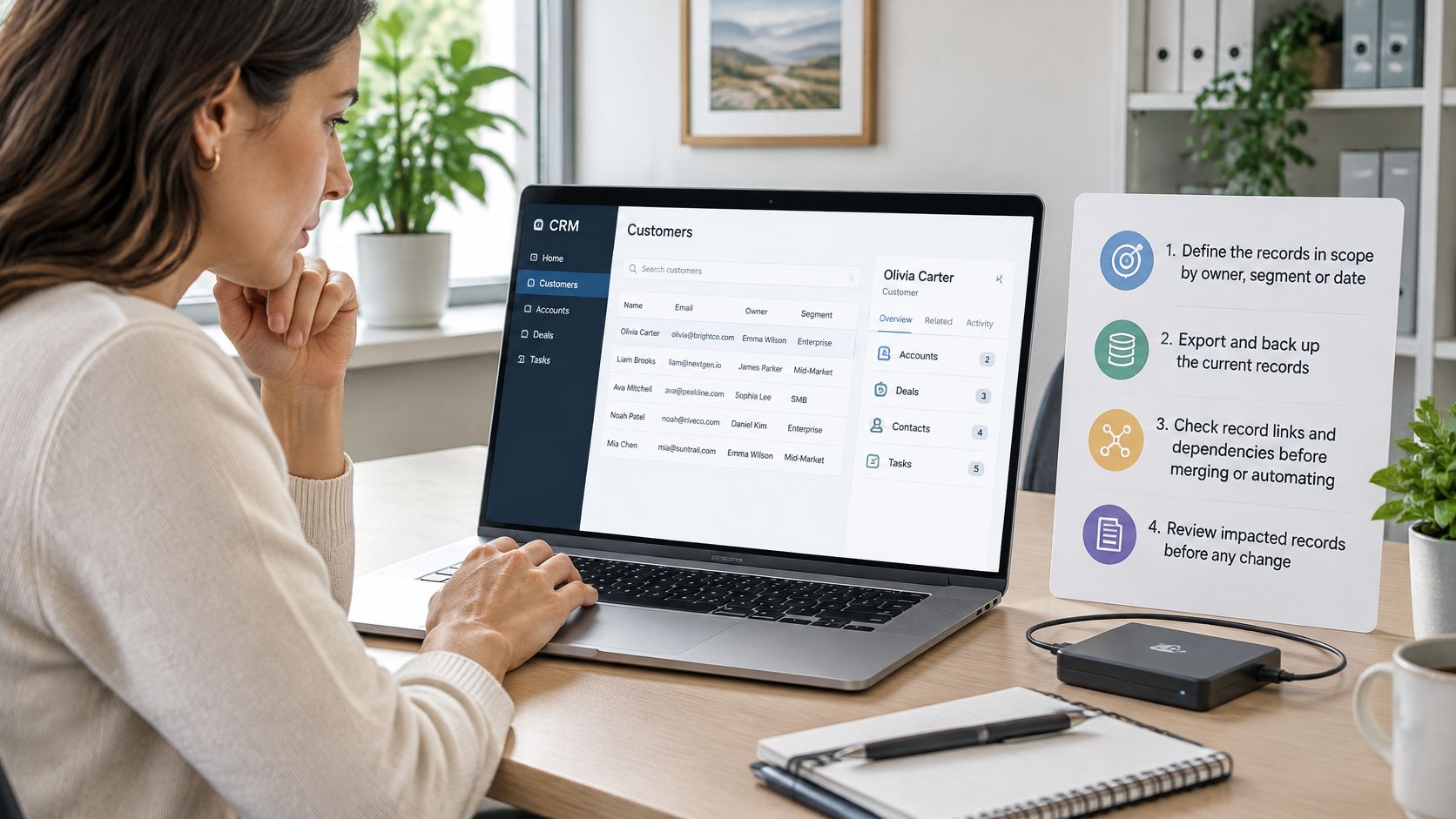
- Define the records in scope. Work by owner, segment or date range, and write down the linked objects in play: contacts, companies, jobs, quotes, invoices, notes. You can't verify a link you never listed.
- Export a full backup and restrict who can open it. The backup holds personal information, so it needs at least the same protection as the live system.
- Restore a sample into a test environment. Confirm that activity history, owners, attachments and links come back intact. A backup nobody has restored isn't a backup, it's an assumption.
- Map which records point at each other. Before merging, know which jobs and invoices reference the record that's about to disappear.
- List every automation that could fire on a changed record. Sequences, reminders, invoice chasers and assignment rules all read from fields you're about to alter. Pause anything that can send a message to a customer.
- Agree in writing which information wins when two records conflict. Owner, stage, phone, email, consent status. Decide the rule once and apply it everywhere.
Australian privacy law sets the floor. The OAIC's guide to securing personal information advises organisations to make copies of important files to prevent personal information being lost, and to consider what data a backup provider will capture. Australian Privacy Principle 11 requires reasonable steps to protect personal information from misuse, interference and loss, and from unauthorised access, modification or disclosure. A backup dumped in an open shared drive doesn't clear that bar.
So the pre-flight check isn't "do we have a backup". It's "is this backup complete, securely stored and usable for recovery". That's why we agree the security controls for each system before any work starts: limited access, data handling rules, operational logs and approval gates on sensitive actions.
The same discipline applies when you change platforms, which is why switching CRM without losing data is mostly a story about backups, record links and ownership rather than about software features.
The common slip is backing up contacts but not activity history. After the merge, the notes from a quote conversation exist only on the record that was absorbed, and the surviving contact has a blank timeline. Nobody can reconstruct what was agreed, what was quoted, or who said it.
Audit Records and Set Field and Ownership Rules
Without an agreed definition of usable, a cleanup turns into an argument about taste. Sales calls a record fine because the phone number works. Marketing calls it dead because the email bounced. Both are looking at the same row.
Working definition: a usable record has an identity (person or organisation), one working contact method, a named owner, a current stage, a next action, and a consent or marketing status.
A record missing two of those is not actionable, no matter how tidy it looks. The audit measures how far the database sits from that definition, and the result decides what gets fixed first.
Customer data rarely arrives through one door. An Experian Australia study on transforming data for CRM effectiveness found that organisations received customer data from an average of 3.44 sources, while nearly 53% still relied on manual processes. Web forms, trade-show imports, phone enquiries and spreadsheets each create records in their own shape. Every source needs a rule, or the duplicates rebuild themselves within a quarter.
The starting position is usually worse than the owner expects. In 2025, 76% of surveyed CRM users and administrators across the United States, United Kingdom and Australia said less than half of their organisation's CRM data was accurate and complete, according to the Validity 2025 State of CRM Data Management report.
| Metric | How to measure it | Why it matters |
|---|---|---|
| Duplicate rate | Share of contacts or companies matching on email, phone or domain | Inflates pipeline counts and splits history |
| Minimum field completeness | Share of records with identity, contact, owner, stage and next action | Shows whether records can be acted on |
| Missing owner | Count of records with no assigned user | Leaves enquiries unclaimed and tasks in conflict |
| Invalid contact format | Count of phone numbers and emails failing format checks | Causes failed messages and missed matches |
| Stale record rate | Share of open records with no activity since a cut-off date you set | Hides dead deals in the pipeline |
| Missing next action | Count of open records with no scheduled task | Leaves active leads without follow-up |
Read the Baseline by Source, Not as One Number
Run the audit on a read-only export and segment every metric by source and by team. A single "82% clean" figure hides the fact that web form records are fine and imported trade-show lists are a mess, or that one salesperson holds a third of the unowned enquiries.
The audit results then set the rules. Field rules decide which fields are required before a record can be saved, which format each field accepts, and which fields a person fills in because automation guesses badly, such as a quoted price or the reason a deal stalled. Ownership rules decide who a record belongs to the moment it lands: form enquiries go to a named queue, imported lists stay with whoever imported them until reassigned, and no record sits unowned past a time limit you set. Write both down. A rule that lives in one person's head dies when they take leave.
Two format checks earn their keep early. Put every Australian mobile number into one consistent international format, because mixed formats break matching on the field you rely on most. Review the last activity date on each open record as a prompt for a decision, not a verdict: no activity doesn't automatically mean dead, but it does mean somebody has to decide.
Keep the baseline file. Repeating these metrics after cleanup is the only honest proof the work did anything, and repeating them monthly is what turns a one-off fix into a routine that catches drift before the next audit does.
Duplication has a known shape. Experian Australia's 2023 data quality report states that duplication rates of 10% to 30% are common, even when organisations actively try to keep records unique. On a database of 10,000 customer records that range represents roughly 1,000 to 3,000 potentially duplicated records, before you count outdated phone numbers or missing owners.
Once the baseline and rules exist, the ongoing work of keeping CRM contact data clean becomes a schedule rather than a project. If the audit shows records spread across several tools rather than trapped in one, the customer database software decision matters less than the rules you apply across whatever you already run.
Merge Duplicates Only When the Match Is Certain
Deduplication fails in two directions. Merges that should happen never do, and merges that shouldn't happen combine two customers into one. The second is far more expensive, because the evidence usually disappears with the losing record.
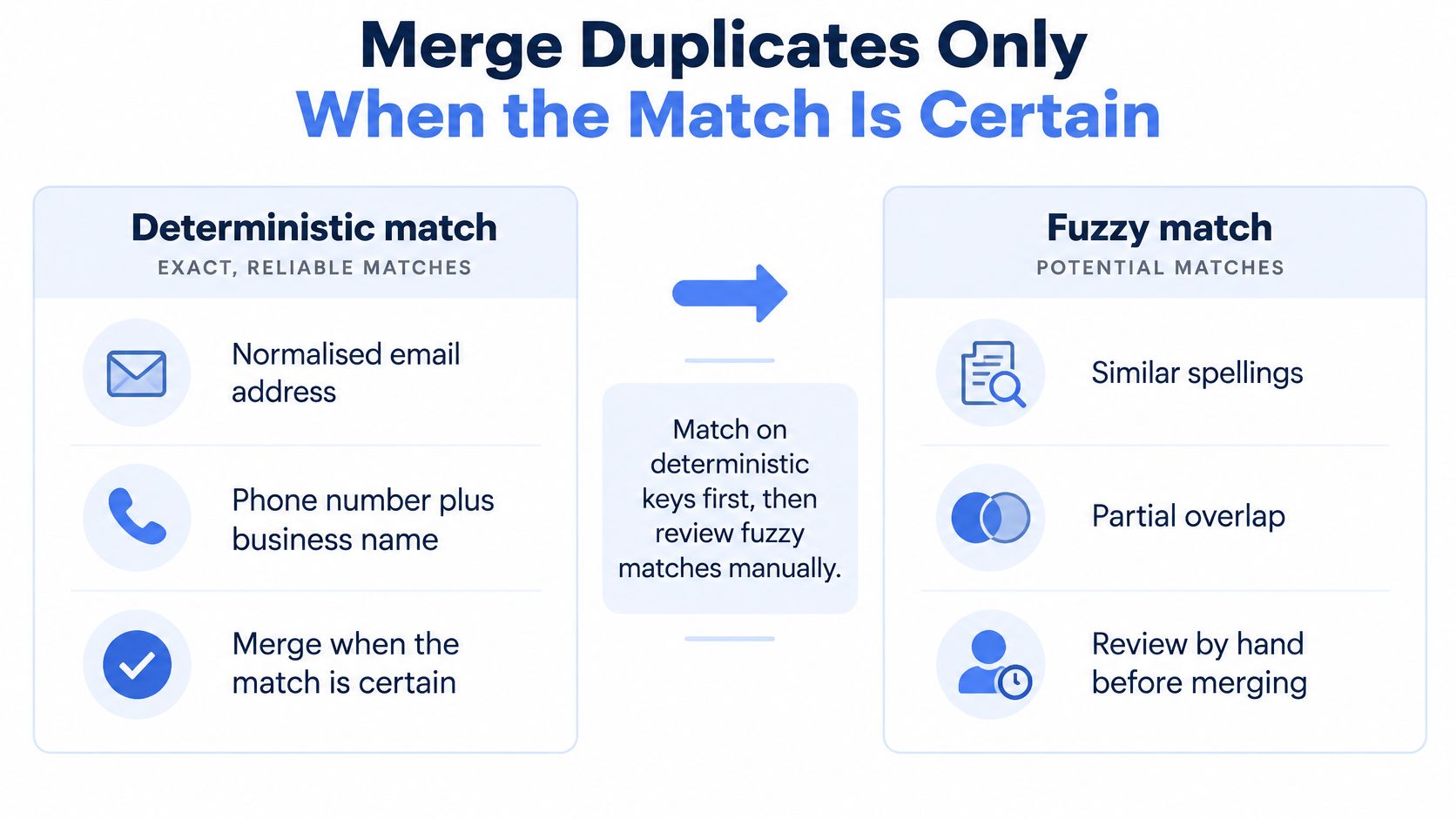
Match on deterministic keys first: a normalised email address, or a phone number combined with a business name. Those pairs either match or they don't, and a machine can run thousands of them without a judgement call. Fuzzy matching is where risk lives, because similar spellings and partial overlaps are evidence, not proof.
Say a builder's CRM holds two contacts with the same name at the same company. Different email addresses, separate activity histories, one carrying a quote from March. They could be two people on the same site, a father and son trading under one ABN, or one person whose address changed when the business switched providers. Merging them combines unrelated conversations, and the absorbed record's history goes with it. That's a decision for a person, not a threshold.
| Match type | Example | Action |
|---|---|---|
| Same email address | Two contacts sharing one email at the same business | Merge candidate, confirm activity history first |
| Same phone and business name | Same mobile and business name, different email | Merge candidate after a person reviews notes |
| Same name, same business, different email | Two contacts with the same name at one builder | Human review, may be different people |
| Shared phone line | One office number used by several staff or households | Keep separate and link to the business |
| Trading name variant | Smith Electrical and Smith Electrical Pty Ltd | Review and standardise the legal name |
| Similar spelling only | Jon Smyth and John Smith with no other shared field | Quarantine, do not merge |
Survivorship has to be chosen deliberately rather than inherited from import order. Pick the master record, keep its ID, and carry across source IDs, activities, opportunities, consent history and audit timestamps from the others. Quarantine uncertain matches in a review list, run a test merge on a small sample, then check that integrations still point at the surviving record before the production merge runs.
A merge you can't explain six months later is a merge you'll repeat six months later.
Log every merge with both the old and surviving IDs so a reversal is possible, and track merge reversals as a metric in their own right. When the number climbs, your match rules are too loose.
If you want to see duplicate review worked through in a live interface before you replicate it on your own data, the walkthrough below is a useful reference point.
Record relationships are part of the information being reviewed, not clutter around it. The OAIC's APP 10 guidelines treat linked contacts, jobs, quotes and communication history as relevant to the purpose, and note that the owner may hold context that isn't visible in the main fields. Confirm ownership before changing a deal or a customer record.
That's also why records that sync in from LinkedIn deserve a second look before you bulk-merge them. A sync creates contacts from profile data, which is exactly the sort of partly-populated record that looks like a duplicate and isn't.
Anything that deletes data or changes what a customer receives goes to a person for approval. In our managed work, that gate stays in place even when the match confidence is high.
Complete Essential Fields Without Overwriting Consent
Fill gaps after duplicates are resolved, never before. Completing fields on records that are about to be merged away wastes effort and creates two versions of the truth while you work.
- Standardise formats first. Mobile numbers in one international format, state names abbreviated consistently, postcodes as four digits, business names as registered rather than as typed.
- Add an ABN only where it applies. Business customers, held lawfully, never inferred from a trading name that happens to look official.
- Fill owner and stage from the last known activity, then confirm with the owner. Not from a guess about whose deal it looks like.
- Never let a blank or conflicting value overwrite consent. A merge that clears an opt-out is a compliance incident dressed as a tidy-up.
- Record the source of every new value. "Imported from the quote form on 14 March" is enough. "Unknown" is not.
- Leave a field empty rather than guessing. Unverified enrichment is a liability wearing the costume of completeness.
A field filled from a guess is worse than a blank one, because the blank prompts a question and the guess doesn't.
Privacy law draws the boundary here. APP 10 requires reasonable steps to keep personal information accurate, up to date and complete when it's collected, and accurate, up to date, complete and relevant when it's used or disclosed. The same guidelines note that when information is amended, an organisation should consider whether duplicate copies need to be destroyed or de-identified under APP 11.
Marketing permissions are the other half of the job. Under APP 7, as set out in the OAIC's direct marketing guidance, an organisation generally needs to have collected non-sensitive personal information directly from the person, provide a simple way to opt out, and stop sending marketing when someone does. Sensitive information can only be used for direct marketing with consent.
So before automations come back on, check two things on the surviving record: that it's eligible for the message you're about to send, and that the unsubscribe or suppression status carried across the merge intact.
Run a Weekly Routine and Measure Whether It Works
Every active lead has an owner, a stage and a next action. Not a note saying "called", not a deal parked in Proposal since February. Owner, stage, next action, every time.
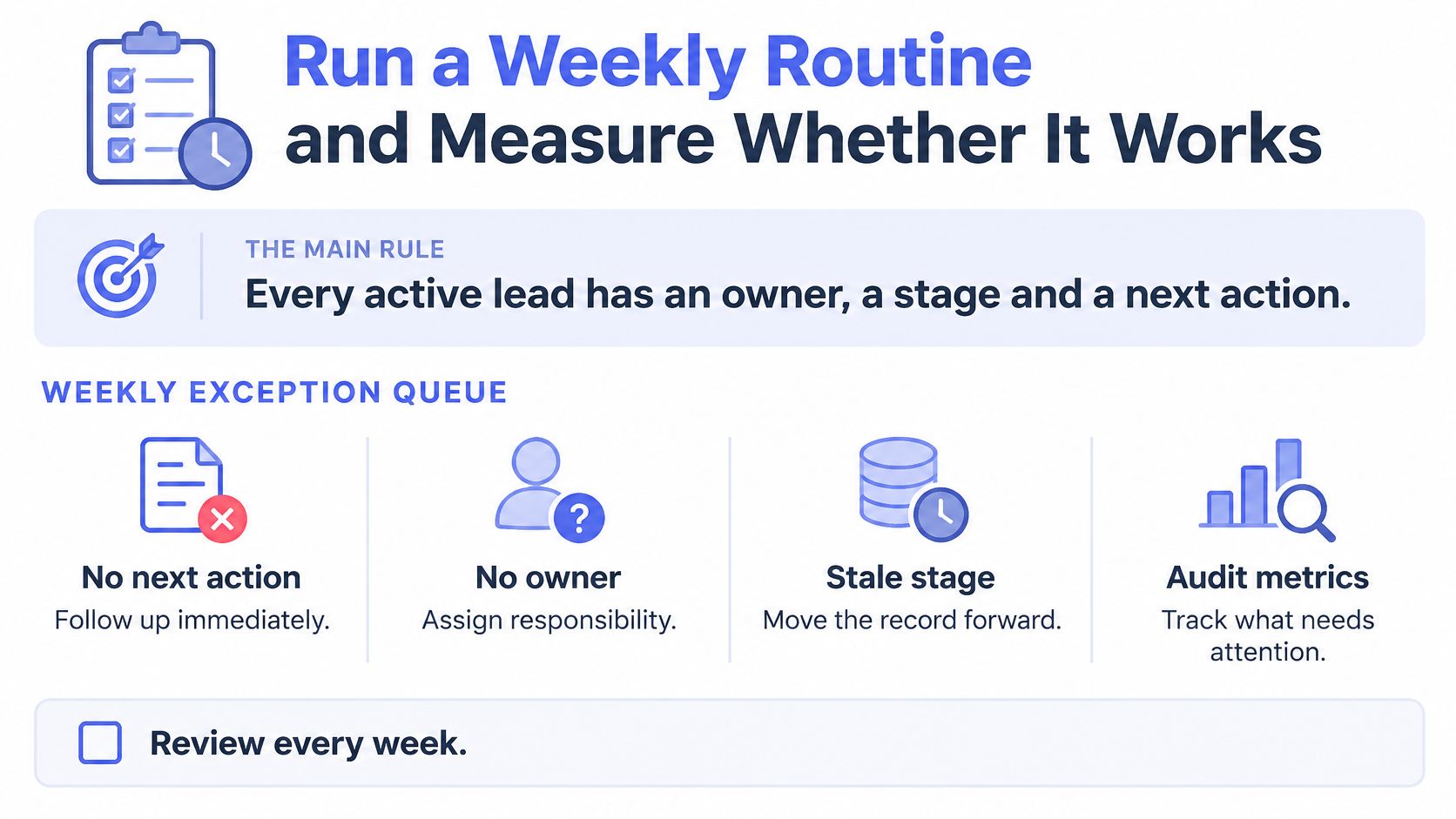
Build the weekly exception queue straight from the audit metrics. Look for open records with no next action, enquiries with no owner, follow-ups past their scheduled date, opportunities with no activity since a cut-off you set, duplicates created in the past seven days, and any record where the CRM says proposal and the invoice system says paid. Give each exception a named person and a deadline, then review the list in the same slot each week.
Set confidence thresholds for anything automated. High-certainty changes can apply themselves, while uncertain matches wait for approval. The OAIC's guidance on privacy and commercially available AI products recommends privacy-by-design measures, transparent notices, vendor due diligence and human oversight when these tools handle personal information. In practice, that means the automation handles the routine and a person handles the exceptions.
Privacy notice currency belongs on the same calendar. An Australian small-business privacy study published by Zoho reported that fewer than half of respondents had a well-defined, documented and applied customer privacy policy, while a further one in five either lacked a policy or had never reviewed it. A policy nobody has opened since the last migration isn't a control.
The test of a clean CRM: a staff member opens any active record and can act on it without asking anyone what it means.
Measurement is where most cleanups fail. Repeat the baseline metrics about 30 days after the work finishes and compare missing next actions, overdue follow-ups and stalled opportunities by team, not as one blended score. If the queue keeps growing, the problem isn't the data, it's ownership or a workflow that recreates the mess faster than anyone clears it.
Tool choices feed that loop too. CRM integration decisions that let booking, invoicing and sales statuses drift apart will refill the queue no matter how clean the export was.
If the weekly queue still depends on someone remembering to build it, CRM automation describes how routine hygiene checks get built into the workflow, turning stale records into action queues, call cards and weekly visibility.
Truespeak builds and runs the operating layer around the tools you already use, including CRM hygiene routines that turn stale records into action queues and a short weekly report, with human approval gates on anything sensitive. If your cleanup keeps sliding back because nobody has time to run the exception queue, that's the part we take over, monitor and keep tuned. Start at Truespeak and bring one messy handoff to the first conversation.