
Monday starts with three enquiries in your website form, two missed calls, one referral text, and a quote you meant to chase on Friday. By lunch, someone has replied from their own inbox, someone else has made a note on paper, and your CRM is already behind. Then an invoice reminder goes out late because nobody had a clean list of what still needed attention.
That's where most small teams lose time. Not in one dramatic failure, but in dozens of tiny handoffs that never get captured, assigned, or followed through.
For most owners, AI for small business isn't useful when it behaves like a novelty chat window. It becomes useful when it acts more like an operating layer around the tools you already use. It notices when work appears, puts the right context in front of the right person, and keeps the next action visible until the job is done.
That matters in a team of 2 to 50 people because small gaps stay hidden for a long time. A missed follow-up looks like bad luck. A stale CRM looks like admin debt. A late invoice looks like a one-off. Together, they become avoidable drag.
Table of Contents
- Introduction Where Small Teams Lose Time and How AI Helps
- What AI Means for a Small Business in Plain Terms
- How Australian Small Businesses Are Actually Using AI Right Now
- Practical AI Quick Wins That Fit a Small Team
- A Simple Implementation Approach From Diagnostic to Daily Operation
- Managed Operations Governance and How to Measure What Matters
- Choosing Your Next Step and Making AI Stick
Introduction Where Small Teams Lose Time and How AI Helps
A typical service business doesn't have a shortage of effort. It has a shortage of clean handoffs.
A new lead comes in through a form. A staff member replies quickly, but the enquiry never gets logged properly. Another lead arrives by phone, and the details sit in someone's memory until the end of the day. A quote goes out, but nobody owns the follow-up. The customer is still interested, yet the opportunity drifts because there's no reminder, no stage, and no agreed next action.
The Real Problem Isn'T Usually Volume
Small businesses don't need a robot to "run the business". They need a reliable way to make sure every enquiry, quote, task, and invoice lands somewhere visible.
That's the practical use of AI here. It can help capture incoming work, sort it, route it, draft the boring parts, and remind people when something still needs a decision. The team still handles judgement, relationships, and exceptions. The system handles consistency.
Small businesses rarely struggle because nobody cares. They struggle because important work lands in too many places at once.
There's also a lot of noisy advice in this space. You'll hear claims that one AI project let a business scale without adding headcount, or that a small spend created a huge return overnight. That isn't a useful starting point for an owner trying to fix a messy Monday.
A more grounded view is better. In a practical deployment, automation supports a visible process such as enquiry capture, routing, reminders, and repetitive administration so the existing team can stay organised. It doesn't replace ownership. It sharpens it.
What Good Looks Like First
If you're deciding where to begin, look for signs like these:
- Every lead is visible: It sits in one system with an owner, stage, and next action.
- Replies happen faster: First response is timely and useful, not generic.
- Follow-up stops depending on memory: Quotes, proposals, and dormant opportunities don't disappear.
- Admin becomes easier to review: Notes, statuses, and reminders are cleaner.
- Sensitive messages still get checked: People approve important customer-facing actions.
That's the standard worth aiming for. Not magic. Not set-and-forget. Just a calmer operation with fewer dropped balls.
What AI Means for a Small Business in Plain Terms
Think of AI as a reliable operations desk sitting inside your business.
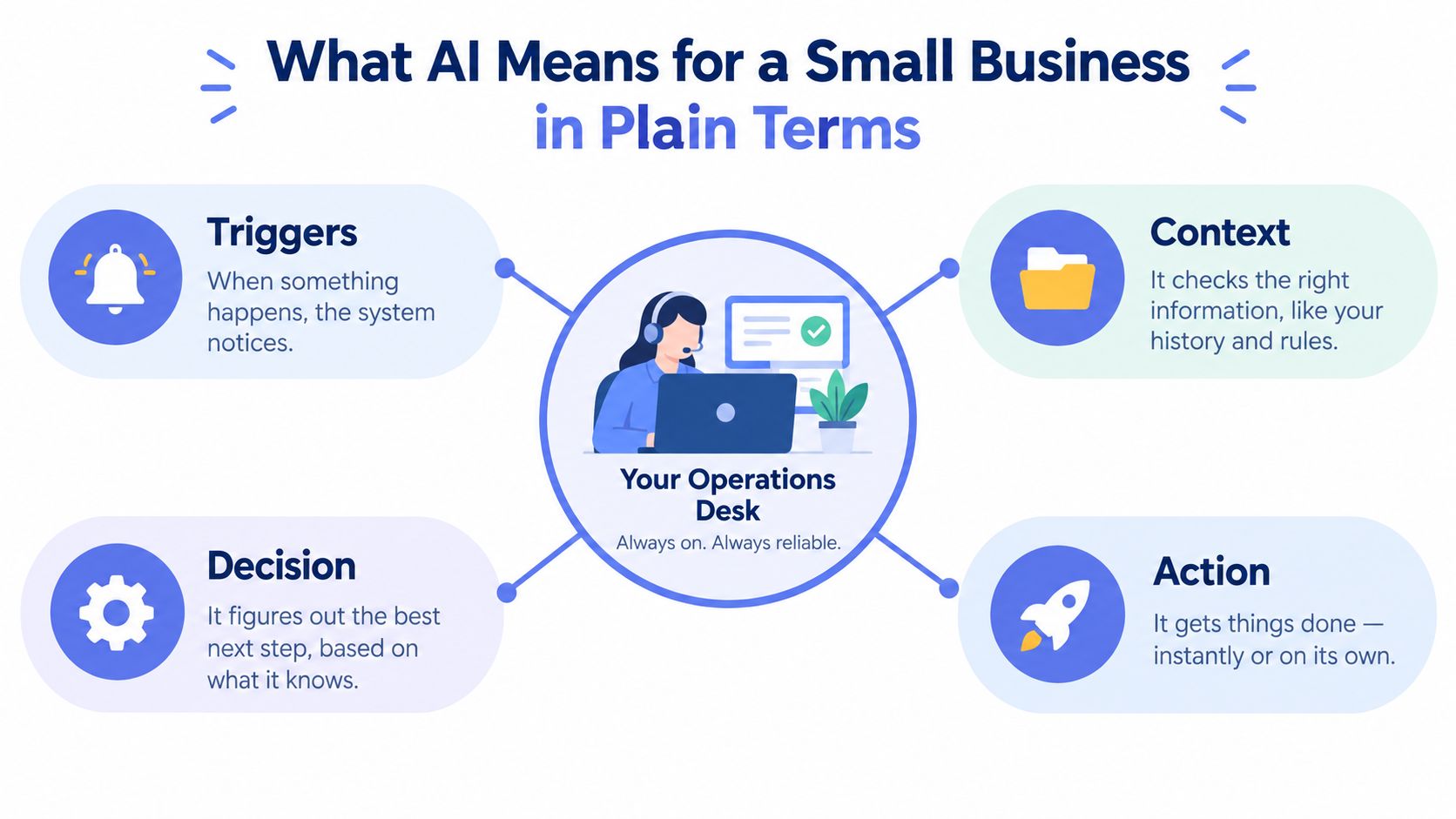
Not a replacement for your staff. Not a mystical brain. Just a layer that watches for events, gathers context, suggests or takes the next step, and asks a human to review anything sensitive.
The Four Moving Parts
A useful mental model is this:
- Triggers: Something happens. A form is submitted, an email arrives, a call is missed, a quote is sent, or an invoice becomes overdue.
- Context: The system pulls in what matters. Who is this person, what service do they want, have they contacted you before, what stage are they in, what's the urgency.
- Decision: Rules and AI logic help sort the work. Is this a fit, who should own it, does it need a same-day reply, should it be nurtured later, does it need approval first.
- Action: A record is created, a draft is prepared, a reminder is scheduled, a task is assigned, or a team member is alerted.
That's far more useful than asking a chat tool random questions in a blank box.
Why Chat Tools Alone Often Disappoint
Standalone chat tools can be handy for writing drafts or summarising notes. But if they aren't connected to your workflow, they don't solve the operational problem. The draft still sits in the wrong inbox. The note still never reaches the CRM. The follow-up still depends on someone remembering.
Practical rule: If the output doesn't create a clear owner and next action, it's not fixing operations yet.
This is why your CRM or core operating system should be the source of truth. AI can sit around it, but the business needs one place where a lead, customer, quote, or invoice is tracked properly. If that source of truth is missing, automation only moves the mess faster.
Where People Stay in the Loop
Small teams often worry that using AI means losing control. It doesn't have to.
People should stay in the loop for:
- Judgement calls: Is this customer a fit? Is the issue sensitive?
- Relationship moments: Sales calls, negotiations, complaints, and key service updates.
- Exceptions: Anything incomplete, unusual, or risky.
- Approvals: Messages tied to payment, legal exposure, or customer impact.
A practical example is phone coverage. If you're exploring after-hours handling or missed-call workflows, resources on AI call handling for businesses can help you think through where automation supports the front desk without taking over the relationship.
The point isn't to automate everything. It's to make routine work reliable, so your team can spend energy where human judgement matters.
How Australian Small Businesses Are Actually Using AI Right Now
The Australian picture has changed quickly, but it hasn't changed evenly.
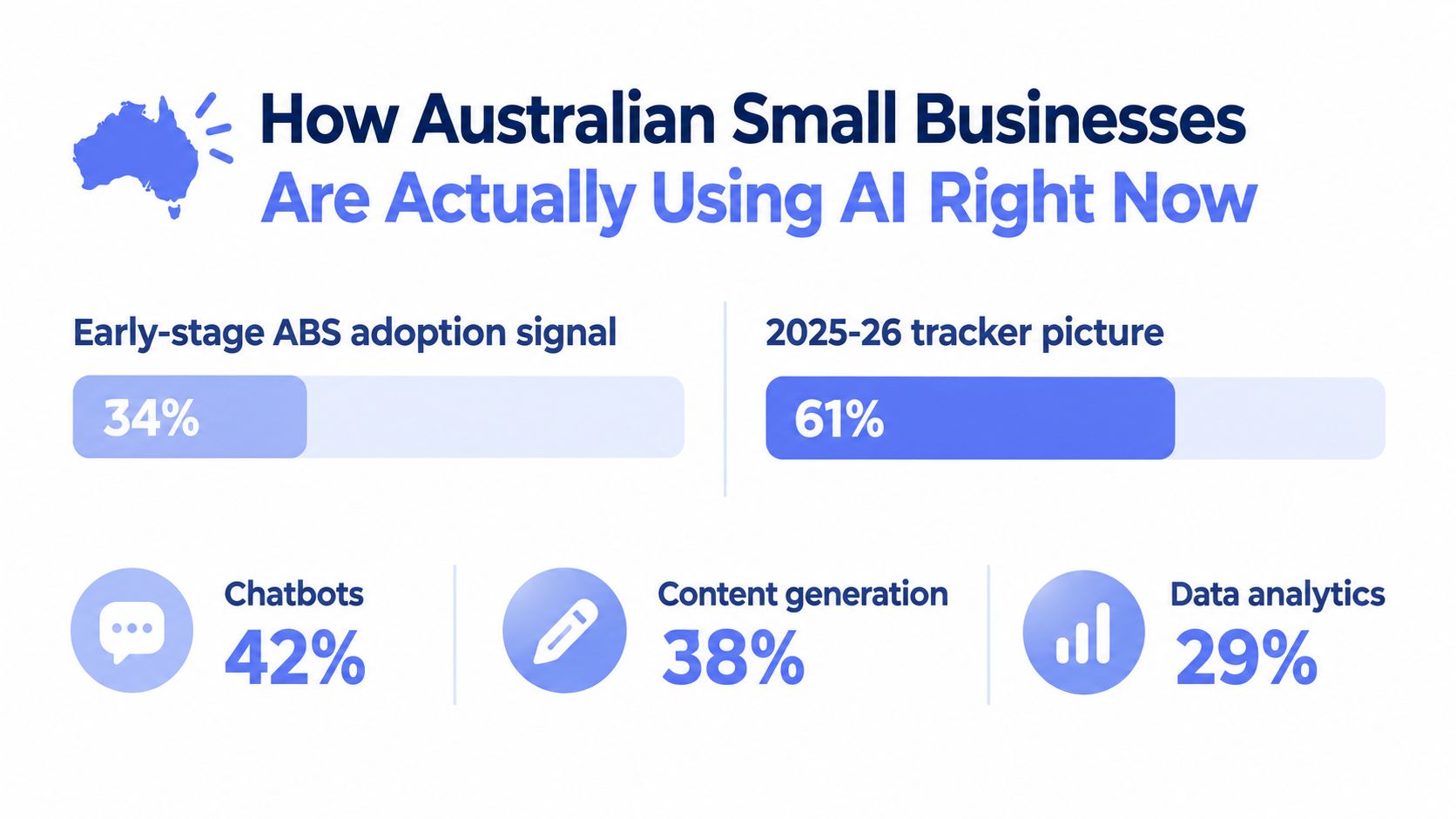
Official business statistics still showed early-stage adoption in smaller firms across 2024 to 2025. The ABS figures reported around 11% uptake among small businesses and around 11% among micro businesses, compared with 22% for medium businesses and 35% for large businesses. In that same release, innovation-active small businesses reached 19%, versus 4% for businesses that were not innovation-active. That's a useful signal that adoption tends to follow broader operational capability, not just curiosity about tools, as noted in this summary of Australian SME AI adoption data.
Adoption Rose Fast, but Outcomes Lagged
By June 2025, Australia's National AI Centre tracker reported 41% of Australian small and medium enterprises were currently adopting AI, up 5 percentage points from the previous quarter. The same tracker found 22% were seeing improvements in decision-making speed, 18% were reporting better productivity, and the share of businesses unaware of how to use AI had fallen to 21%, according to the National AI Centre adoption tracker.
That tells you something important. Access to AI is no longer the main issue for many businesses. Turning it into consistent operational benefit is the harder part.
A later Australian business snapshot reinforced the same pattern. Reporting across Dec 2025 to Feb 2026 showed 43% of SMEs using AI and 44% in Feb 2026, yet only the smaller shares already noted were reporting measurable speed and productivity gains. The practical lesson, discussed in Deloitte's reporting on SMB AI adoption, is that adoption alone doesn't guarantee throughput gains. Businesses see more lift when AI is connected to queues, routing rules, and approval steps inside existing systems.
Why Orchestration Matters More Than Hype
If a business uses AI only to generate text, it may save a bit of writing time. But if AI is wired into intake, qualification, assignment, reminders, and review, it starts changing the speed and reliability of work moving through the business.
This is the shift many owners miss. The question isn't “Do we have an AI tool?” The better question is “When work arrives, does the system know what to do next?”
Here's a useful explainer before going further:
For service businesses, that's where AI stops being a novelty and starts behaving like infrastructure.
Practical AI Quick Wins That Fit a Small Team
The safest starting point is usually the smallest useful system. Pick one recurring bottleneck, make it visible, add automation around it, and keep a human review gate where needed.
A good first pass isn't “Which AI tool should we buy?” It's “Which piece of work do we keep dropping?”
Five Quick Wins Worth Considering
One strong candidate is speed-to-lead response. A new enquiry arrives from a form, inbox, or referral. Instead of waiting for someone to notice it, the system creates a contact, tags the enquiry, suggests a fit category, assigns an owner, and prompts the next action. The person then handles the conversation.
Another is quote and proposal follow-up. Many businesses send solid quotes, then go quiet because nobody wants to feel pushy or because the task gets buried. A workflow can schedule polite follow-up drafts and reminders based on the quote stage, while the team approves anything that goes to the customer.
A third is structured intake. If your team keeps chasing photos, site details, documents, or a proper brief, AI can help standardise intake and check what's missing before handoff. That reduces rework later.
Then there's CRM hygiene. This isn't glamorous, but it matters. If records sit stale, the team can't trust the system. AI can help classify notes, flag missing stages, identify leads without an owner, and keep action queues current.
Finally, invoice reminders are often a practical finance use case. The system can prepare polite reminders, escalate based on age, and hold messages for approval before they go out.
Quick Wins Compared by Effort and Impact
| Use Case | What It Automates | Human Review Gate | Best First Signal |
|---|---|---|---|
| Speed-to-lead | Capture, tagging, routing, initial draft | Final send or booking confirmation | Fewer unowned enquiries |
| Quote follow-up | Reminder timing, draft follow-ups, task creation | Approval before customer contact | Fewer quotes without next action |
| Structured intake | Form logic, document requests, missing-item checks | Review of unusual or incomplete submissions | Cleaner handoffs to delivery |
| CRM hygiene | Stage checks, owner checks, note summaries, task queues | Review of bulk changes | Fewer stale records |
| Invoice reminders | Reminder schedule, draft messages, escalation cues | Approval before payment chasing | Better visibility of overdue invoices |
Pick Based on Operational Pain, Not Novelty
If your sales process leaks, start there. If your admin team is buried, begin with intake or CRM cleanup. If cash flow pressure is constant, invoice reminders may be the better first move.
Don't start where AI sounds impressive. Start where missed follow-up or repetitive admin is already costing attention every week.
For teams also trying to improve marketing production, a tool like ShortGenius AI ad creative tool can help generate ad assets faster. But that belongs after your lead handling process is clear. More leads into a messy system just creates faster chaos.
If you want a deeper look at how these flows connect across a business, this guide to AI workflow automation is useful as a process lens.
A Grounded Example
An illustrative setup for a small team looks like this:
- Capture everything in one place: Forms, inbox enquiries, and referrals all create records in the CRM.
- Standardise qualification: Each enquiry is tagged for fit, intent, urgency, and service type.
- Assign clear ownership: Every lead gets an owner, stage, and next action.
- Automate reminders: If nothing happens by the expected time, the system nudges the owner.
- Close the loop: The record stays active until it is won, lost, disqualified, or nurtured.
That's simple enough to manage, but strong enough to stop opportunities drifting out of sight.
A Simple Implementation Approach from Diagnostic to Daily Operation
Most AI projects go wrong before the build starts. The team picks tools first, then tries to force messy work into them.
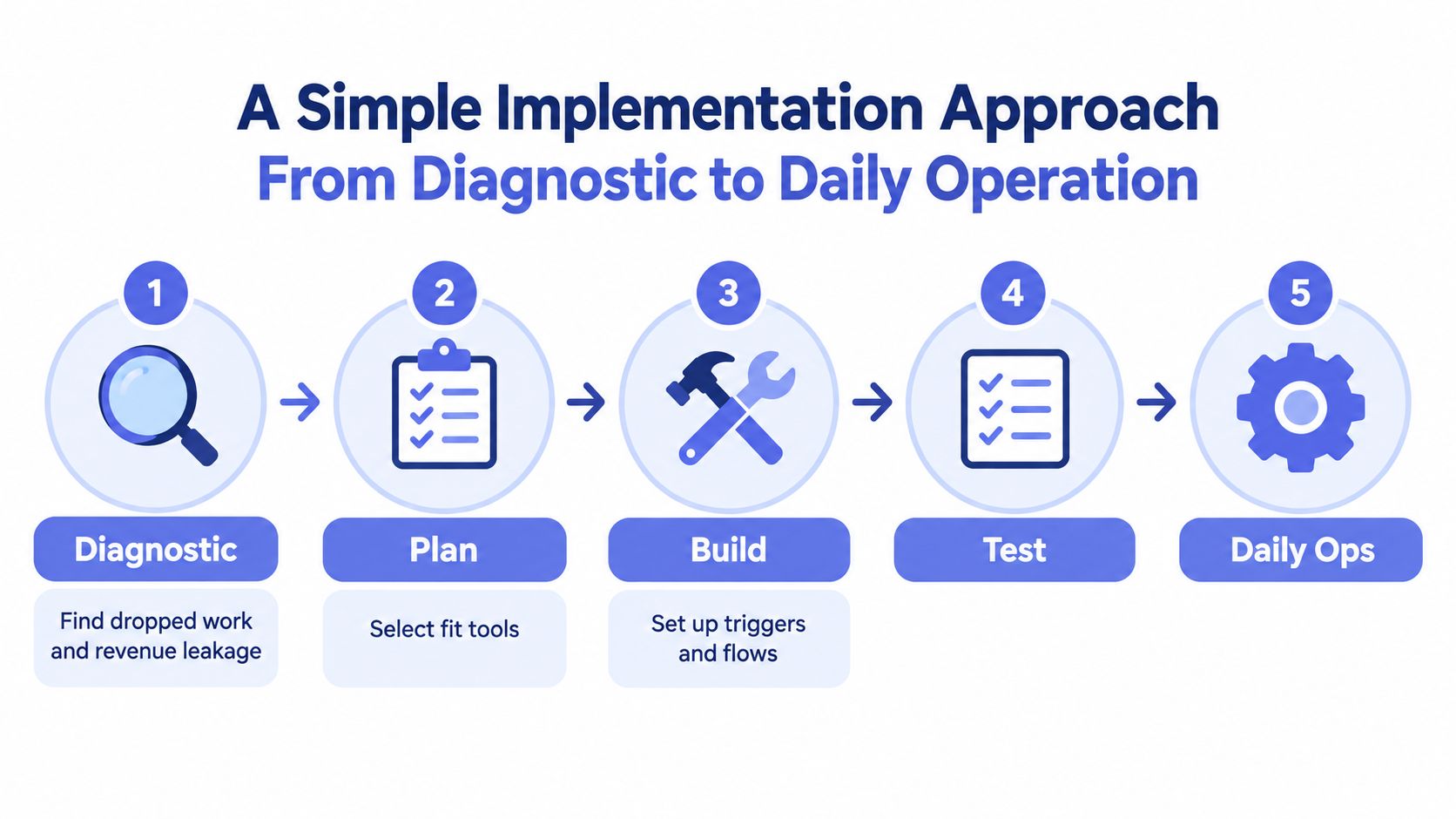
A better approach starts with diagnosis. Find where work goes missing, where handoffs fail, and where staff are doing repetitive admin that should already be structured.
Start with Leakage, Not Software
Look at one workflow end to end. For example:
- Where does the work arrive? Form, phone, email, referral, social inbox.
- Who sees it first? One person, several people, or nobody clearly.
- What context is missing? Service type, urgency, budget, existing customer status.
- What should happen next? Reply, book, quote, request documents, disqualify.
- What commonly breaks? No owner, no reminder, duplicate records, no close-out.
This is why process design matters more than default tooling. A well-run small business needs clear rules around owner, stage, next action, response expectation, and final outcome.
Map the Workflow in Plain Language
Once the leakage is visible, map the operating logic:
- Trigger: A new enquiry lands.
- Context pulled in: Contact details, source, service, notes, customer history.
- Decision: Fit, urgency, route, and whether a human review is needed.
- Action: Create record, assign owner, draft response, set reminder.
- Verification: Confirm that the action happened.
- Exception path: Escalate if details are incomplete or the request is unusual.
That's the shape of a useful system. It doesn't need to be huge. It needs to be dependable.
A Sydney operator working with a managed partner such as Truespeak would usually keep the CRM or existing operating platform as the source of truth, then build these workflow layers around it rather than replacing the stack too early.
Build for Daily Operation, Not Just Launch Day
A lot of teams treat automation like a one-off installation. That's why things drift after the first month.
What you need after launch is a simple operating rhythm:
- Runbooks: What each workflow does, who owns it, and where approvals happen.
- Logs: A record of what was triggered, sent, assigned, or blocked.
- Alerts: A way to spot failures, stuck items, or unusual exceptions.
- Review cadence: A regular check on drafts, routing quality, and missed actions.
If you're refining that operating model, this article on small business automation is a practical companion.
The useful mindset is steady improvement. Start with one visible process. Watch what breaks. Tune the rules. Then expand from evidence.
Managed Operations Governance and How to Measure What Matters
The hard part of AI isn't getting something to work once. The hard part is keeping it reliable when customers, staff, and edge cases keep changing.
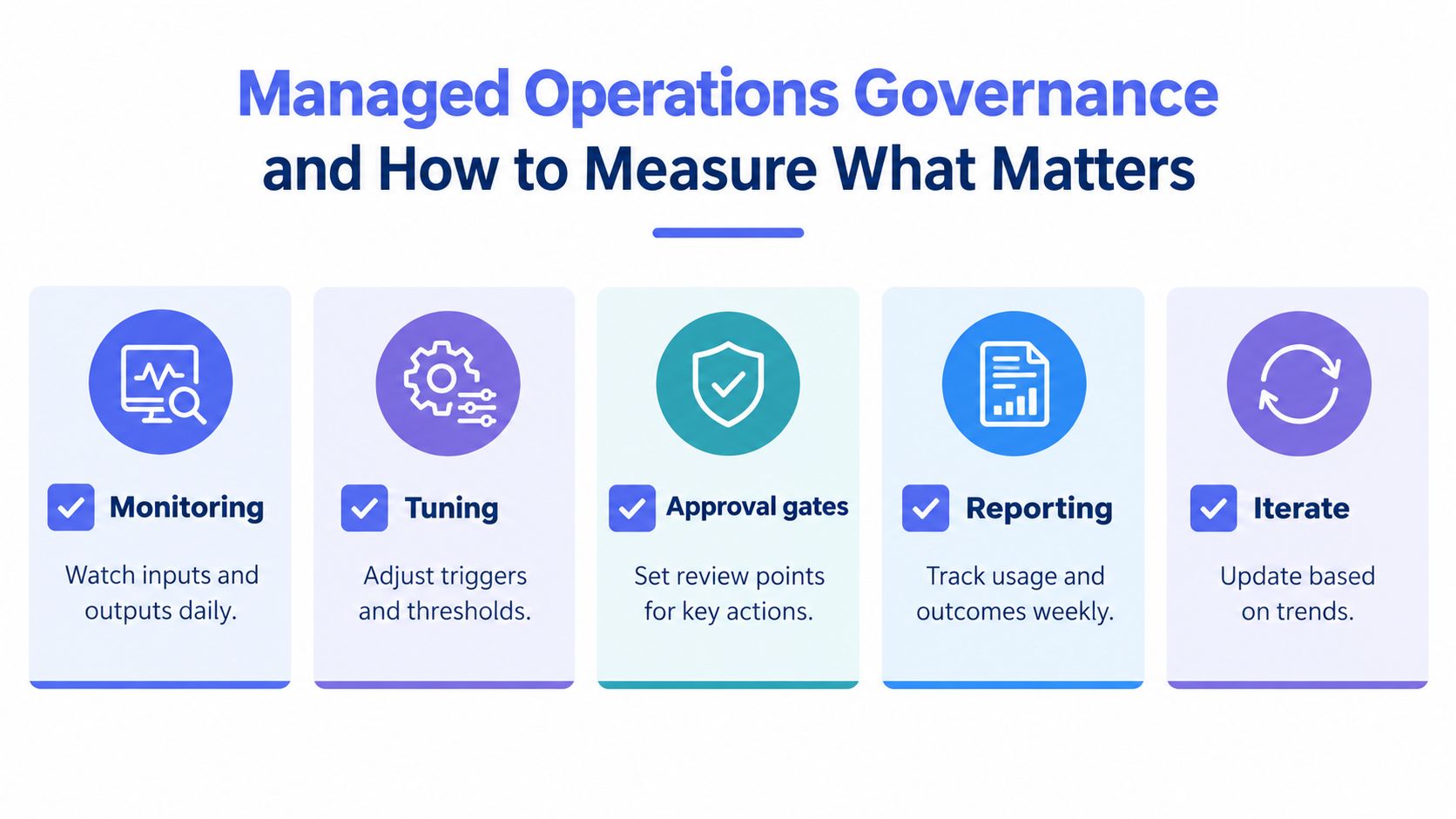
That's why managed operations matter. Someone has to monitor inputs and outputs, tune prompts and rules, maintain approval gates, and review exceptions. Otherwise the system slowly becomes another source of confusion.
Governance Is an Operations Issue
Small-business owners often hear governance framed like a corporate policy exercise. In practice, it's much simpler and more useful than that.
Governance means deciding:
- What can go out automatically
- What needs approval first
- Where personal data is stored
- Who can access raw customer information
- How exceptions get reviewed
If a system is running across channels like Slack, Telegram, or WhatsApp, that discipline matters even more. Sensitive data should sit in controlled environments with restricted access and private storage for raw personal information, not bounce around informally.
Measure Against Your Own Baseline
The easiest way to get lost with AI is to chase vague productivity claims.
A better method is to measure against your own before-state:
- Missed follow-up: How often does a lead, quote, or task go quiet with no owner?
- Duplicate work: How often do two people handle the same thing, or nobody does?
- Admin time: How much effort goes into rekeying notes, chasing documents, or updating records?
- Invoice timeliness: How long do invoices sit before a reminder is sent?
Measurement note: Value often shows up first as cleaner follow-up, less manual rework, and better visibility, not as one dramatic line item.
Australian SME data supports that more cautious view. NAB's Q1 2026 survey found around 40% of SMEs were actively using AI, with benefits concentrated in productivity at 58%, marketing at 46%, and customer service at 36%, while only 9% linked AI directly to profitability and 7% to revenue growth, according to the NAB SME AI adoption survey. That pattern fits what many operators see on the ground. AI tends to help first as a latency-reduction layer on repetitive work.
There's also a real measurement and integration gap. A 2025 survey highlighted in BizCover's analysis of AI in Australian small business found 93% of respondents could not effectively measure AI ROI and 88% had difficulty integrating AI with existing systems. The same piece noted that in November 2025, Deloitte reported two-thirds of Australian SMBs were using AI, but only 5% were fully enabled, and moving from basic to intermediate use was associated with a 45% profitability lift.
One especially concrete finance measure is invoice timing. Xero Small Business Insights found Australian small businesses were paid an average of 6.0 days late in the June 2026 quarter, with customers taking 22.9 days to pay invoices on average, as referenced in the Australian AI adoption tracker media release. If reminders are inconsistent, that's not just admin friction. It affects cash flow.
If you're weighing whether to build this internally or use outside help, this overview of an AI automation agency can help frame the trade-offs.
Choosing Your Next Step and Making AI Stick
If you've read this far, you probably don't need another list of AI tools. You need a starting point that matches the pressure in your business right now.
Use this simple checklist.
Start with the Bottleneck You Already Feel
- Choose first response if leads arrive in multiple places and nobody reliably owns them.
- Choose follow-up if quotes and proposals often stall after the initial send.
- Choose intake if delivery teams keep receiving incomplete briefs, missing documents, or unclear job details.
- Choose invoice reminders if cash collection depends on someone remembering to chase.
Decide Who Will Run It
Self-administration can work if someone on the team has time to monitor logs, adjust rules, and review edge cases. A managed setup makes more sense when the business wants the outcome but doesn't want another internal system to babysit.
Start small enough that your team can actually maintain the standard. A smaller system that stays reliable beats a bigger one that quietly decays.
The next useful action is to run a leakage diagnostic. Find where work enters, where it disappears, and where there's no owner. Then define five basics for the process you choose: owner, stage, next action, response expectation, and outcome.
Finally, set a baseline before you automate. Track missed follow-ups, stale records, admin rework, and invoice timing. That gives you something real to compare against once the system is live.
Truespeak designs, builds, and manages AI operating layers around the tools Australian businesses already use, with a practical focus on first response, follow-up, intake, CRM hygiene, invoice reminders, and reporting. If you want a grounded way to apply AI for small business without turning your team into system administrators, visit Truespeak.